Participant
March 29, 2022
Question

Colour, sketch jpg

  • March 29, 2022
  • 3 replies
  • 176 views

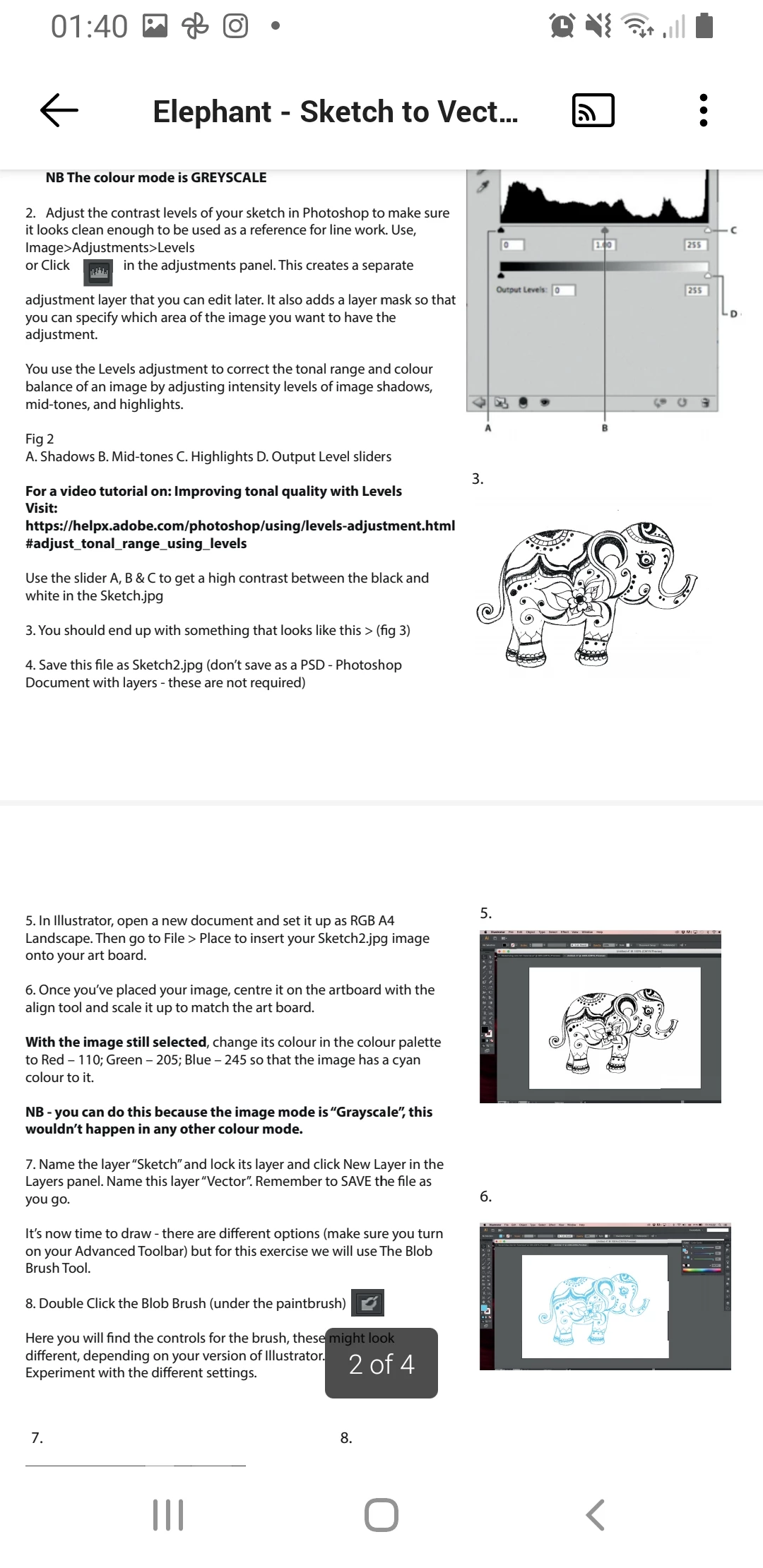
Hello, in Illustrator I can't change colour to my sketch art jpg. 

I adjusted the contrast level in Photoshop, then saved as jpg greyscale. 

I want to change the colour of artwork (please see the picture) and even if I make blue colour, the art does not change colour. I believe this is setting issiue because my teacher and some other students manage to change the sketch in any colors she wants using colour panel but me and other student can't. Teacher had no idea what is the problem. Please can anyone help? Thanks in advance. 
This topic has been closed for replies.

3 replies

Ton Frederiks
Community Expert
Community Expert
March 29, 2022

Greyscale jpeg files can be colored in Illustrator.

Can you check again in Photoshop if the file is saved as an 8 bits/channel file?


lambiloon
Community Expert
Community Expert
March 29, 2022

Hi, there are many ways to color it but as the image you shared, he is talking about blob brush or using image trace panel to make it vector...regards

Ali Sajjad / Graphic Design Trainer / Freelancer / Adobe Certified Professional
Doug A Roberts
Community Expert
Community Expert
March 29, 2022
quote

Hi, there are many ways to color it but as the image you shared, he is talking about blob brush or using image trace panel to make it vector...regards


By @lambiloon


This is not about image trace. Perhaps you should re-read it.

Participant
March 29, 2022

 As you can see I also can't change any colour settings.