
Known Participant
March 27, 2024
Question

Colours appear different when saving as PDF

  • March 27, 2024
  • 2 replies
  • 728 views

Hi all,


Since the latest update of Illustrator(v28.4) and Acrobat (unsure where to confirm version, but it now has AI integrated), I am having an issue with colours from my artboard being fairly more vibrant, almost as if they are RGB values, despite using CMYK swatches and using CMYK workspace. 


This issue doesn't occur when Printing as PDF however, or when actually being printed and the CMYK result is accurate.


I have noticed it appear particularly more obvious when the print is blue, but does seem to affect all colours.


Has anyone else incured this before?


I have attached a screenshot with an example of my Artboard next to my result with Save as PDF
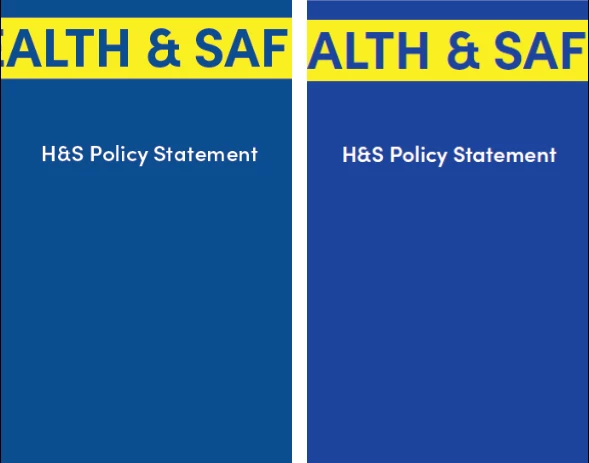
2 replies

Participant
July 29, 2024

I am having this same problem - last 3 weeks or so. I have tried "Save As," "Save A Copy," and "Print to File" to save as PDF from Illustrator and my colors are so skewed the pdf is unusable. So far my reds and greens are so hot/bright/neon (haven't had an instance to use blue) it's blinding (and embarrassing). I am using CMYK color, in a CMYK environment, and output to Document CMYK - U.S. Web Coated (SWOP)v2 like I always have. And it is NOT a monitor issue because the colors are fine in Illustrator. So frustrating! You have any luck with an answer?

Ton Frederiks
Community Expert
Community Expert
July 29, 2024

Can you share an example PDF?

RJNMSAuthor
Known Participant
March 27, 2024

Sorry I forgot to mention that this is when viewing the "Save as PDF" result in Adobe Acrobat and when previewing on Windows. However, opening the PDF back up with Illustrator, the colour values are as the original artwork!

Monika Gause
Community Expert
Community Expert
March 27, 2024

Did you set up the Acrobat color management correctly for your workflow?

Maybe ask over in the Acrobat or the color management forum whether there are known issues with Acrobat.

https://community.adobe.com/t5/acrobat/ct-p/ct-acrobat?page=1&sort=latest_replies&lang=all&tabid=all

https://community.adobe.com/t5/color-management/ct-p/ct-Color-Management?page=1&sort=latest_replies&lang=all&tabid=all 

Anubhav M
Community Manager
Community Manager
April 2, 2024

Hello @RJNMS,

Thanks for reaching out. I hope the suggestions Monika shared helped resolve the problem. If not, kindly try recalibrating your monitor(s) for sRGB (https://adobe.ly/3U4Ylf2), restarting your computer and then checking to see if it helps.

Looking forward to hearing from you.


Thanks,

Anubhav