
Question
Colours appearing much duller in Illustrator
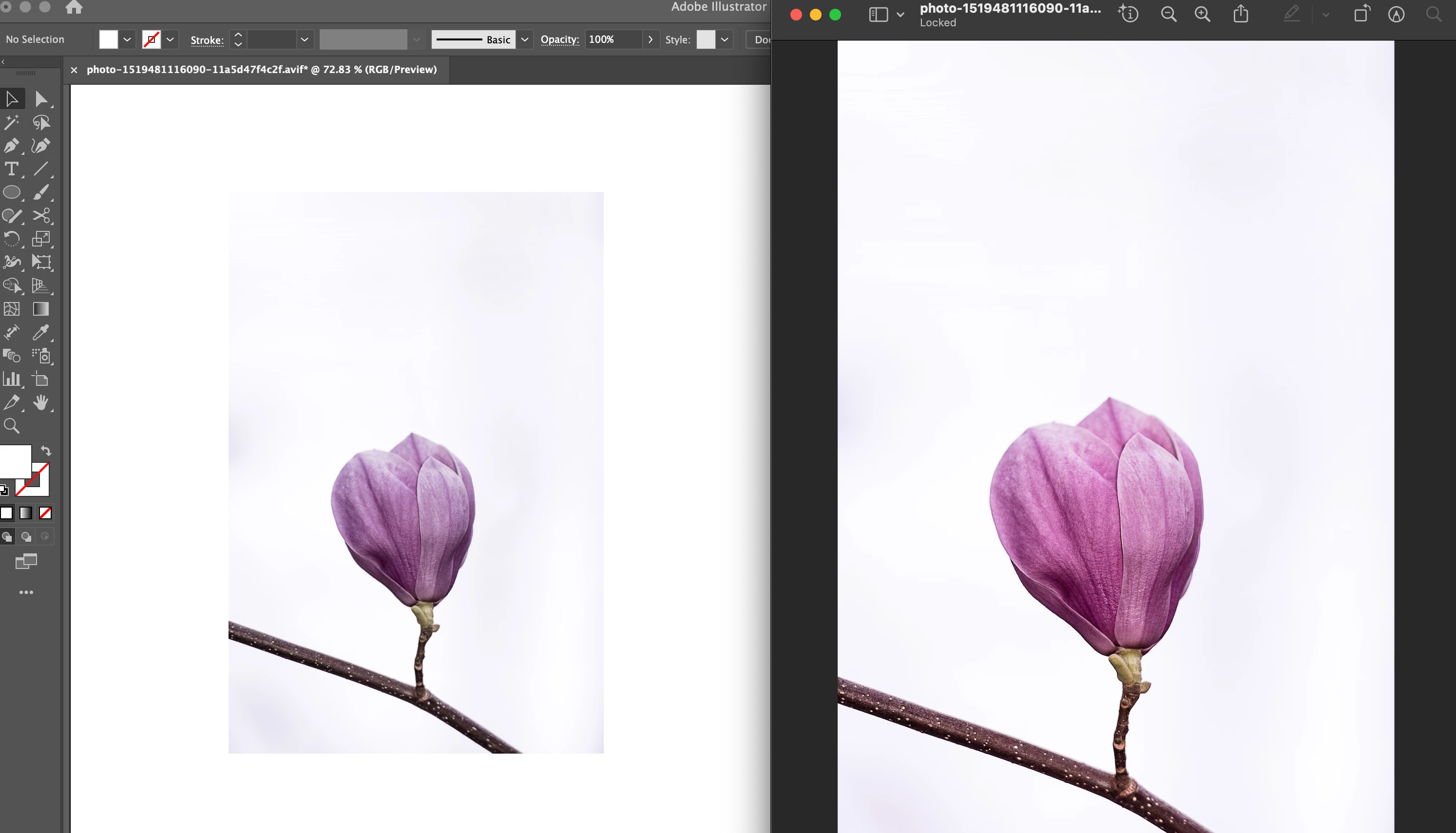
Whenever I import an image to Adobe Illustrator, it always reads the colours as duller/more washed out than they actually are:
However, I don't have the same problem with Photoshop:
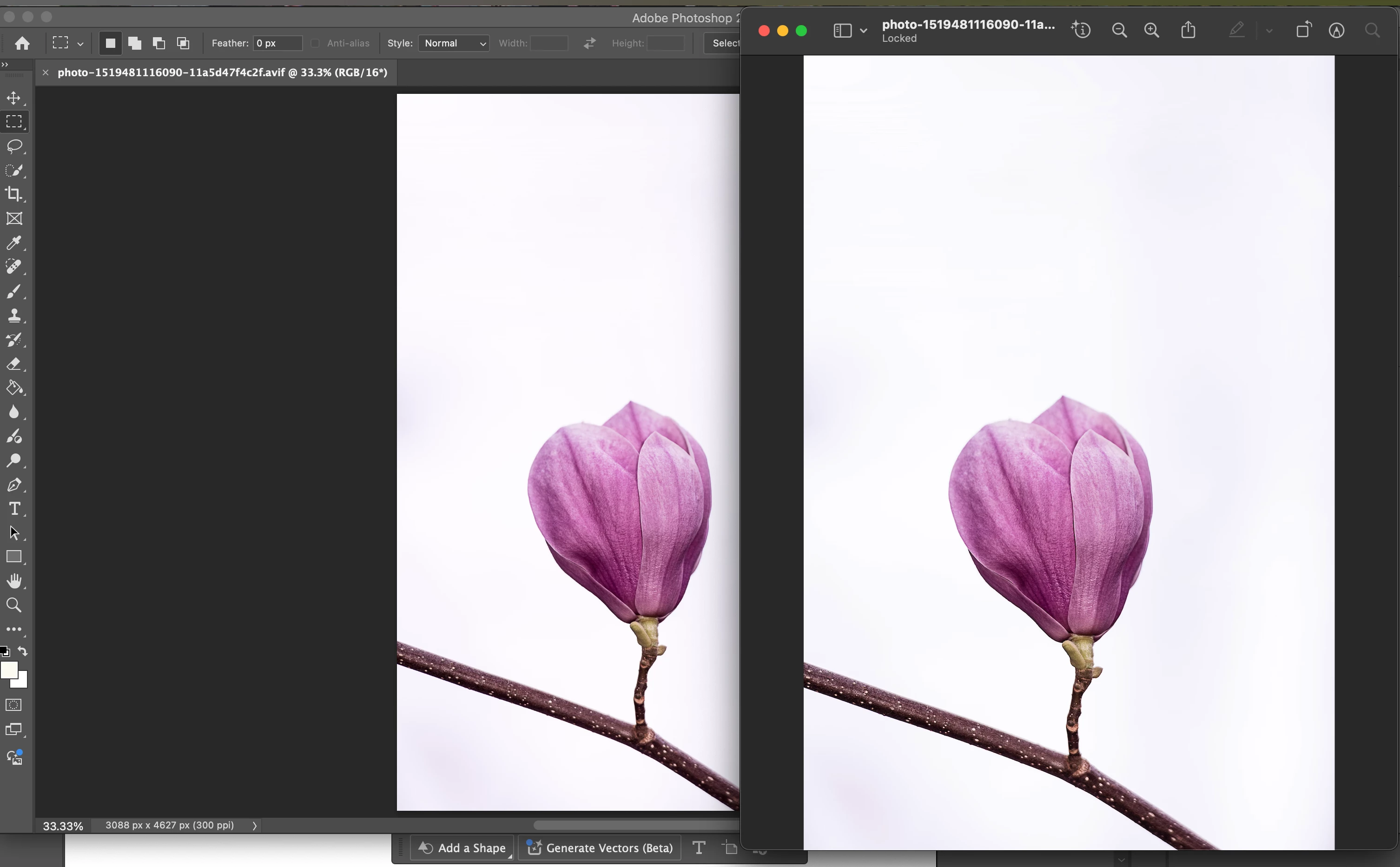
Both of these are in RGB colour mode, but switching to CMYK doesn't help either.
These are my colour settings in Illustrator:
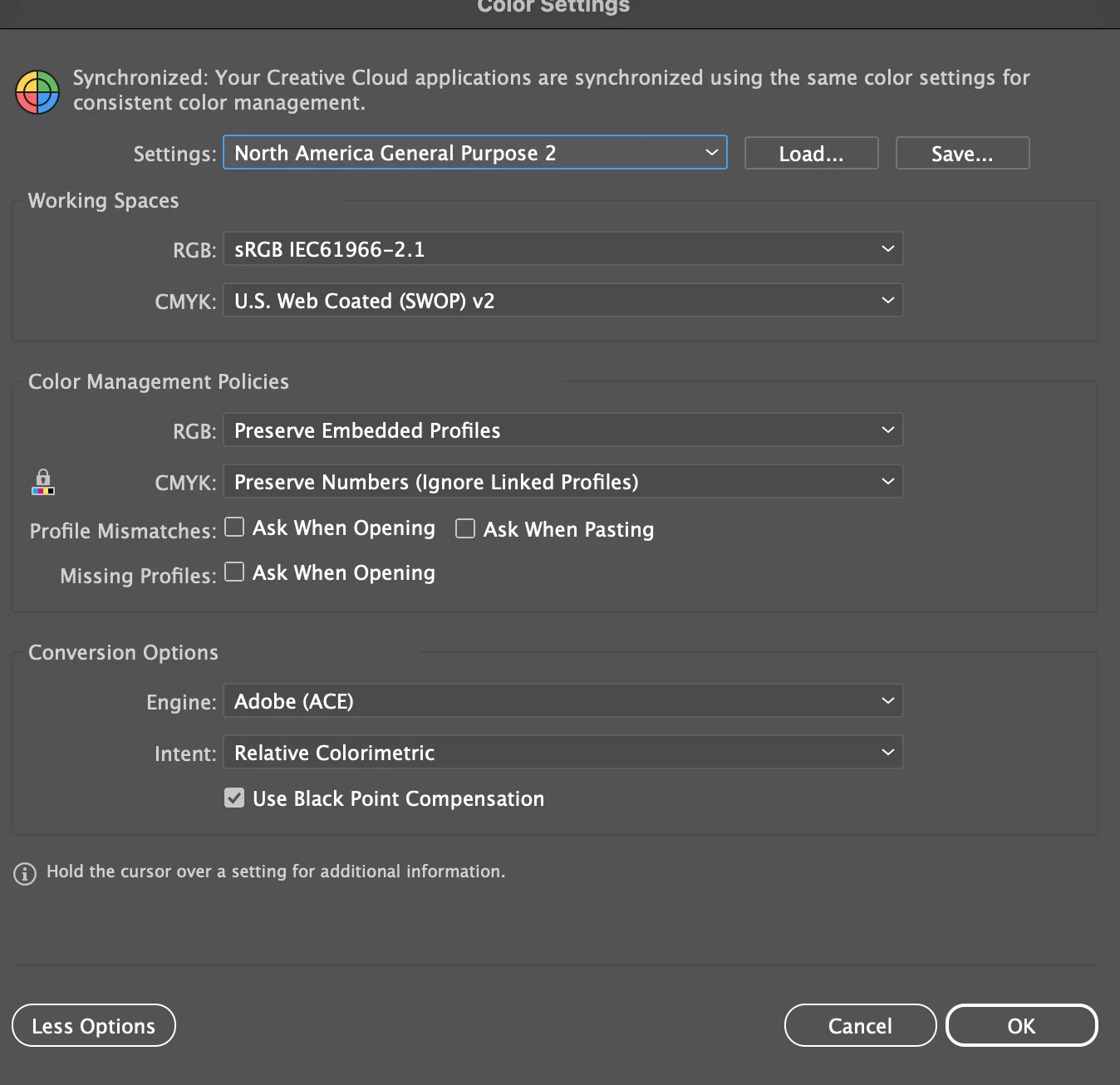
Is there any setting that I've accidentally toggled that's led to this problem? As far as I can tell, it's the same as the factory default but I'm not too sure. Any advice will help, I asked my instructor at university and they're as stumped as I am.
Thanks


 AdChoices