
Participant
February 20, 2019
Answered

Colours look very washed out

  • February 20, 2019
  • 11 replies
  • 18090 views

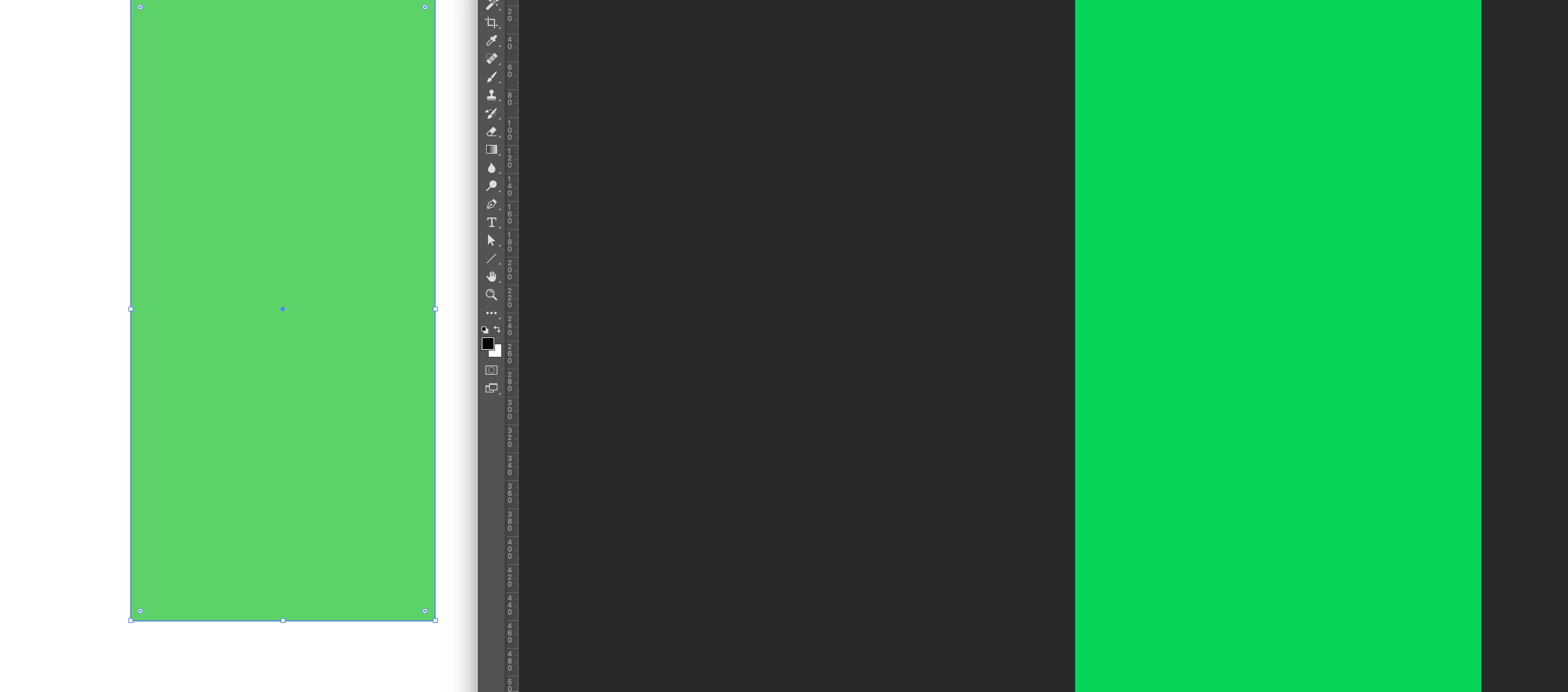
Since some weeks, my RGB colours in Illustrator look very washed out. When I copy and paste them in -for example- photoshop or keynote, the colours are much more vibrant. It's not the proof colours option.

See the screenshot below: left is a green rectangle in illustrator, right is the same rectangle pasted in photoshop. Anyone has an idea how  to fix this? Thanks!
This topic has been closed for replies.
Correct answer Julio César Mercado

Hello. Had the same issue and no recomendation worked for me. Finally I solved it opening Adobe Bridge -> Edit > Color Settings > Monitor Color > Apply. Hope it works for you too.

11 replies

Jacob Bugge
Community Expert
Community Expert
February 20, 2019

jopq,

Are you in CMYK Color Mode?

Participant
February 20, 2019

Hi Jacob, No I'm in RGB mode