GabrielsGalaxy
Participant
February 5, 2019
Question

Combining 2 shapes & removing fill?

  • February 5, 2019
  • 2 replies
  • 171 views

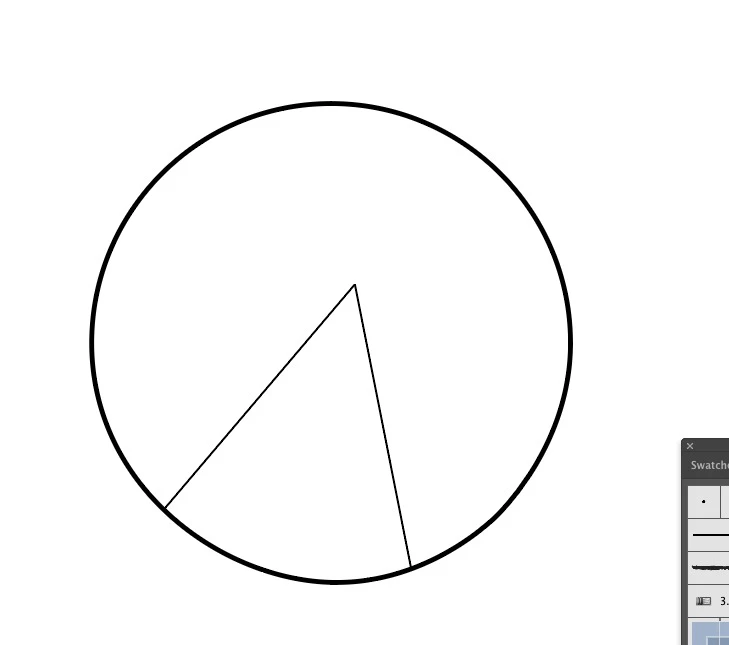
Hi, I want combine this triangle I made with the circle, completely removing the circle's fill WITHIN the triangle, how can I do that?
    This topic has been closed for replies.

    2 replies

    Srishti_Bali
    Legend
    February 7, 2019

    Hi Gabriel,

    If you are looking for something like this:

    As Jacob mentioned, it can be easily done by Live Paint. Check out this help article for more details: How to create and work with Live Paint groups in Illustrator

    Illustrator: Using the Live Paint Bucket tool | lynda.com - YouTube

    Regards,

    Srishti

    Jacob Bugge
    Community Expert
    Community Expert
    February 5, 2019

    Gabriel,

    As I (mis)understand it (presuming you wish to keep the full circle stroke and have no stroke between the white fill and the void), you may join the lines at the centre of the circle, and use the Live Paint to delete the unwanted fill/stroke.