Participant
July 10, 2018
Question

Come faccio ad inclinare più oggetti contemporaneamente ?

  • July 10, 2018
  • 3 replies
  • 594 views

Buongiorno

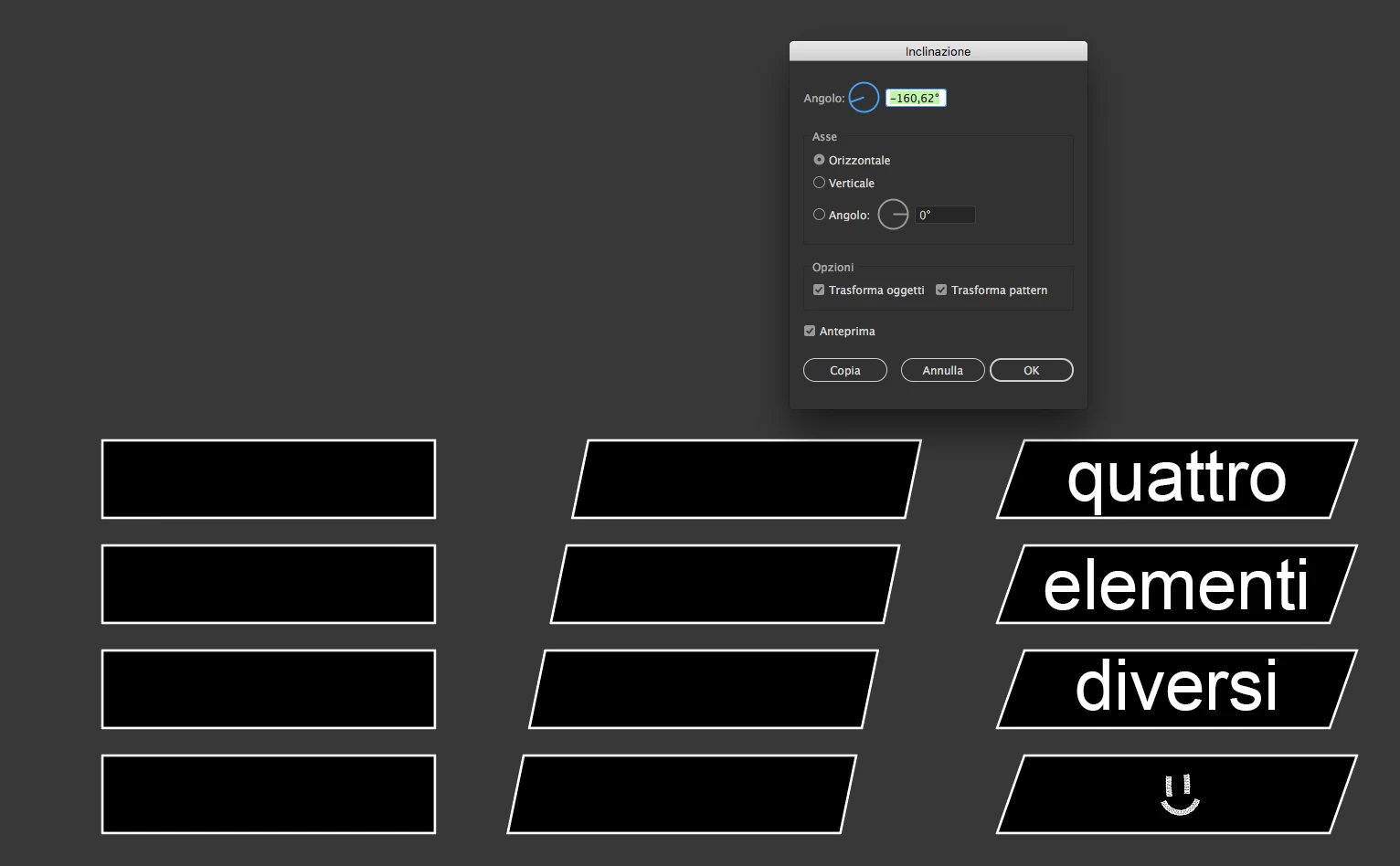
Mi chiedevo se esite in Illustrato un comando per inclinare più oggetti contemporaneamente, sul loro punto medio individuale ?

Nel caso di oggetti uguali "identici" inclinato il primo lo copio ed il gioco è fatto, ma per più oggetti diversi come potrei fare senza doverli selezionare uno per uno.
This topic has been closed for replies.

3 replies

barbara_a7746676
Community Expert
Community Expert
July 10, 2018

Select all of the rectangles.

Choose the Shear tool in the Tools panel. Double click on the Shear tool in the Tools panel to open the Shear dialog box. (Or you can choose Object > Transform > Shear.)

Type the angle you want.

If you want the edges to line up, select one column, and click the align icon.

Repeat for the other columns.

Participant
July 11, 2018

Thank you for the explanation, it's right what i do now for shear an object, i was  wandering if there is a shorter way.

Ton Frederiks
Community Expert
Community Expert
July 11, 2018
Myra Ferguson
Community Expert
Community Expert
July 10, 2018

Another option (especially if you might make other changes that would need to be updated for all the rectangles) would be to make your adjustment on the first rectangle and turn it into a new symbol either by dragging it to the Symbol panel, having it selected and clicking on the new symbol icon at the bottom of the Symbol panel, using the flyout menu in the Symbol panel to select New Symbol, or using the keyboard shortcut F8. If you turn the other rectangles into new symbols for temporary use, you can swap them out with the symbol you want by using the Replace option in the control panel (in the Essential Classics work space). First select the new symbol, then go to the Replace drop down menu and select the updated symbol. You can delete the temporary symbols after swapping.

Here's more info on working with symbols in Illustrator How to work with symbols in Illustrator

cinziamarotta
Participating Frequently
July 10, 2018

Ciao,

trasforma il primo oggetto, seleziona tutti gli altri e ripeti la trasformazione con CMD (MAC) o CTRL (Windows) + D; oppure menù OGGETTO > TRASFORMA > Trasforma di nuovo

Participant
July 11, 2018

Ciao grazie per la risposta, ovviamente tu parli del metodo convenzionale che già utilizzo, gli oggetti una volta inclinati però vanno riallineati per ottenere il risultato dell'esempio. Mi chiedevo se esisteva un modo rapido per inclinarli senza doverli riallineare tutti.