Participant
July 27, 2026
Answered

como faço para habilitar no illustrator sempre mostrar todos os pontos de âncora, mas quando o objeto seja pequeno

  • July 27, 2026
  • 2 replies
  • 28 views
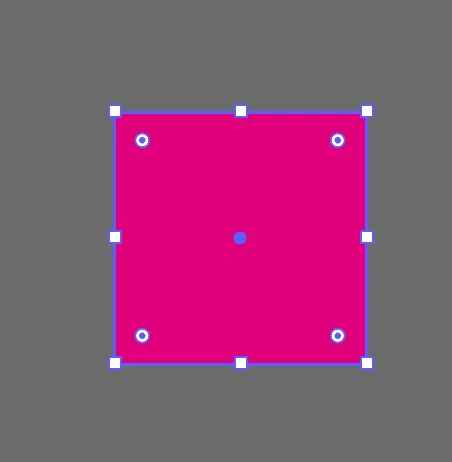
Quero habilitar no illustrator sempre mostrar os pontos de ancoragem, mesmo quando a face do objeto seja pequena. Estou trabalhando num projeto que preciso ficar dando zoom para aparecer esses pontos. Procurei em vários lugares e não encontrei onde posso fazer isso. Obrigado!


    Correct answer Abhishek Rao

    Hi ​@Arzerra


    Thank you for reaching out. I understand how constantly zooming in and out can interrupt your workflow.

    At this time, Illustrator does not have a setting to always display all anchor points on very small objects regardless of the zoom level. For very small objects, you'll need to increase the zoom percentage to view all of the anchor points.

    You can, however, make the anchor points easier to see by trying the following:

    • Go to Preferences > Selection & Anchor Display and make sure Show Anchor Points in Selection Tool and Shape Tools is enabled.

    • In the same dialog, increase the Anchor Point Size slider to make the anchor points more visible.

    • Ensure View > Show Edges is enabled (Ctrl/Cmd + H on Windows or Cmd/Ctrl + H to toggle Show Edges if they've been hidden).

    I understand that this functionality is important to you, and I apologize that it isn't available at this time. Would you mind creating a UserVoice for this feature request at https://illustrator.uservoice.com/ and adding your comments there? Doing so helps our product team prioritize feature requests, and you'll be notified of any updates. Please also share the UserVoice link here in this thread so that other users can upvote it as well.

    Feel free to reach out if you have any additional questions or need further assistance. We'd be happy to help.


    Thanks,

    Abhishek

    2 replies

    Abhishek Rao
    Community Manager
    Abhishek RaoCommunity ManagerCorrect answer
    Community Manager
    July 29, 2026

    Hi ​@Arzerra


    Thank you for reaching out. I understand how constantly zooming in and out can interrupt your workflow.

    At this time, Illustrator does not have a setting to always display all anchor points on very small objects regardless of the zoom level. For very small objects, you'll need to increase the zoom percentage to view all of the anchor points.

    You can, however, make the anchor points easier to see by trying the following:

    • Go to Preferences > Selection & Anchor Display and make sure Show Anchor Points in Selection Tool and Shape Tools is enabled.

    • In the same dialog, increase the Anchor Point Size slider to make the anchor points more visible.

    • Ensure View > Show Edges is enabled (Ctrl/Cmd + H on Windows or Cmd/Ctrl + H to toggle Show Edges if they've been hidden).

    I understand that this functionality is important to you, and I apologize that it isn't available at this time. Would you mind creating a UserVoice for this feature request at https://illustrator.uservoice.com/ and adding your comments there? Doing so helps our product team prioritize feature requests, and you'll be notified of any updates. Please also share the UserVoice link here in this thread so that other users can upvote it as well.

    Feel free to reach out if you have any additional questions or need further assistance. We'd be happy to help.


    Thanks,

    Abhishek

    kglad
    Community Expert
    Community Expert
    July 27, 2026

    post this in the illustrator forum, https://community.adobe.com/p/illustrator


    and change your title slightly to avoid a duplicate post error.