
Compound Path issue
In this video there are three different size circles in a compound path. Using Direct Selection tool single circle is moved. It does not come to me. Is it possible?
Time 7.49-8.05
What are Compound Paths in Adobe Illustrator?
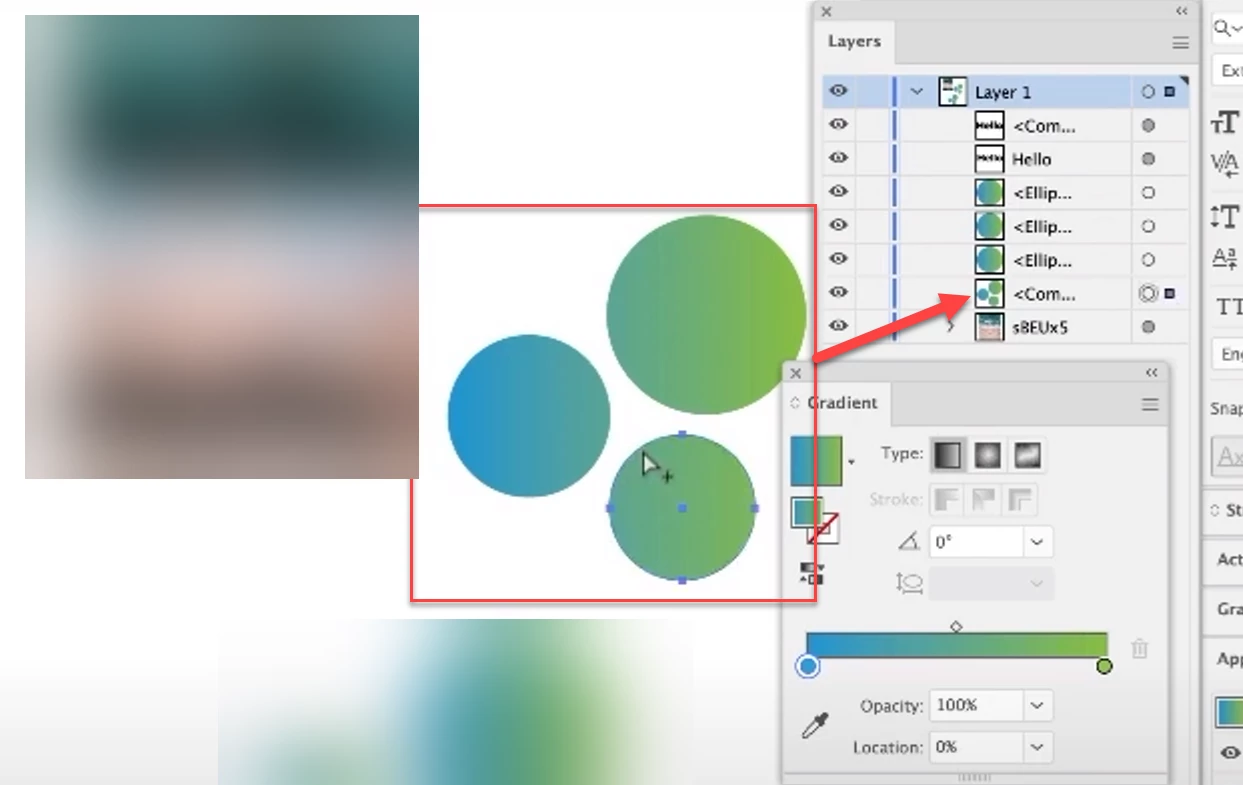
In this video there are three different size circles in a compound path. Using Direct Selection tool single circle is moved. It does not come to me. Is it possible?
Time 7.49-8.05
What are Compound Paths in Adobe Illustrator?
You can set up the fill rules in the Attribuites panel.
With this thing you can either set the fill rule to Even-Odd or select that one small circle path with the direct selection tool and revert its path direction.
https://helpx.adobe.com/illustrator/using/combining-objects.html
Already have an account? Login
Enter your E-mail address. We'll send you an e-mail with instructions to reset your password.