
suscrewmate
Participating Frequently
October 10, 2021
Question

Compound path not working properly

  • October 10, 2021
  • 2 replies
  • 177 views

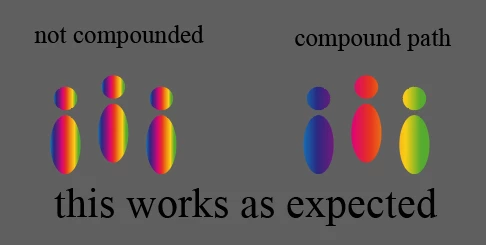
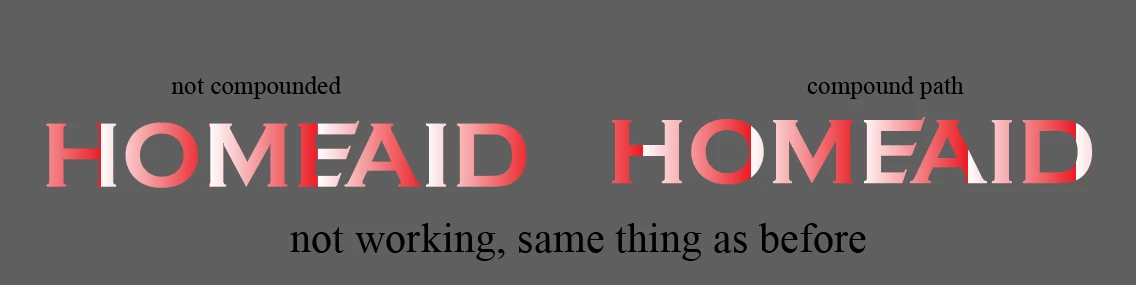
When I try to create a compound path so that my swatch is applied to all the items I highlighted, it doesn't work. I have done it previously, and it worked fine (see pic 1). What am I doing wrong? The only difference between the two is that the second one, in white and red, was made from type, and then I used create outlines to turn it into an object.
 

This topic has been closed for replies.

2 replies

Jacob Bugge
Community Expert
Community Expert
October 10, 2021

suscrewmate,


Have you turned all the letters into one Compound Path?


What happens if you keep it as live Type, then set the Fill to None, then in the Appearance panel Add New Fill and apply the gradient?


If it is a gradient.


Monika Gause
Community Expert
Community Expert
October 10, 2021

Is that a gradient? Or a pattern swatch?

Please show how the objects look in the Layers panel.