Participating Frequently
Sep 19, 2024 7:40 PM UTC
Question

Confused about layers; exporting from Illustrator to Photoshop

Hello, 
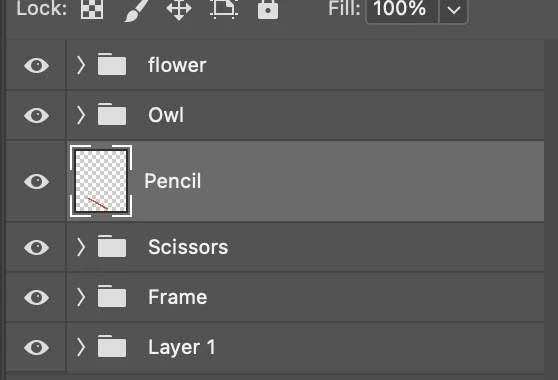
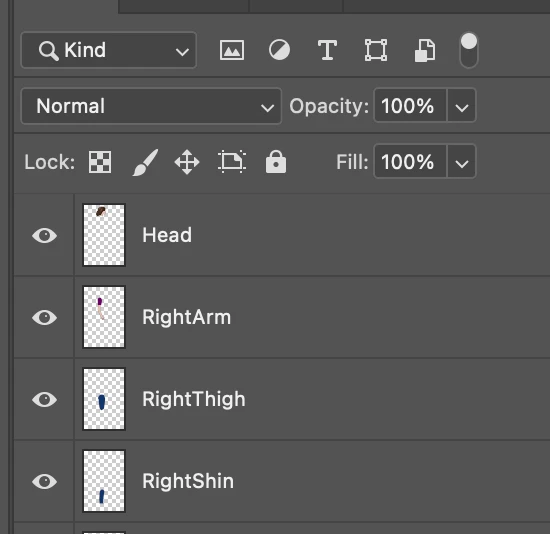
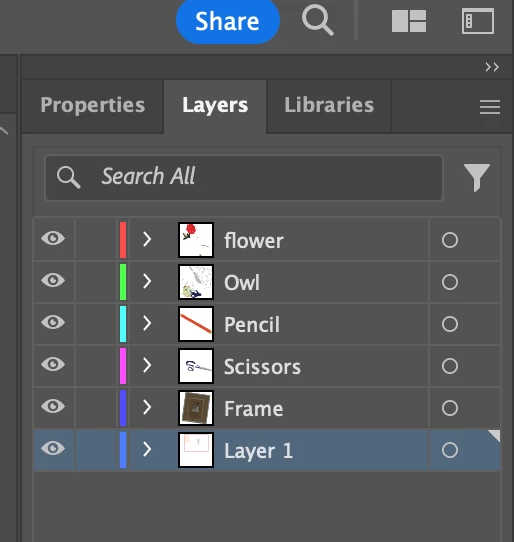
I am trying to export an Illustrator file as a .psd for eventual animation. My layers look good in Illustrator before I export (first attached photo), but then when I open them up in Photoshop they have a folder icon next to them and the "pencil" layer I created is not inside a group (second attached photo). Does anyone know what the folder icon indicates? I am trying to get all of my exported layers in Photoshop to look like the third image, which is a sample I am working with and not one I made myself. 
This topic is closed to new replies. Start a new post to keep the conversation going.

10 replies

Monika Gause
Community Expert
Community Expert
Sep 20, 2024 8:03 AM UTC

Inside those folders are more layers with your objects. Just merge them in Photoshop if that's what you want.

Translate
Participating Frequently
Sep 20, 2024 2:43 PM UTC

I do want them to be on seperate layers still, but without the folder icon and without the individual paths/objects visible. Does merging work for that? Thanks. 

Translate
Monika Gause
Community Expert
Community Expert
Sep 20, 2024 3:34 PM UTC

Obviously those icons are your main layers in Illustrator. So how about creating a main layer structure in Illustrator tha works for your export.

Translate