
adamc44364874
Participant
March 31, 2018
Question

Connecting anchor points on closed paths

  • March 31, 2018
  • 4 replies
  • 2432 views

Hey guys,

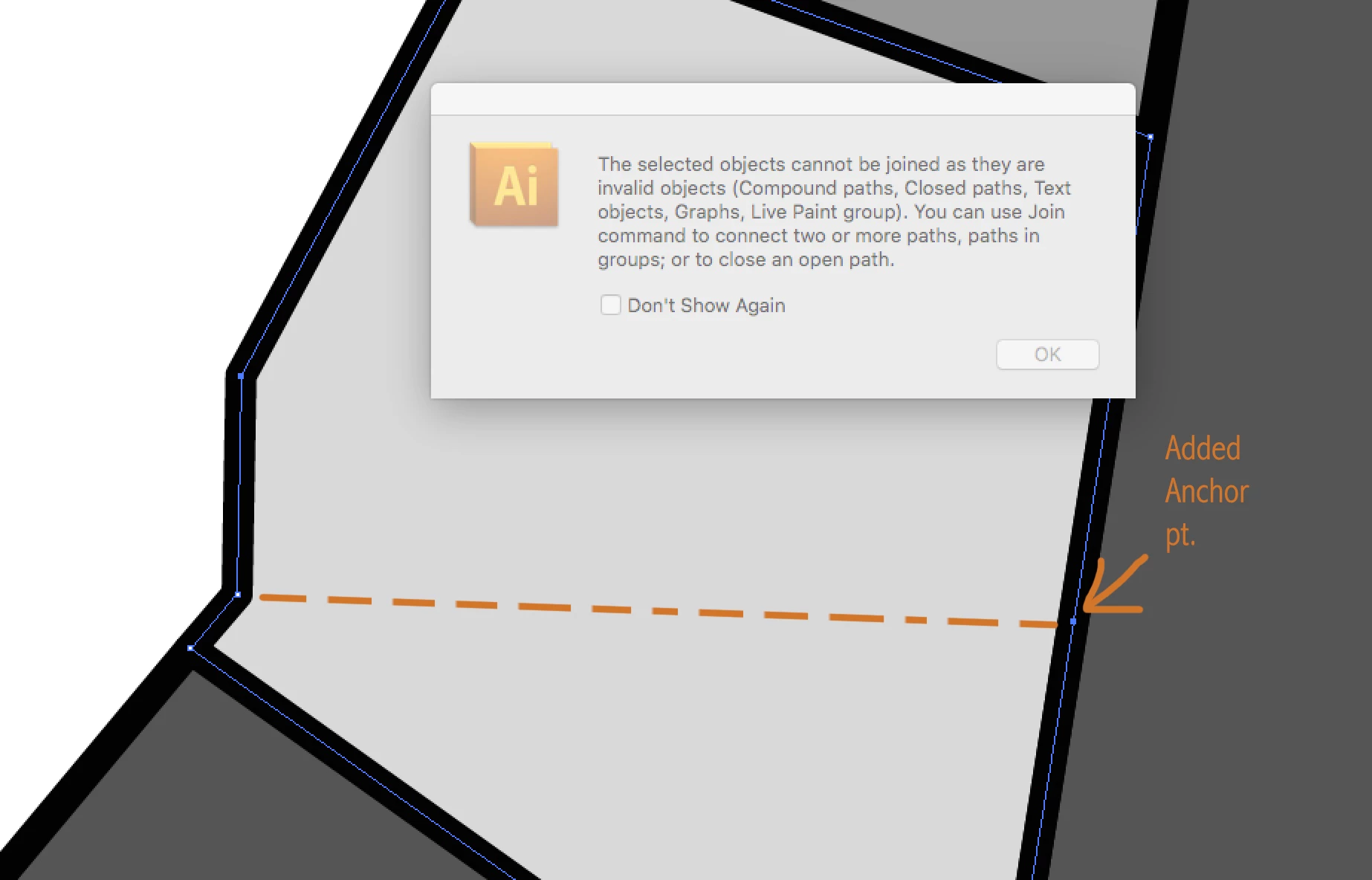
Desperate need of help. Need to connect 2 anchor points on a closed path, so I can change the fill color. This piece has already been printed so the points cannot move as this application will be placed on top.

Please help
    This topic has been closed for replies.

    4 replies

    jane-e
    Community Expert
    Community Expert
    April 1, 2018

    All of these work, so take your pick!

    tromboniator
    Community Expert
    Community Expert
    March 31, 2018

    Draw line segment (or whatever shape) across path you want to divide.

    Select both paths.

    Select Live Paint Bucket

    Choose color you want from Swatches panel

    Click in area you want to change.

    Peter

    barbara_a7746676
    Community Expert
    Community Expert
    March 31, 2018

    One technique would be to use the Scissors tool to click on the two points to cut the path.

    This will result in two separate open paths. You can fill each with a different color.

    If you need a stroke connecting the two, just Object > Path > Join to make each into a closed path.

    Vishu_Aggarwal
    Participating Frequently
    March 31, 2018

    There are many ways to achieve this, one of the way is as follow -

    1. Create a line from one end to another end.. like this -

    2. Select both the line & end the object with fill, than go to the Pathfinder and choose divide -

    3. step 2 will create two closed paths/shapes and group them, double click on the shape to change color or ungroup it to change color of closed paths/shapes -

    Vishu AggarwalAdobe Certified Instructor, Professional and Expert