


Inspiring
November 2, 2016
Answered

Convert a Shape to a Path

  • November 2, 2016
  • 3 replies
  • 179837 views

Hi,

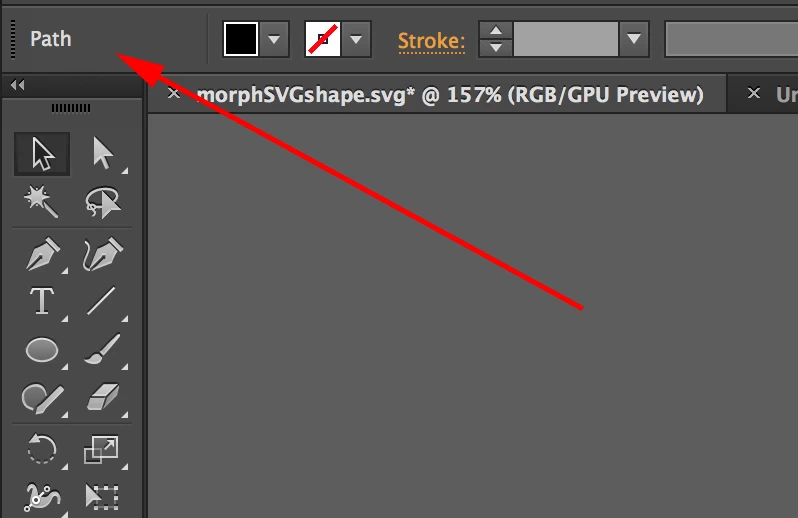
I have a shape (with no stroke) that I want to convert to a path.  When I go to Object > Shape > Expand Shape, it changes the layer to a path (as illustrated in the image below, the box in the top left of the options bar now says path instead of rectangle). When I save it as an SVG though and look at the SVG code it still shows as a rectangle <rect> element.

How do I convert it to a <path> ? I need the SVG code to be a path for a javascript animation.

Many thanks,
Paul.

Correct answer paul knight

Hi Kris,  Adding an extra anchor point will just make the <rect> a <polygon> and moving an anchor point isn't an option

The only solution I seem to have found is to make the path a compound path via Object > Compound Path > Make.  This then gives me a proper path with the required data information SVG code.

Paul.

3 replies

Participant
July 31, 2018

I think I found something that works:

  1. Select shape.
  2. In the Pathfinder palette, click Unite (the first option).

On my few tests on a hexagon and a rectangle shape, it made it a path.

Inspiring
May 20, 2021

This is in my opinion the best answer. Renders an actual <path> object.

Inspiring
May 20, 2021

I take this back since it only renders as a path in illustrator, not in the SVG

paul knightAuthorCorrect answer
Inspiring
November 3, 2016

Hi Kris,  Adding an extra anchor point will just make the <rect> a <polygon> and moving an anchor point isn't an option

The only solution I seem to have found is to make the path a compound path via Object > Compound Path > Make.  This then gives me a proper path with the required data information SVG code.

Paul.

Kris Hunt
Legend
November 3, 2016

Maybe add an extra anchor point somewhere, or nudge one of the four corners a bit so it's no longer a true rectangle.