Participating Frequently
November 11, 2020
Answered

Convert multiple lines at once (width profile tool/Breitenprofil)

  • November 11, 2020
  • 2 replies
  • 1553 views

HeyHo


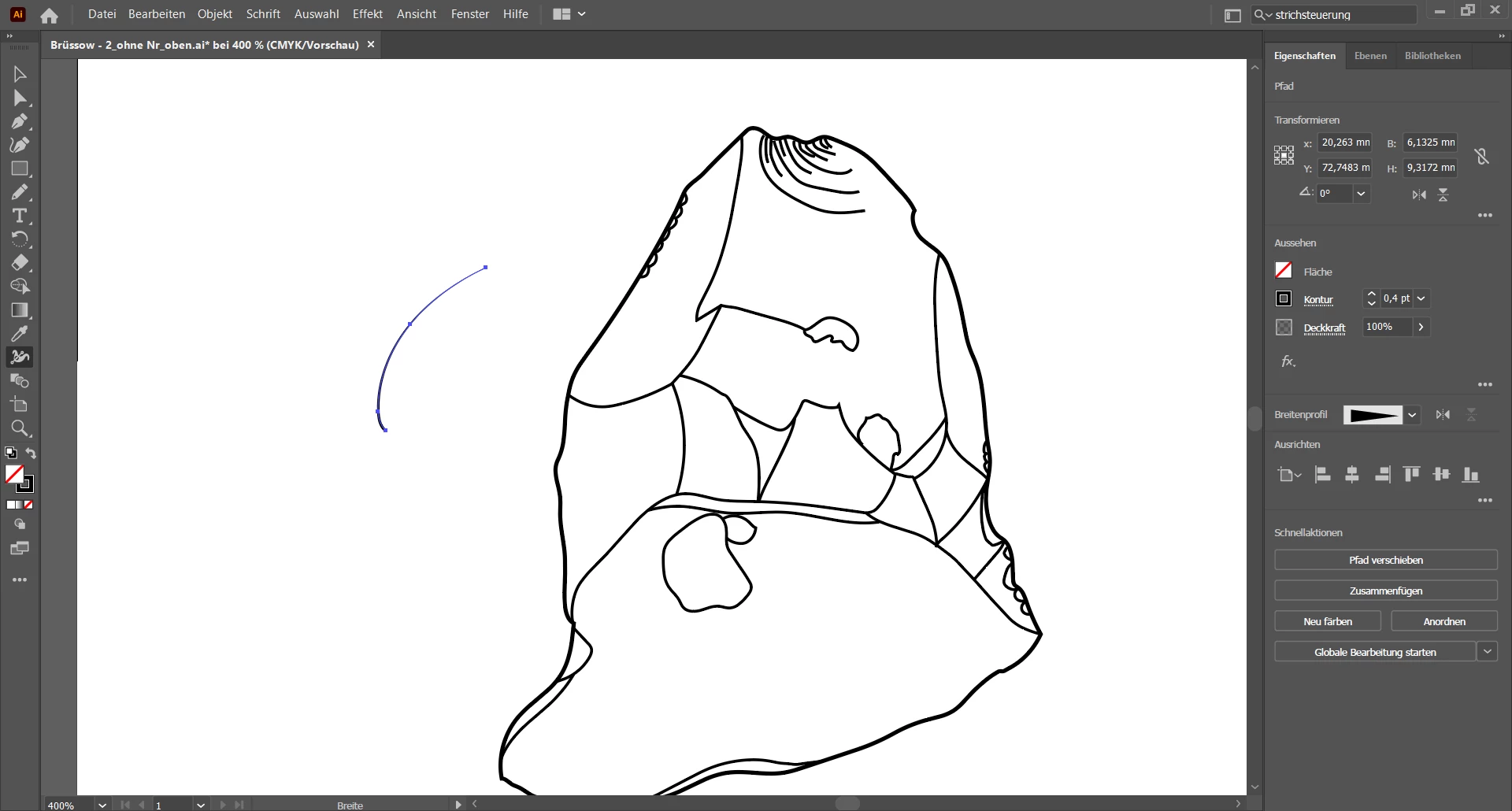
Is there a way to use the width profile tool (ger.: Breitenprofil) on several lines at the same time so that, for example, when I draw spikes I don't have to click and convert each line individually?


Thank you so far for the answer


best

Konrad
This topic has been closed for replies.
Correct answer Anna Lander

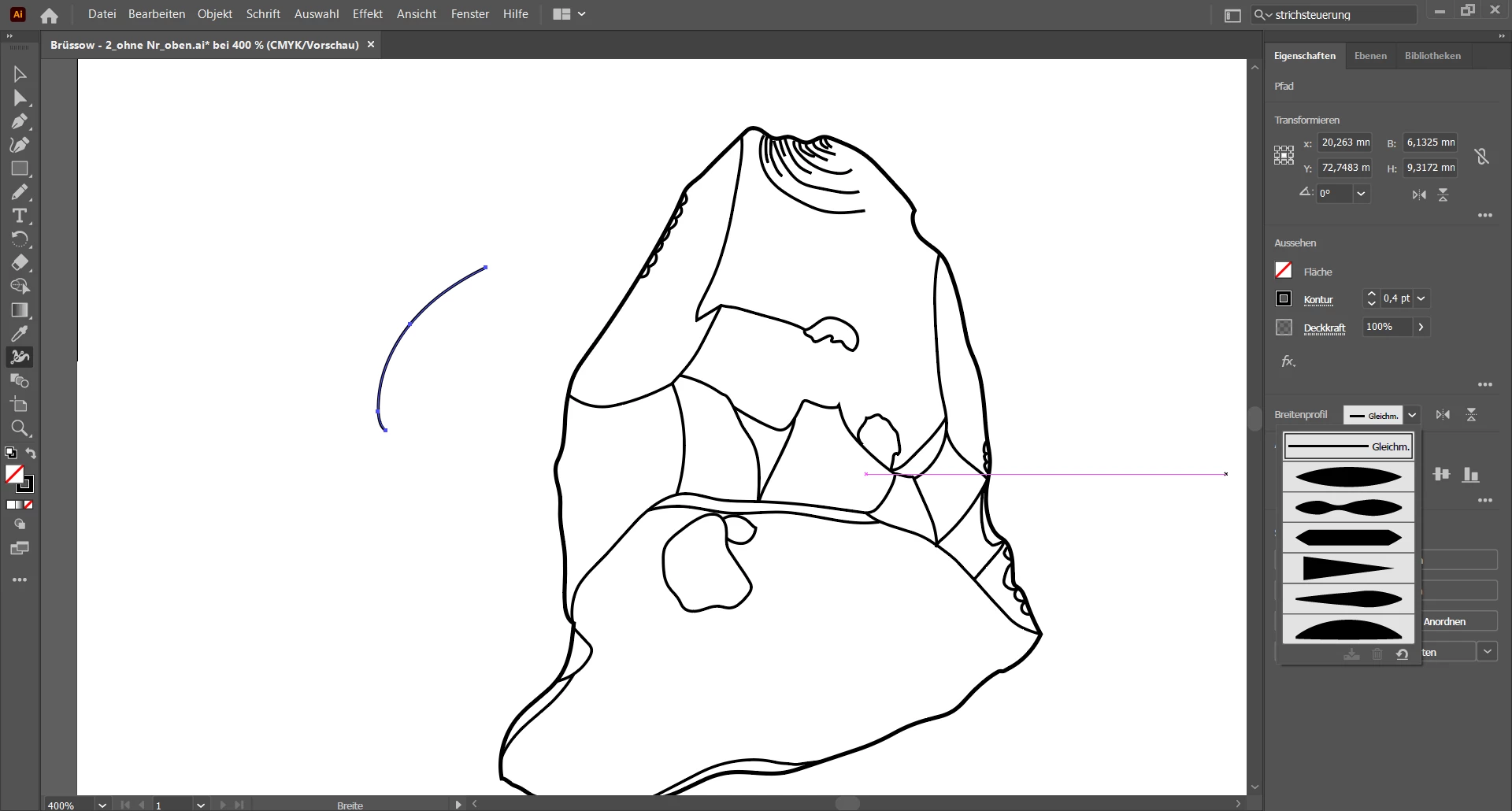
I don't find it. The only profile Im able to find is the one in the picture (maybe we have different versions?)


yes, you can use this section.

for more handy process try this:

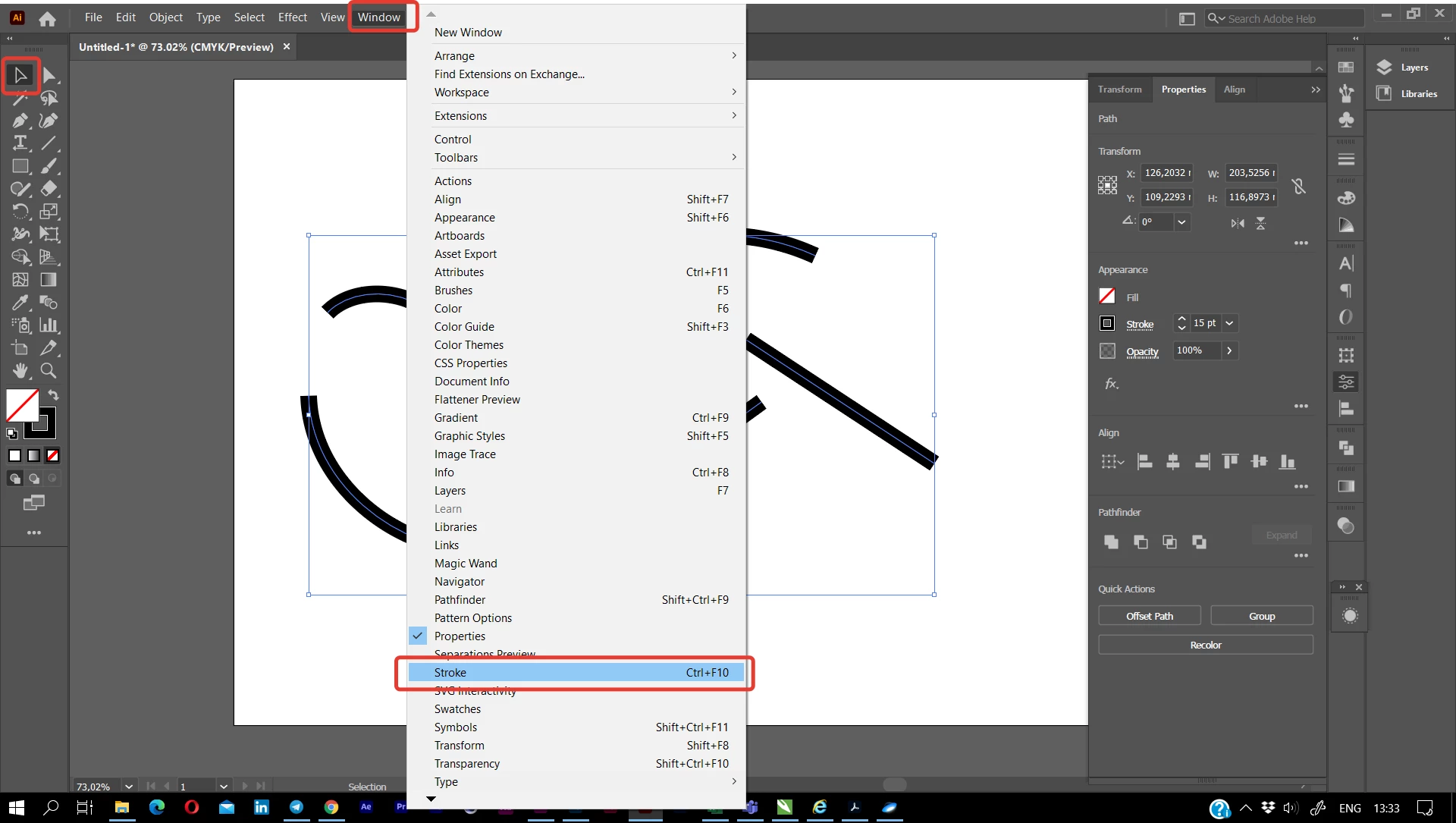
- using black arrow (Selection tool), select all the needed lines.

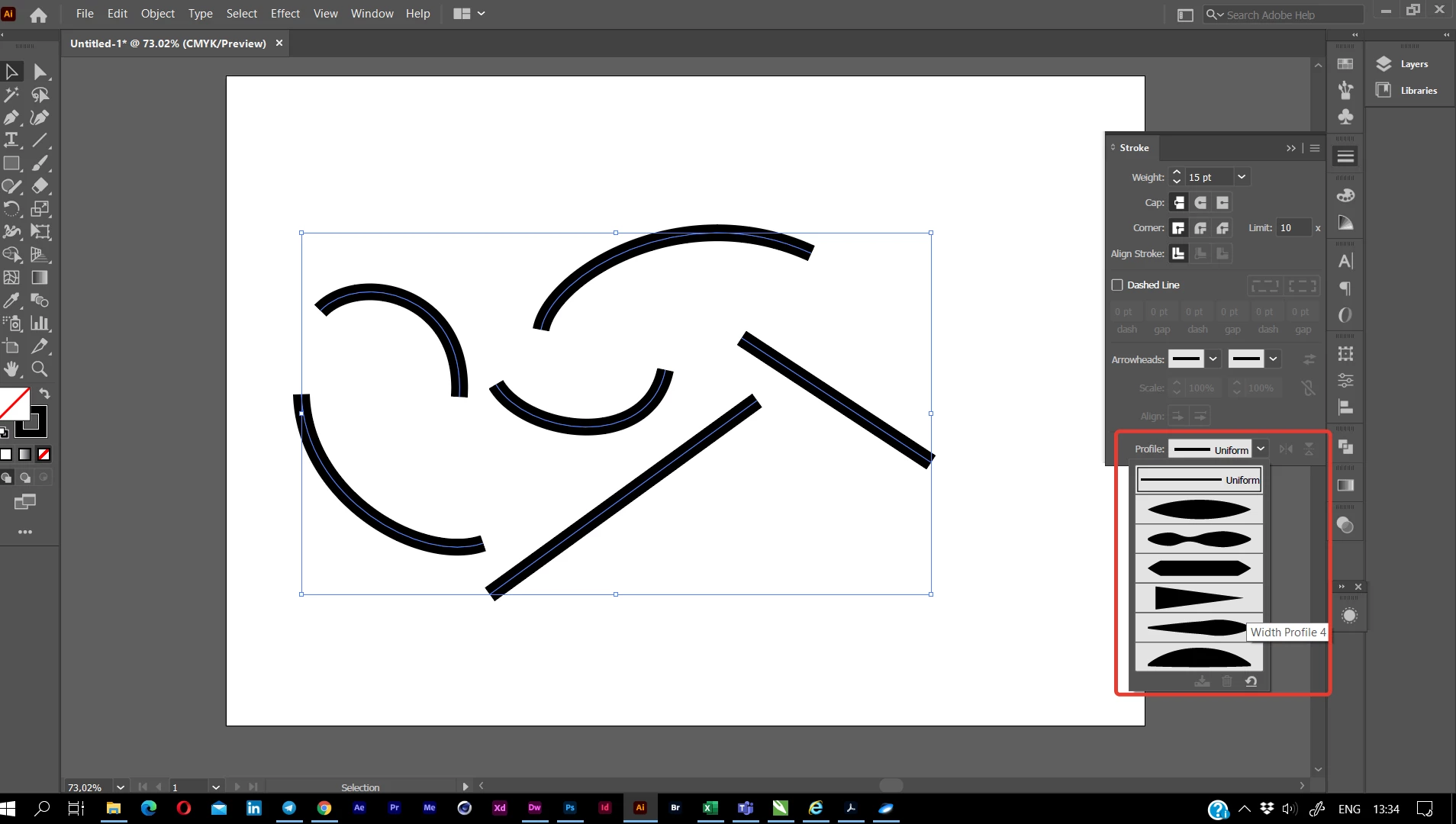
- do not use Width tool. Go to Window > Stroke and in its bottom find the Profiles list. Choose the needed one.

2 replies

Anna Lander
Inspiring
November 11, 2020

Ok. To apply the same width profile in Stroke panel, just select all needed lines and choose the profile. 


And yes, you can create your own profile: select a line, edit its width by Width Tool and click "Add To Profiles" button at the bottom of the profile list. You will be able to use it even in other AI projects.

Participating Frequently
November 12, 2020

Hey Anna,

if I select several lines, the width profile in the stroke panel cannot be activated. That is the basic problem.

Anna Lander
Inspiring
November 12, 2020

Do we use different AI versions? Mine is the latest, but tonight I can check AI19 for this option

Anna Lander
Inspiring
November 11, 2020

do you mean width tool or width profile in Stroke panel?

1. If profile, it's not a problem at all, you select all the lines and set the needed profile (in your example, Width Profile 4).

2. If tool, it works with one point a time, so you can't change several lines together. But you can make the needed profile on one line and add it to the profile list in Stroke panel, and then see point 1 🙂

Participating Frequently
November 11, 2020

Thanks so far!


Yeah I mean the width profile in Stroke panel. Do you mean creating an own type of a line?