
July 20, 2012
Question

Convert PDF to Illustrator

  • July 20, 2012
  • 1 reply
  • 61552 views

I have a street map (not created by me) as a reasonably high quality PDF file which I want to edit extensively. I can open it in Illustrator as a PDF and edit it. Or I can save it in Illustrator as a .ai file and edit it. Ideally I'm hoping for a vector file to work with for best quality.

Are there any particular steps you recommend I follow in Illustrator to get the best result.

The .ai file I have created from the PDF is quite messy with lots of frames. It would be much neater if I created the map from scratch but that would be an awful lot of work. I am hoping to use the existing PDF to produce what I want.

I am using CS3 and the output will be for print.

Also, I'm an wondering whether the .ai file created by opening the PDF in Illustrator and saving it as a .ai file is a vector or raster file? I know files created in Illustrator are vector files but I suspect that the file I have saved from PDF to .ai might be a raster file. So what I am thinking is, is it worth the trouble of converting it to .ai or would using the same PDF file produce the same quality.

I have included an image of the map.
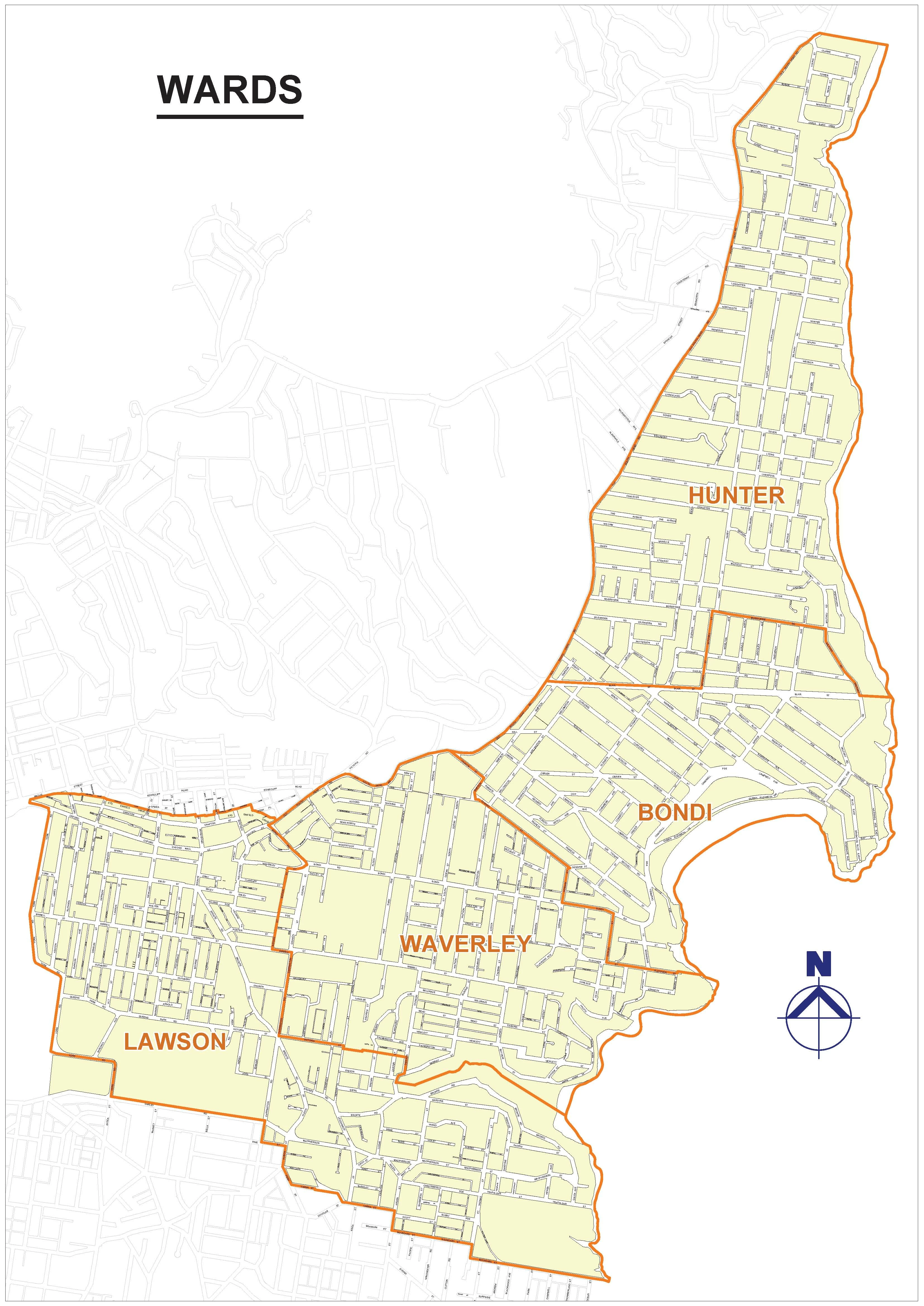
Many thanks. I welcome an tips or suggestions you can give me. Obviously I am not a 'power' user of Illustrator.

frank

    This topic has been closed for replies.

    1 reply

    Steve Fairbairn
    Inspiring
    July 20, 2012

    I'm wondering whether the .ai file created by opening the PDF in Illustrator and saving it as a .ai file is a vector or raster file? I know files created in Illustrator are vector files but I suspect that the file I have saved from PDF to .ai might be a raster file.

    The easy way to check whether your file is vector or pixel based is to turn off the preview (Cmd/Ctrl+Y). If you can see the paths you are in business. If you just see a rectangle you're in deep spaghetti – your file is pixel based.

    If you file is indeed vector based, at least save a working copy as .ai.

    It is not a good idea to work with Illustrator on pdf files and saving as .pdf. Things may look o.k. while you are working but any effects you use will become expanded when you save, close and reopen.

    July 20, 2012

    It's not exactly "converting" but yes, you can open a pdf file directly using Illustrator and then save as an ai doc.

    I believe, for pdfs generated by Illustrator v9 and up, you can change the extension from .pdf to .ai since the format is the same.

    For InDesign, you will have to place the file into a blank InDesign document and save that document.

    Hope this helps,

    Jongware
    Community Expert
    Community Expert
    July 20, 2012

    > I believe, for pdfs generated by Illustrator v9 and up, you can change the extension from .pdf to .ai since the format is the same.

    No, it's actually the opposite. A modern .ai file consists of PDF data, with the original AI data added. If Illustrator opens a PDF, it first checks for this native data. If it cannot find it, it "opens" the PDF. ("Opens" needs quotes because that's not actually what happens. Illustrator is *not* a generic PDF editor.)

    > For InDesign, you will have to place the file into a blank InDesign document and save that document.

    That won't do much good either. In InDesign you can do even *less* with a PDF. InDesign is not a PDF editor either.

    Since a PDF can contain both bitmap and vector data, you cannot tell straight away if this file is "editable" in Illustrator. Trying is the only option. The OP reports "lots of frames" but it's so far unclear whether these are vector objects (which might appear as "frames" for the uninitiated), or because it's a large bitmap that has been divided up into lots of smaller bitmaps (which is a common practice for very large bitmaps).

    ... In short, what Steve suggested. Open the PDF and look at the wireframe view, and you'll know lots more.