
Known Participant
July 16, 2018
Question

Convert .png to path in Illustrator

  • July 16, 2018
  • 1 reply
  • 29364 views

Hi all!

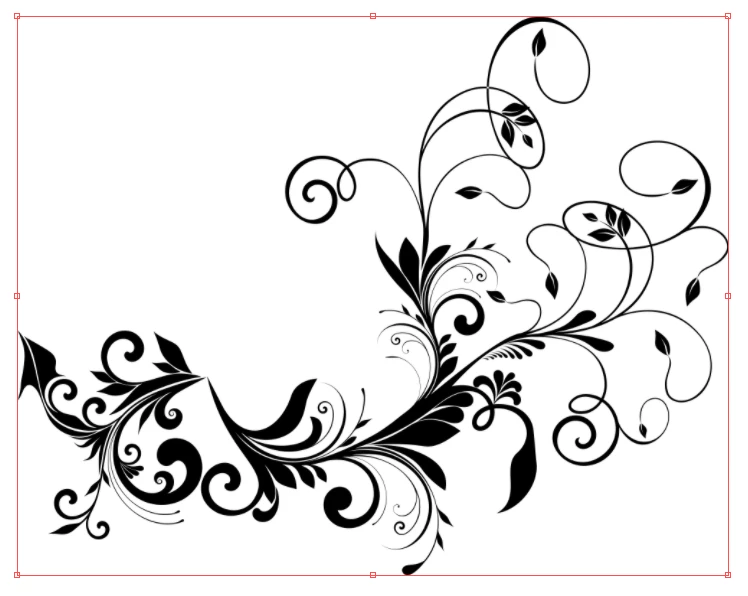
I have an old logo from one of our companies which we need in an illustrator format so we can print a large scale copy off. I have been given the only copy we have of it and its a small scale .png file.

I want to be able to recreate this in Illustrator and was wondering if I can convert this in to a shape/path so its scale-able... is there anyone on here that can help me?

below is an example of the png
Thanks

This topic has been closed for replies.

1 reply

cinziamarotta
Participating Frequently
July 16, 2018

Hi,

you can use "Image trace". Set Tracing workspace and choose the correct preset (Black and white logo could be fine). Change the advanced options to modify the result.

PashleyAuthor
Known Participant
July 16, 2018

Hi cinziamarotta,

I have tried this and I get a reduction in quality - please see below result:

Thanks

Monika Gause
Community Expert
Community Expert
July 16, 2018

If you can't make Image Trace work exactly enough for your pruposes, then you will need to draw this manually.

Use brushes, variable width strokes and the pen tool.