


Inspiring
August 29, 2025
Question

•  Convert the solid shapes into paths/outlines (full drawing at once)?

  • August 29, 2025
  • 2 replies
  • 606 views

Hello -


I was wondering, in Illustrator,
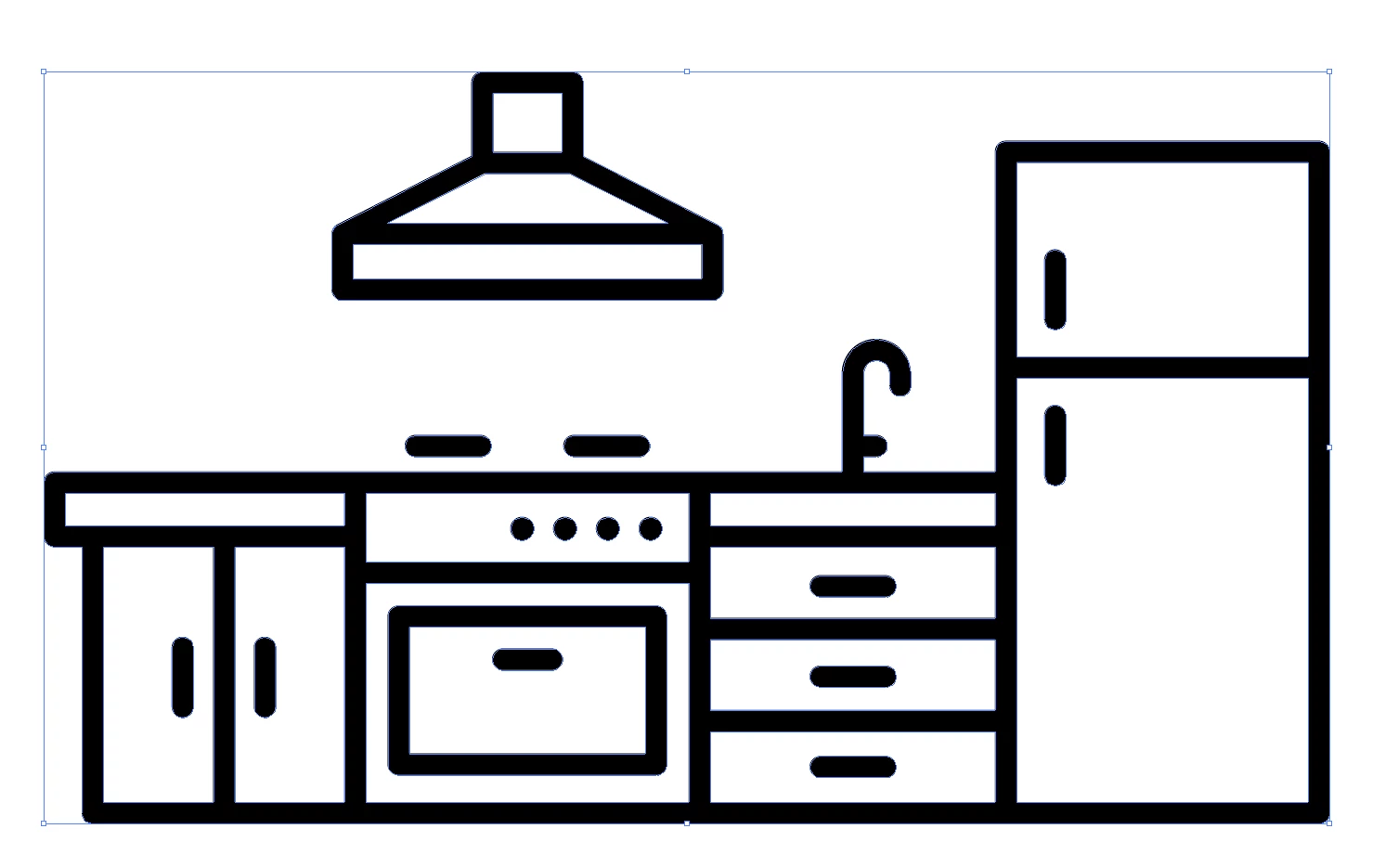
when a drawing is made up of “solid” shapes like the illustration below, is there an easy way (in other words, is there a function) to convert the solid shapes into paths/outlines (so that I can easily play around with the thickness of the outline)?

If not, is there a way to script this with JavaScript?
Thank you.


- Dimitri

2 replies

Jacob Bugge
Community Expert
Community Expert
September 8, 2025

dimitri,


Clearly, the drawing was originally made with stroked paths, and then someone performed the destructive act of Outline Stroke, so what you wish was literally destroyed in the version published, as a common simplification.


So unless you can get the original, you are stuck with other (non) solutions.


But you can still fulfil the real purpose "so that I can easily play around with the thickness of the outline":


How about just applying Effect>Path>Offset Path, trying out different offset values wtih Preview ticked, and maybe using Object>Expand Appearance to get new real accurate paths?


Here is a loosely drawn simple sample (a Compound Path and a simple path, ungrouped), as Effect to the left and Expanded to the right, starting with a path width of 20pt (in the middle) and using an offset of 5pt (at the top) and an offset of -5pt (at the bottom).


Click to get closer

Inspiring
September 9, 2025

Hey Jacob— 


Thanks,
I guess it could work with simple/clean paths…
But in reality, usually with have to deal w/ "dirty" paths that we receive from here and there.

That said, I'll give it a try.

Jacob Bugge
Community Expert
Community Expert
September 9, 2025

You are welcome, dimitri.


I hope you will share your findings.

Ares Hovhannesyan
Community Expert
Community Expert
August 29, 2025

You can try Trace Image in Ai and then create outlines from strokes, that will allow to change them.

Inspiring
September 8, 2025

Hello -


Thx, but not what I asked for  😉

I know your trick, but I don't want to deal with "double" paths


Cheers

Monika Gause
Community Expert
Community Expert
September 8, 2025

Image trace can also trace strokes. Most of the time the results are crap, but with these kind of artworks there is a slight chance that it could somewhat work.


You have a lot of several lines that meet in the same point and that is regularly what breaks everything in this kind of task.


You probably wondered why you got only one answer: you won't get more. There is no solution to your problem.