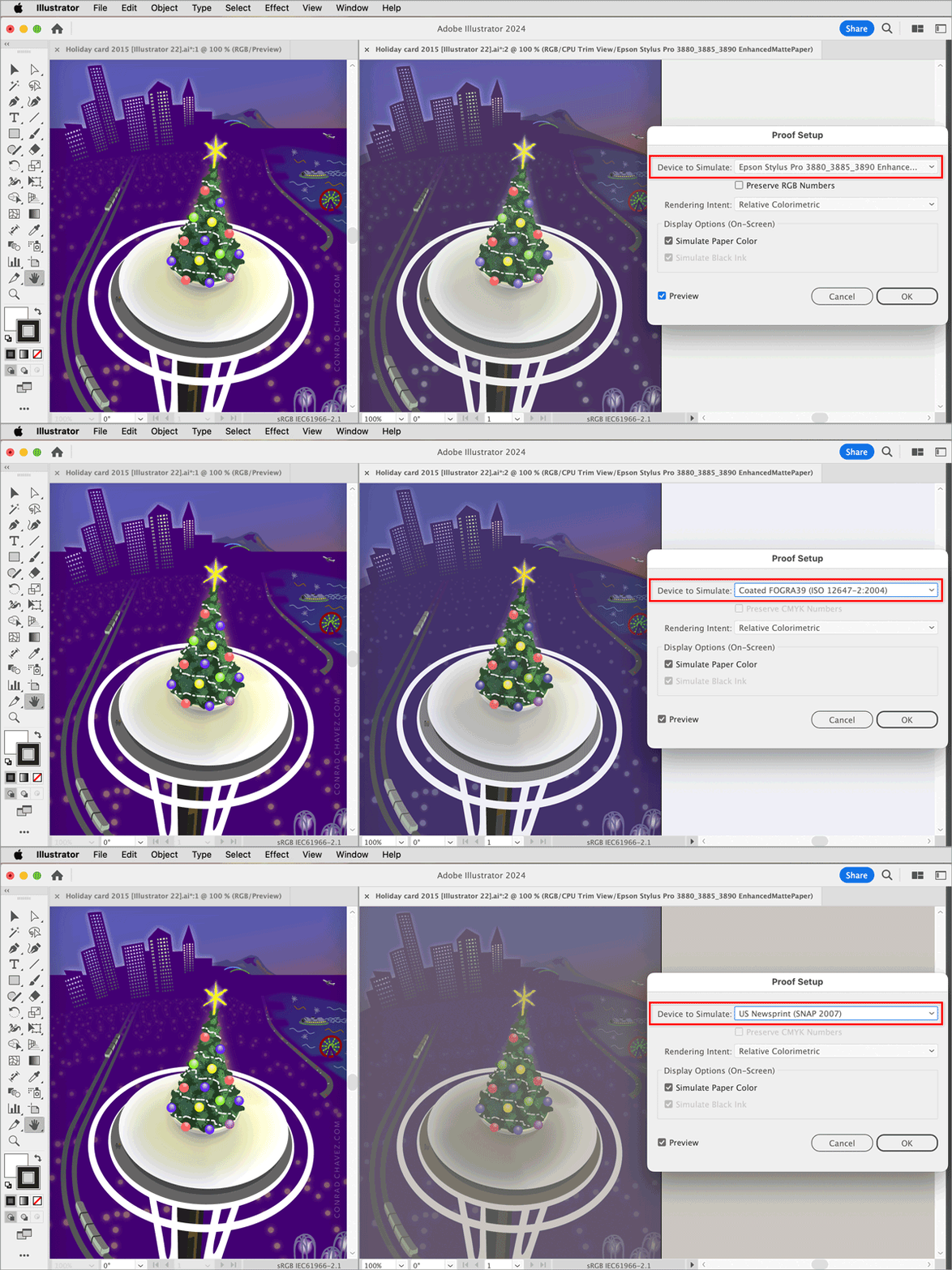
You might not have to work blind. Illustrator supports soft-proofing, which is simulating print colors on screen. In the example below, soft-proofing in Illustrator simulates how the colors in my Illustrator RGB document will look when printed on three different combinations of printer, ink, and paper: My Epson inkjet printer, the FOGRA39 CMYK standard, and the Snap 2007 CMYK standard for newsprint. (For the actual project, I needed to know how the colors look on my Epson inkjet printer on a specific matte paper, so that is the profile I used.)
In the example, I create a second view for the same document (Window > New Window) and put the two views as side by side tabs (Window > Arrange > Tile). I click the window tab on the right, and choose View > Proof Setup > Customize. In the Proof Setup dialog box, for Device to Simulate, I choose the ICC profile representing the target printing conditions, and that renders that view through that profile. So the left tab is the full RGB view, and the right tab is the print color simulation.
In this way, you can edit colors while seeing a simulation of their final appearance, greatly reducing your color editing guesswork. The simulation is more accurate if you’ve calibrated, or at least profiled, your display.
When I work on projects like this, I often don’t open a second view, and just leave the one view in soft-proof mode (View > Proof Colors). This way, I’m not distracted by the vividness of the RGB colors, which is not how they’ll ever print anyway. I only see the simulation of how the colors will actually print.
Soft-proofing lets you maintain a full color range RGB document, and easily adapt it to multiple types of output.
But to do it successfully, your printing company needs to send you an ICC profile of the printing conditions for the job, and then you install that so you can select it. Or if they’re doing it to a certain industry standard (such as FOGRA39), maybe a profile for that standard is already installed on your computer.
This is not new, it’s been a feature for around a quarter of a century. If you need more details you can read this 2002 article by Bruce Fraser; although it’s about Photoshop, the same controls are present in Illustrator as I showed (and in InDesign too).
https://creativepro.com/out-of-gamut-soft-proofing-in-photoshop-6-0/



 AdChoices