
Copied objects won't paste into new layers
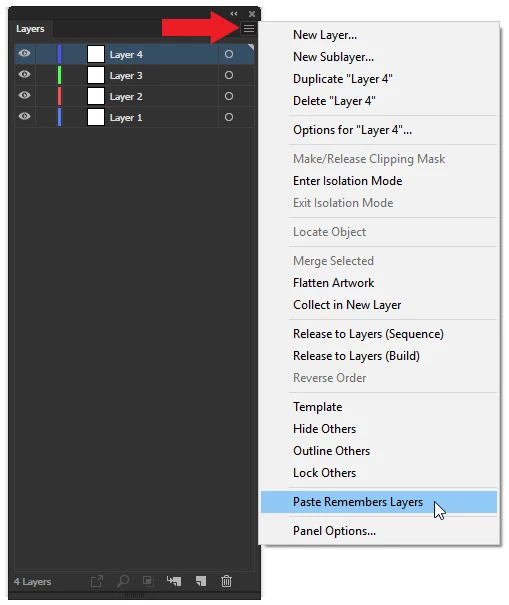
I have a document with many elements, I am trying to copy some objects and paste into new layers to create slightly different designs for presentation. I copy the objects, create and name a new layer then 'paste in place' and have tried 'paste' and the item pastes back into the original layer. I have selected the new layer, I have locked the source layer and tried pasting, I have hidden the source layer and it still won't paste into the new layer, this has only recently started happening. I have been using Illustrator for over 20 years and am not a novice. I have tried everything I can think of but cannot create multiple layered artwork / designs. I can create new graphics in the new layers but just can't paste to them.
Has anyone experienced this before? I am using CS6 16.0.4 installed from disks on a late 2013 27" iMac intel core i5 OS X Yosemite 10.10.3.
Many thanks in advance
David


 AdChoices