


Question
Copied Photos are washed out when placed or pasted in Illustrator
Hi,
When I copy and paste a photo into illustrator the colors in photo are completely washed out. I haven't made any changes to color settings and this just started happening in the last week. I unistalled and reinstalled the app and still the same thing. I attached a screenshot of the actual photo what it looks like in ai at left.
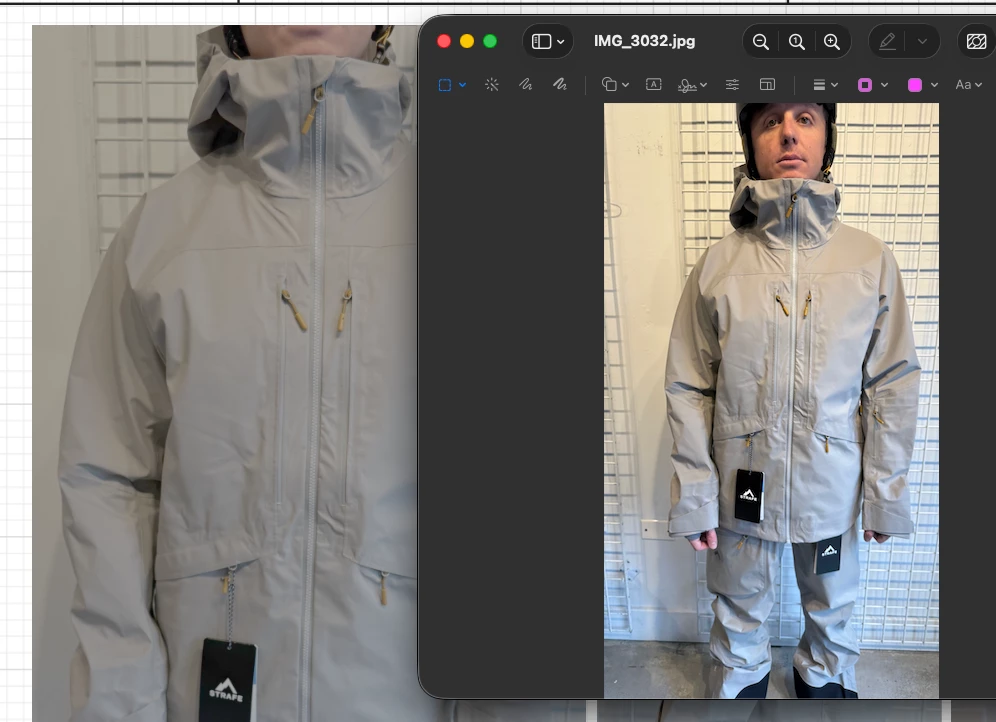
I messed with RGB/CMYK settings but nothing changed. Please help!
Pia
 AdChoices