


Participant
January 12, 2026
Answered

Copy and Paste Issue

  • January 12, 2026
  • 3 replies
  • 364 views

Hi,


This issue only happens with files from one particular colleague.

I received the file from said colleague. Both of us are using the latest Illustrator software on new computers(Jan 2026). I opened the file in Illustrator and copied a small piece of artwork that only uses one colour. I then created a new document and pasted the artwork. Illustrator paused for a moment before pasting. When it finally appeared, I noticed it had also brought across a large number of swatches from the original file rather than only the swatch linked to the artwork I copied.
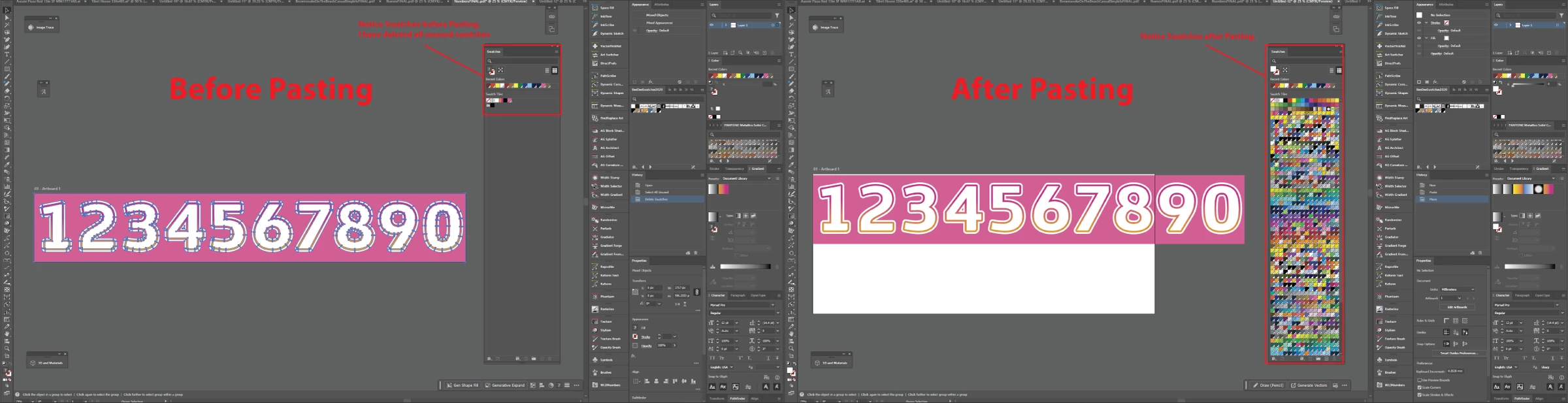

874129i1D51B4CB78F55C14.png


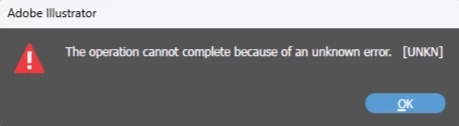
Please help. It's blowing out our file sizes and giving us multiple errors while working with these files.
874130iDAE121B12D4A032C.png


I have attached one of the files for your reference. If you copy any of the objects in the art to a new document, you will be able to replicate the issue.


Thanks

Damian

Correct answer damianp740

Hello everyone,

Our team has made improvements to this in the latest Illustrator (beta). Would you mind installing the latest Illustrator (beta) release (https://adobe.ly/4qtWMFb) to see if it helps?

Looking forward to hearing from you.

Anubhav


Thank you Anubhav. I have tested it with a couple of files and it seems to be working correctly now in Ai Beta. Thanks for looking into this.

3 replies

Ton Frederiks
Community Expert
Community Expert
January 22, 2026

Good to see that the problem is solved in the beta.

Ton Frederiks
Community Expert
Community Expert
January 12, 2026

Get a warning when opening the file.

874136iDF4777AB9F706EF3.png

Do not see many swatches, but see many brushes and symbols.

Like Kurt said, looks like a corrupted file.

Participant
January 12, 2026

We both get the same message. Illustrator sometimes crashes and we lose all data we are working on. We have both tried the script and it didn't change anything.
It started approx 3 months ago and I thought it was just a corrupt file, but it has continued. Ithought the new computer & fresh install of Ai may fix the issue but it hasn't. We each have 100's of files, which this affecting.

Anubhav M
Community Manager
Community Manager
January 13, 2026

Hello @damianp740,

I'm sorry to learn about the trouble you're having with your colleague's files. Thank you for providing the sample file. I have sent this to the product team for further examination and will keep this thread updated as I receive more information. Please don't hesitate to contact us if you have any further questions or require assistance. We would be glad to help.


Anubhav

Kurt Gold
Community Expert
Community Expert
January 12, 2026

I can reproduce the issue based on your sample file, but I am not able to explain the misbehaviour right now.


Guess it is just a corrupt file for some reason.

Participant
January 12, 2026

Thanks for the reply, Its not just one file. Its happening to all files I receive from this colleague. I receive files from other colleagues/customers with no issue.

Ton Frederiks
Community Expert
Community Expert
January 12, 2026

Did you try the script mentioned in the link in the warning message?