salfavata
Inspiring
December 2, 2025
Answered

Copy and Paste Layers and Content to: New Layer, New Artboard

  • December 2, 2025
  • 1 reply
  • 1016 views

When I cut-and-paste layers with content (with Paste Remember Layers) the pasted copy doesn't go into the selected blank layer but duplicates and leaves content in the existing layer.


Paste-in-Place acts the same way.


How does one copy-and-paste content to a new layer, and/or to a new artboard? I must be missing the obvious. Thanks.


iMac 24 M1

Sonoma 14.8.2

AI 30.0

Correct answer Ton Frederiks

Thank you. 


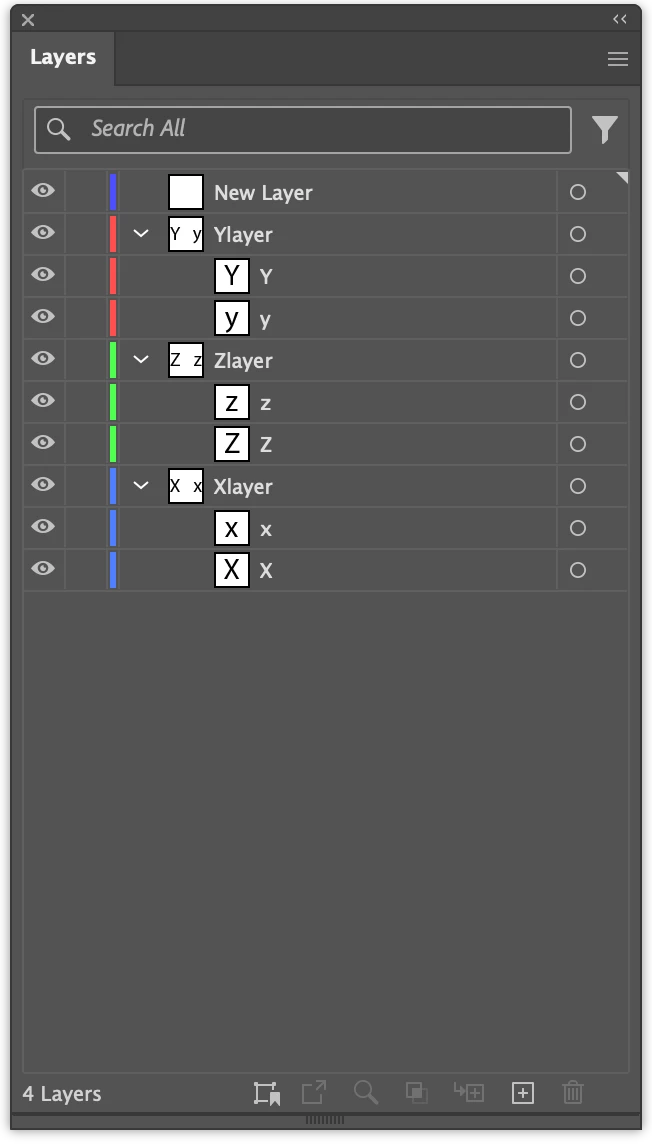
I did as you suggested, and the content was pasted into the target layer... but it did not retain the source layer organization.  My "real" document has lots of layer and sub-layers and would be tedious to recreate the layer structure.


I encountered this dilemna about a year ago, but can't recall the solution.


see attached pic...


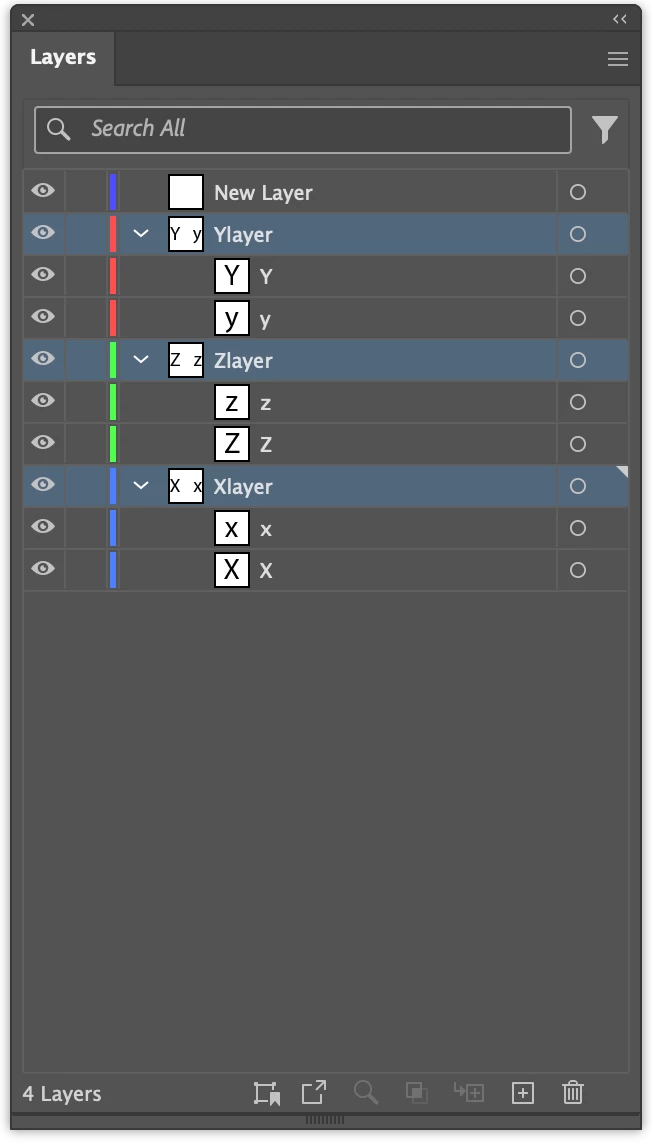
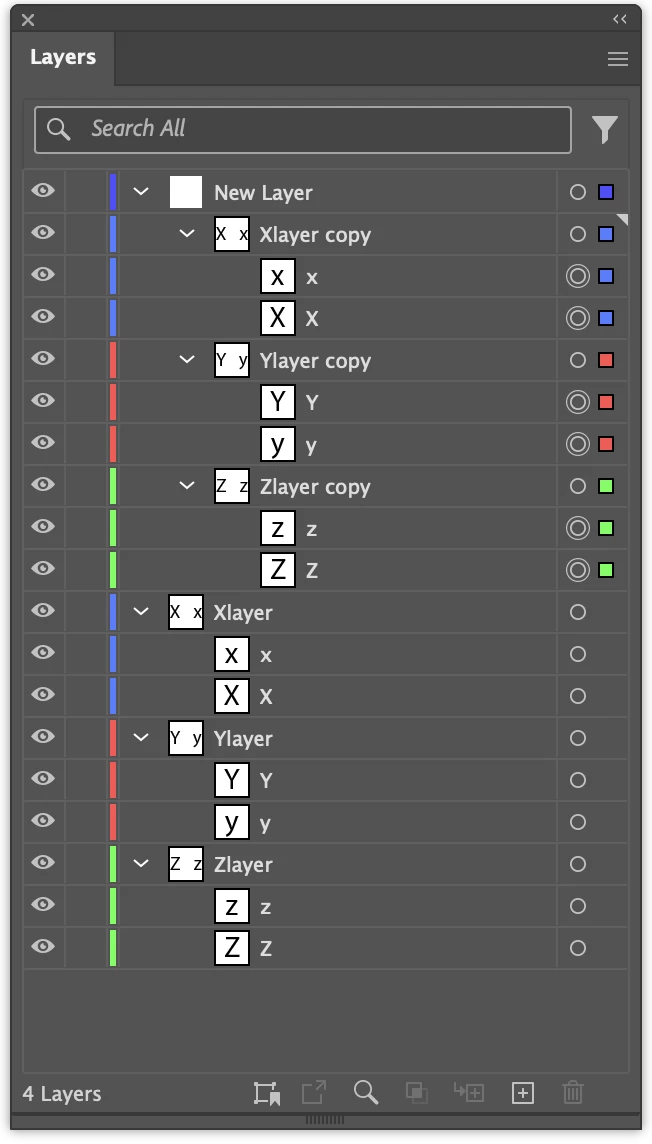
I see, you may want to use another approach, drag/duplicate the layers into a new layer.

Create a new layer.

01.png

Shift select the layers.

02.png

Alt/Option Drag them into the new layer to duplicate them.

03.png


1 reply

Ton Frederiks
Community Expert
Community Expert
December 2, 2025

Paste remembers layers will paste content into a layer with the same name or create a new one if that does not exist.

Try turning it off to paste into a selected layer.

salfavata
salfavataAuthor
Inspiring
December 2, 2025

Thanks, but it's not working for me.


I don't see Paste-into-Selected-Layer in any of the menus in version 30 on MacOS.


No matter what layer is selected, the paste is inserted back into the source layer... not into the target layer,  even when using Paste-in-Place.


This is such a basic function that I must be overlooking the obvious, somewhere.


Monika Gause
Community Expert
Community Expert
December 2, 2025

In the panel menu of the Layers panel.