Participant
October 27, 2021
Answered

Copy and Paste Problems (svg)

  • October 27, 2021
  • 1 reply
  • 672 views

Hello Community!


I have 2 problems using Ai these days.

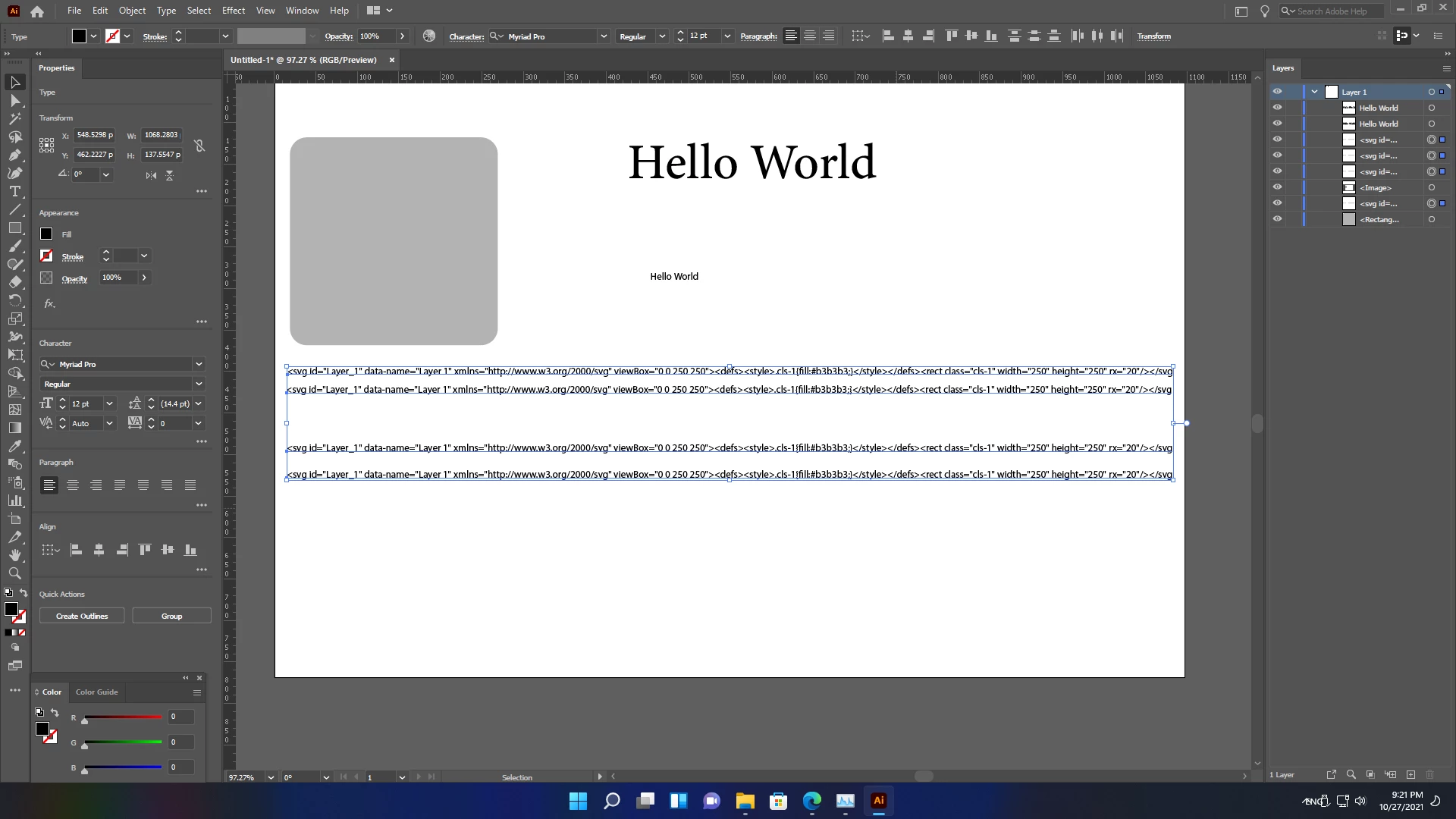
First: when I copy and paste a shape or any object (the square grey object in the picture), something like the following texts are pasted instead of my copied object :

a<svg id="Layer_1" data-name="Layer 1" xmlns="http://www.w3.org/2000/svg" viewBox="0 0 250 250"><defs><style>.cls-1{fill:#b3b3b3;}</style></defs><rect class="cls-1" width="250" height="250" rx="20"/></svg. 


Second, whenever I copied and paste texts like Hello World, all formats are gone and it is pasted wherever it want.


How do I solve those problems?

Please anyone guide me how to solve them.

Thanks in advance!


This topic has been closed for replies.
Correct answer Met1

1.

That text is the svg code for your grey box.

In prefs there is a check box to swap between include or exclude that code when pasting.


2.

Do you have pref "Paste text without formatting" checked?


It might help if you read some tutorials on using Illy.

1 reply

Met1
Met1Correct answer
Legend
October 27, 2021

1.

That text is the svg code for your grey box.

In prefs there is a check box to swap between include or exclude that code when pasting.


2.

Do you have pref "Paste text without formatting" checked?


It might help if you read some tutorials on using Illy.

Participant
October 28, 2021

Thanks for your guide. It's ok now. Thankyou!

Met1
Legend
October 29, 2021

Cool.