Participant
April 25, 2017
Question

Copy and Paste Transparency issue

  • April 25, 2017
  • 2 replies
  • 10909 views

Whenever I copy my illustration and its layers it removes the transparency. Any ideas?
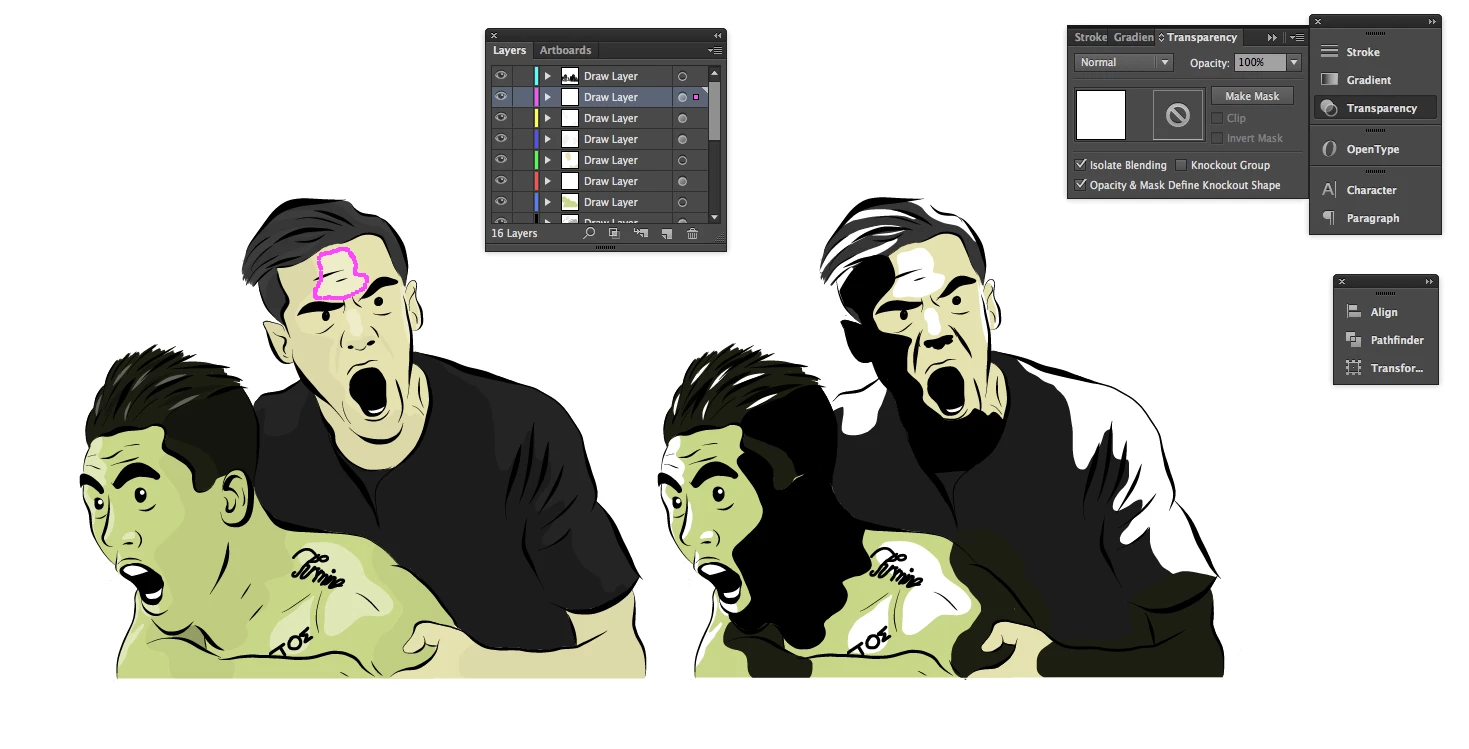
This topic has been closed for replies.

2 replies

Mike_Gondek10189183
Community Expert
Community Expert
April 25, 2017

Thanks for the screenshot, sorry but still not exactly following what you are copying and if the left or right is the before or after.

In any case you may be setting your transparency at the layer level and not the object level. If you select the items on a layer by clicking on the radio button, and then apply a permanency effect it applies to the flyer.

If you do not have paste remembers layers on, then you will paste onto a selected layer and the transparency affect can be gone.

You also have  have these 2 settings on. They could possibly cause this, but would need to knwo exactly who this was intended to be used and set up.

Might be easiest to post a sample using dropbox or similar.

Monika Gause
Community Expert
Community Expert
April 25, 2017

No matter if "Paste remembers layers" is turned on, the transparency will be gone after pasting, because settings applied to main layers will always be gone after pasting in new document.

Mike_Gondek10189183
Community Expert
Community Expert
April 25, 2017

The screenshot suggests pasting into the same document, since I do not see multiple windows.

They seem to have an overabundance of layers, and the selected item shows 100% transparency, which leads me to make my guess over the other  possibilities this could be.

carlosgarro
Community Expert
Community Expert
April 25, 2017

In the same document?

If it is in another document, please check the color mode.

Participant
October 23, 2021

Thank you!! So very much!
