
Copy Paste w/ Inconsistent Results
I'm a relatively new user so forgive me if I get some of the terminology wrong.
I'm working in a single file and creating multiple iterations while exploring a design. To keep the file organized, I'm copying layers onto fresh artboards with each iteration. However one layer in particular isn't maintaining the structure of it's sub-layers (while all the others work just fine), resulting in broken clipping masks among other problems. "Paste Remembers Layers" is unchecked so that's not the issue.
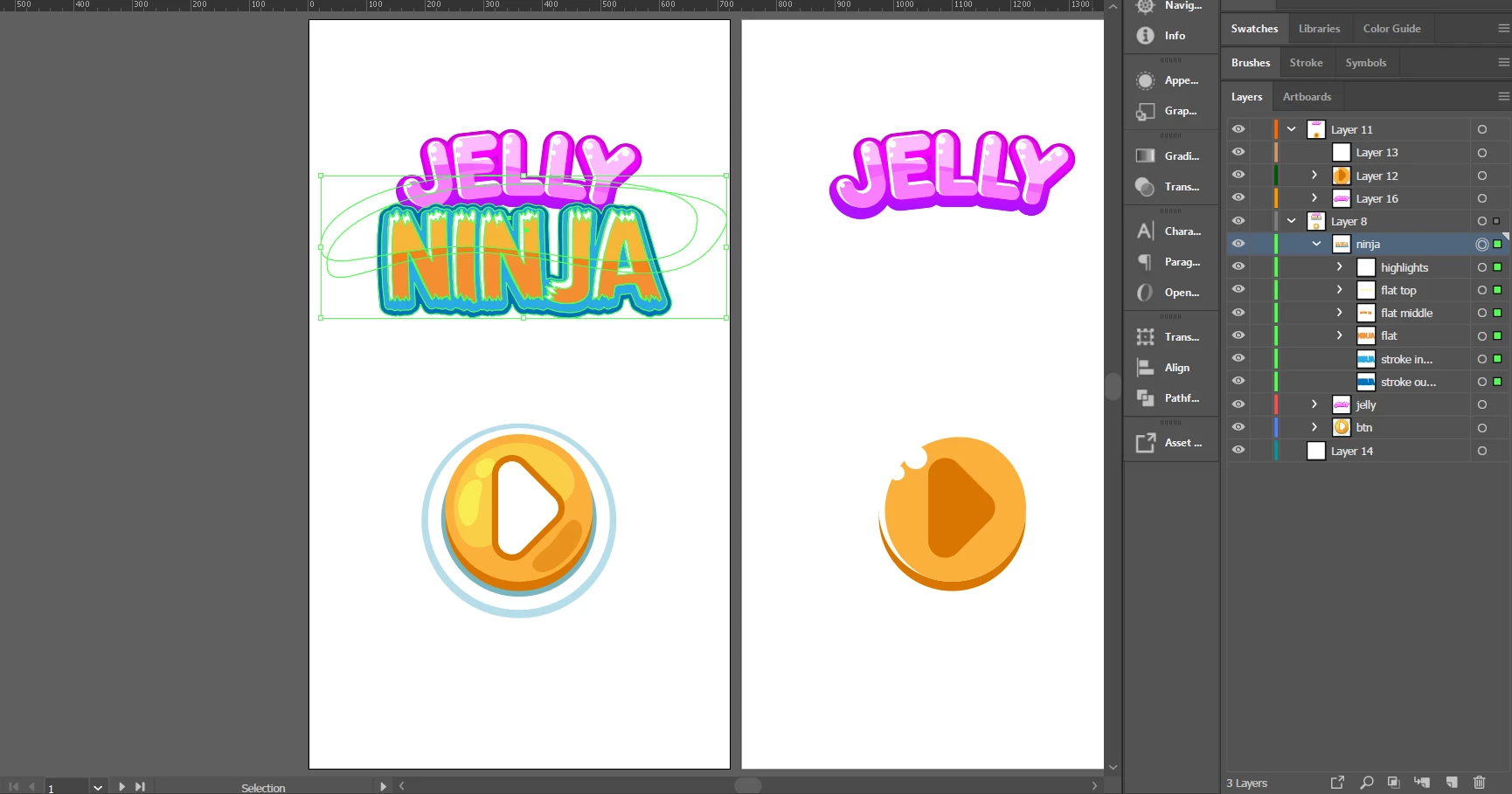
Screencap of me copying, the green layers are the structure I expect to replicate on the next artboard:
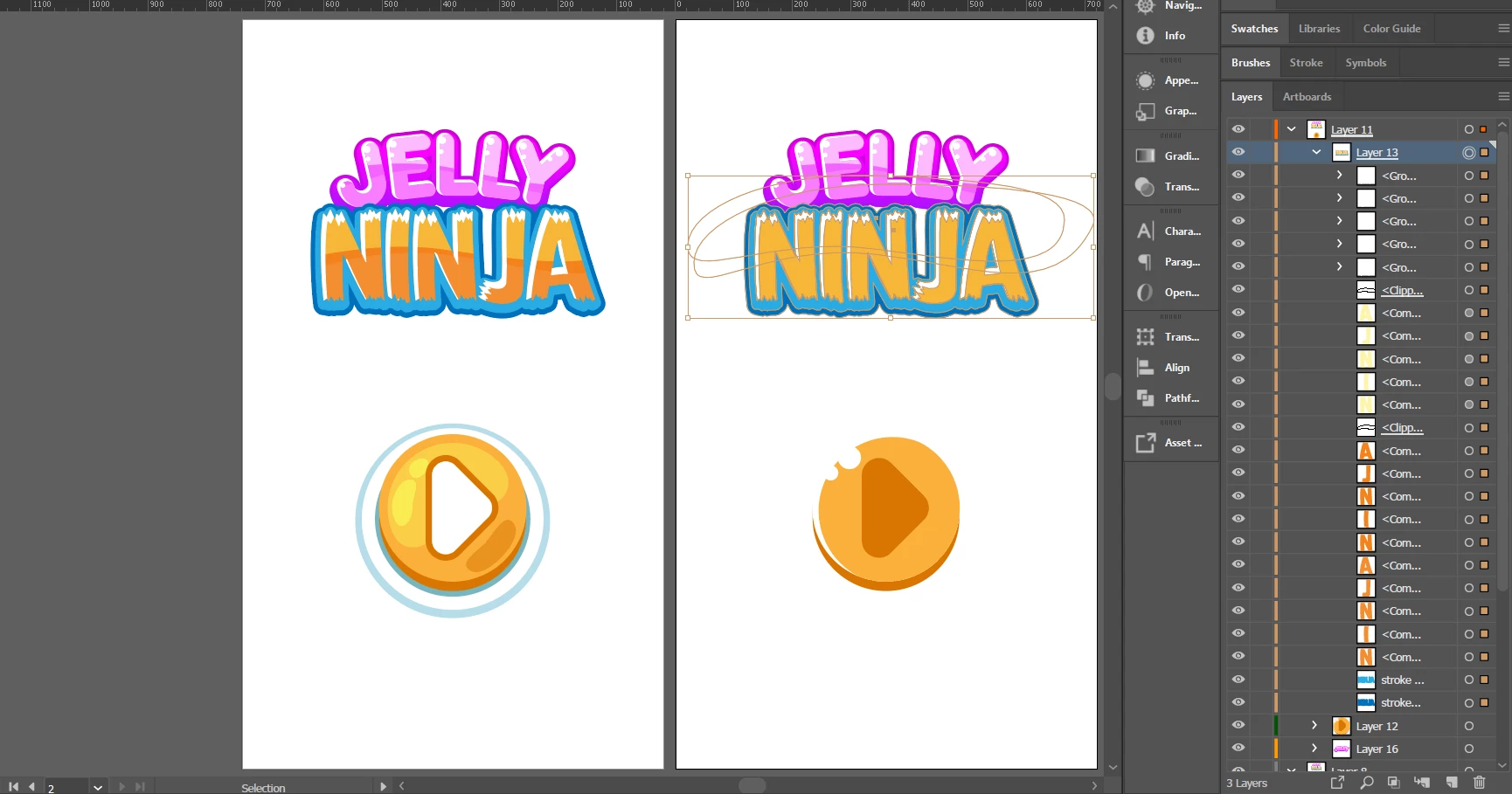
Screencap of me pasting the results. Right away we see the clipping masks are broken, and the sub-layers are no longer structured as they were. Comparatively, this does not occur when copying and pasting Jelly or the button. Also worth pointing out that the new layer is suddenly marked with an underline as though it were a clipping mask:
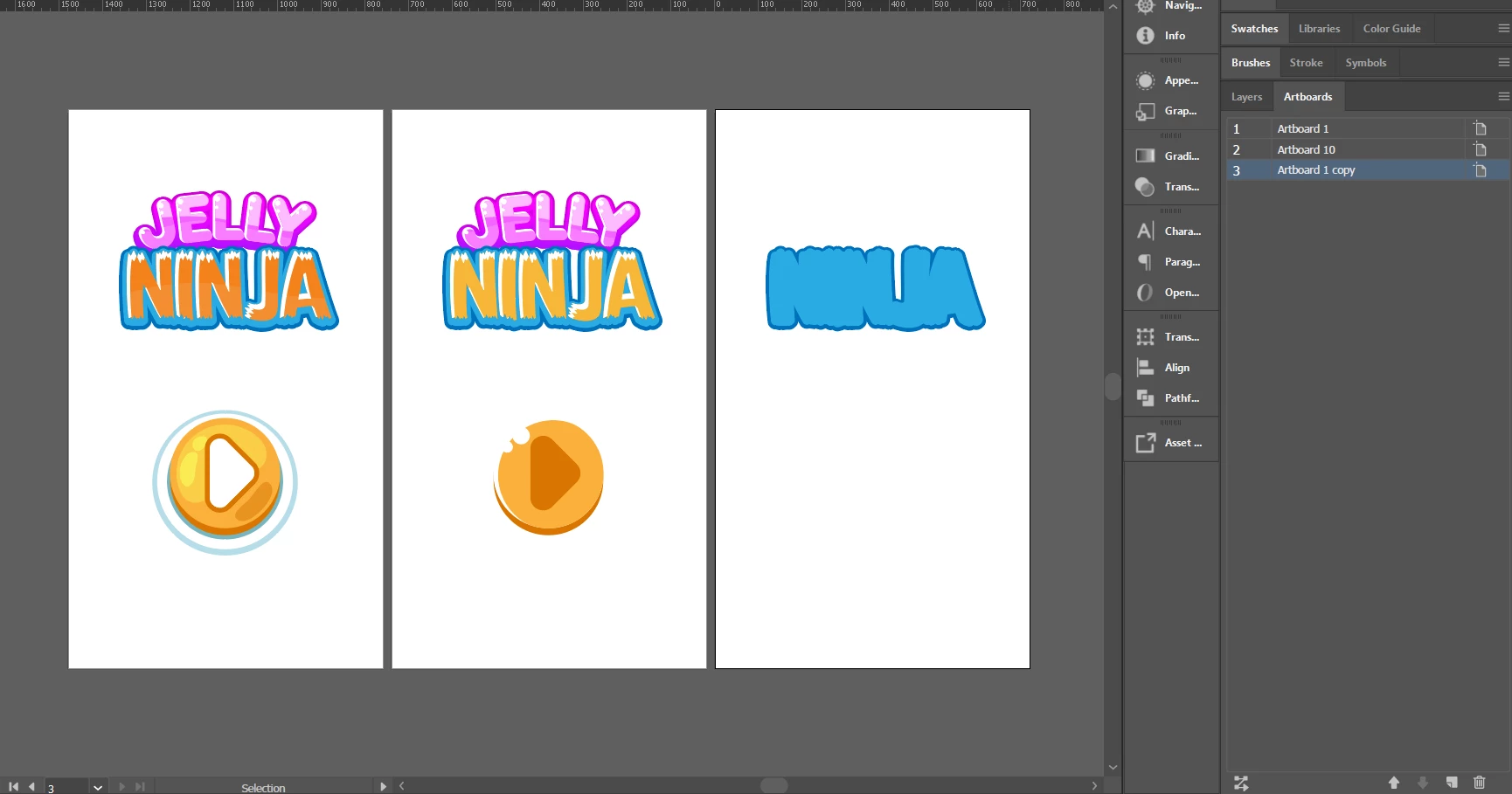
My first solution was to avoid this be duplicating artboards entirely using the Artboard panel, but that creates a whole mess of duplicate objects within the layers themselves and also breaks , rather than creating new / duplicate layers, so I'm not exploring that as an option at the moment (though I'll take any advice on that front as well - this feature seems woefully broken to me to the point that I assume I've missed something).
To recap:
- How can I get the copy and paste to work on "ninja" like it does on "jelly" and the button layers.
- The duplicate artboard feature seems either broken or just a terrible UX by default, is there something I'm missing to make it a true duplicate?
 AdChoices