Participant
April 13, 2020
Answered

Copy text from power point to AI

  • April 13, 2020
  • 2 replies
  • 10547 views

Hi all,

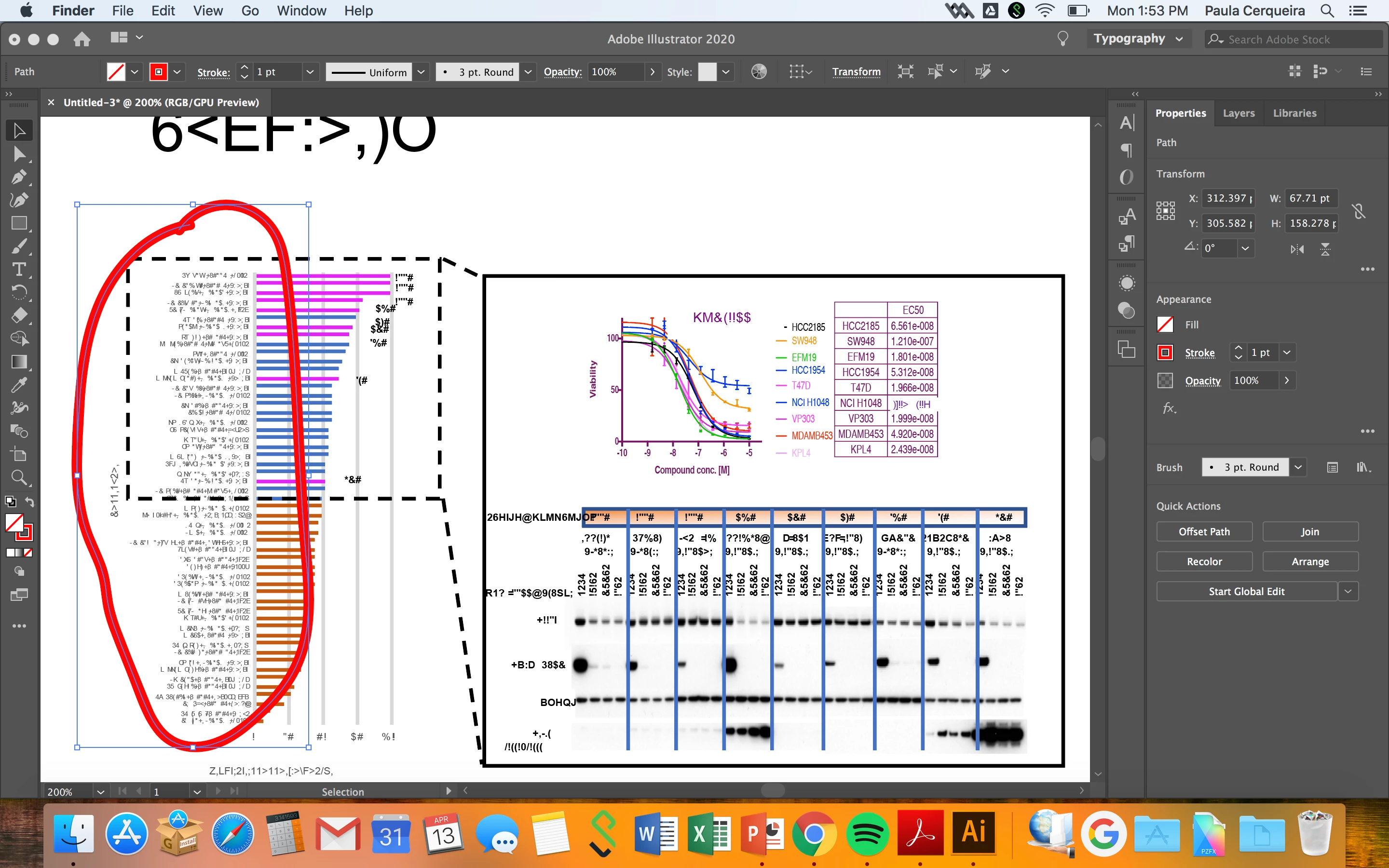
I'm struggling with making a figure on illustrator. I have the original files on ppts and I need to copy and paste them in Ai. When I do it, all the text become special characteres. I tried to change my font to Arial before copying but it doens't work.

Correct answer Peter Villevoye

That's indeed a tricky thing to do, especially when it involves all kinds of formatted elements like word art, decorated tables, or (and the worst) graphs !! There's a lot of Office formatting going on in there, which is not digestable for non-Microsoft applications.


But there are many solutions !


The best one: change the font to a more design-inclined font, not a typical Microsoft one, like Arial, Calibri, or Verdana. In stead change it intentionally to a fancy OpenType font like Adobe Caslon. This is much more robust ! Copy/Paste works much better then.


What you also can do is to save the PowerPoint file as a PDF and simple place that into Illustrator. This will keep all text and imagery intact, but you can't edit it.


If you just want the imagery and be able to edit it, then open the Illustrator file and copy any vectors from it. If you just want the text, open the PDF in Acrobat or Preview, and simply select, copy, and paste that text.


2 replies

May 31, 2024

Even better fix I just found (also dealing with copy/pasting scientific figures). Copy and paste first to indesign. Then, copy and paste into illustrator. This works great.

Participating Frequently
March 20, 2025

This is the correct answer, thank you!

Peter Villevoye
Community Expert
Peter VillevoyeCommunity ExpertCorrect answer
Community Expert
April 25, 2020

That's indeed a tricky thing to do, especially when it involves all kinds of formatted elements like word art, decorated tables, or (and the worst) graphs !! There's a lot of Office formatting going on in there, which is not digestable for non-Microsoft applications.


But there are many solutions !


The best one: change the font to a more design-inclined font, not a typical Microsoft one, like Arial, Calibri, or Verdana. In stead change it intentionally to a fancy OpenType font like Adobe Caslon. This is much more robust ! Copy/Paste works much better then.


What you also can do is to save the PowerPoint file as a PDF and simple place that into Illustrator. This will keep all text and imagery intact, but you can't edit it.


If you just want the imagery and be able to edit it, then open the Illustrator file and copy any vectors from it. If you just want the text, open the PDF in Acrobat or Preview, and simply select, copy, and paste that text.