
Answered
Corner Widget Issue
In this outline Corner Widget is visible in many corners except at one point. How to fix it? video is attached
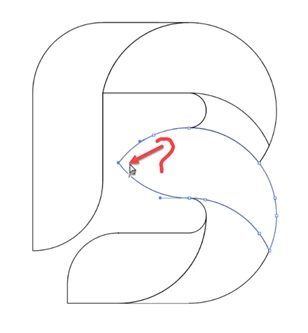

In this outline Corner Widget is visible in many corners except at one point. How to fix it? video is attached
Select both points an use Join (Object > Path > Join).
By @Ton Frederiks
It is not Joining. If cannot identify this issue I can upload a video. File is uploaded
I see, if you zoom in a lot and view in outline mode, you will see that the anchor points are almost on top of each other.
Joining them will create another minimal path segment.
If you add another step: Object > Path > Average before joining, it should work.
Already have an account? Login
No account yet? Create an account
Enter your E-mail address. We'll send you an e-mail with instructions to reset your password.


 AdChoices