MahaB82A
December 7, 2022
Question

Correct level

  • December 7, 2022
  • 3 replies
  • 1080 views

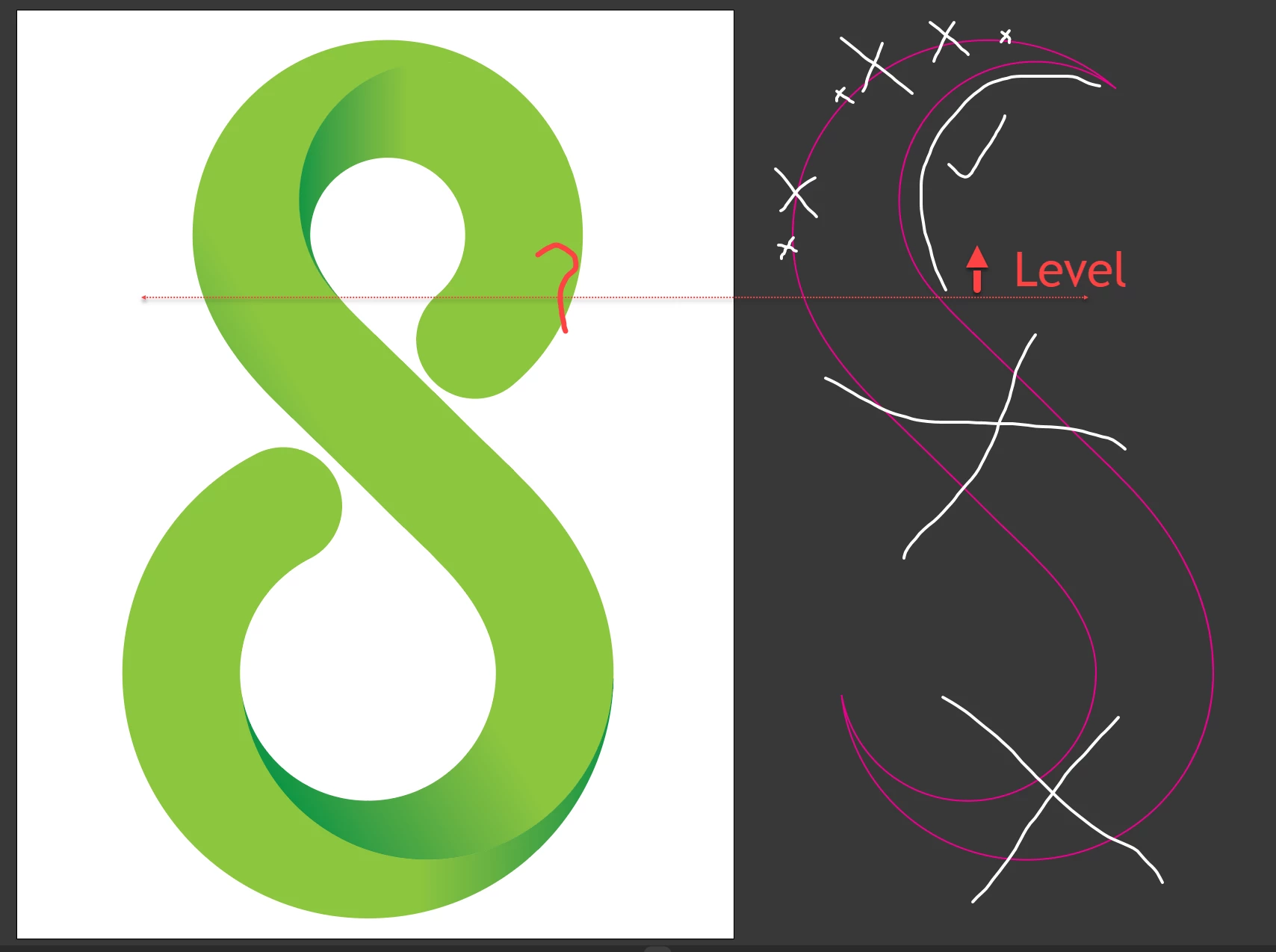
This a YouTube tutorial. All purple color line must be deleted except white color check marked line by me. How to find out the correct level of the remaining line because it must match with the logo?


Logo Design Techniques

Time 6.07-6.20


This topic has been closed for replies.

3 replies

kphotopage
Legend
December 8, 2022

Maha, You seem to be struggling with this tutorial.

Here is how I did it.


File>Document Color Mode>RGB

Draw two circles.

Scissor Cut and Join. Give it a large Stroke weight, Round cap

Object>Path>Outline Stroke. Now you are working with Fill

Add two additional cut circles.

Live Paint.

Expand Live Paint. Delete strokes

Apply gradient to your three shapes.


K

MahaB82A
MahaB82AAuthor
December 8, 2022

You have to remove this sharp edge as well. This is shown in the tutorial. Please see the original link. Time 6.09 - onward.


kphotopage
Legend
December 8, 2022

OK,


Here I duplicated the center shape.

No Fill, just a Stroke.

I simply Lasso all unwanted anchors and deleted.  I used a 3pt Stroke with Variable Width.


Outline those two strokes. Now you have 2 Fills.

Give it greenish color. Play with Blending modes.


K

Monika Gause
Community Expert
Community Expert
December 7, 2022

He just splits it up at existing anchor points by selecting parts with the direct selection tool. If you did follow the tutorial, then you should have the same anchor points. So just watch what he is doing. Slow down the video if you cannot follow.

Monika Gause
Community Expert
Community Expert
December 7, 2022

You are the third person asking about this tutorial. I know that is has an endless amount of ads before you can see the actual content. Please tell us what should be achieved by deleting those parts.

MahaB82A
MahaB82AAuthor
December 7, 2022

Please watch the video in given time 6.07-6.20