
Covered spot color is printing in overprint preview
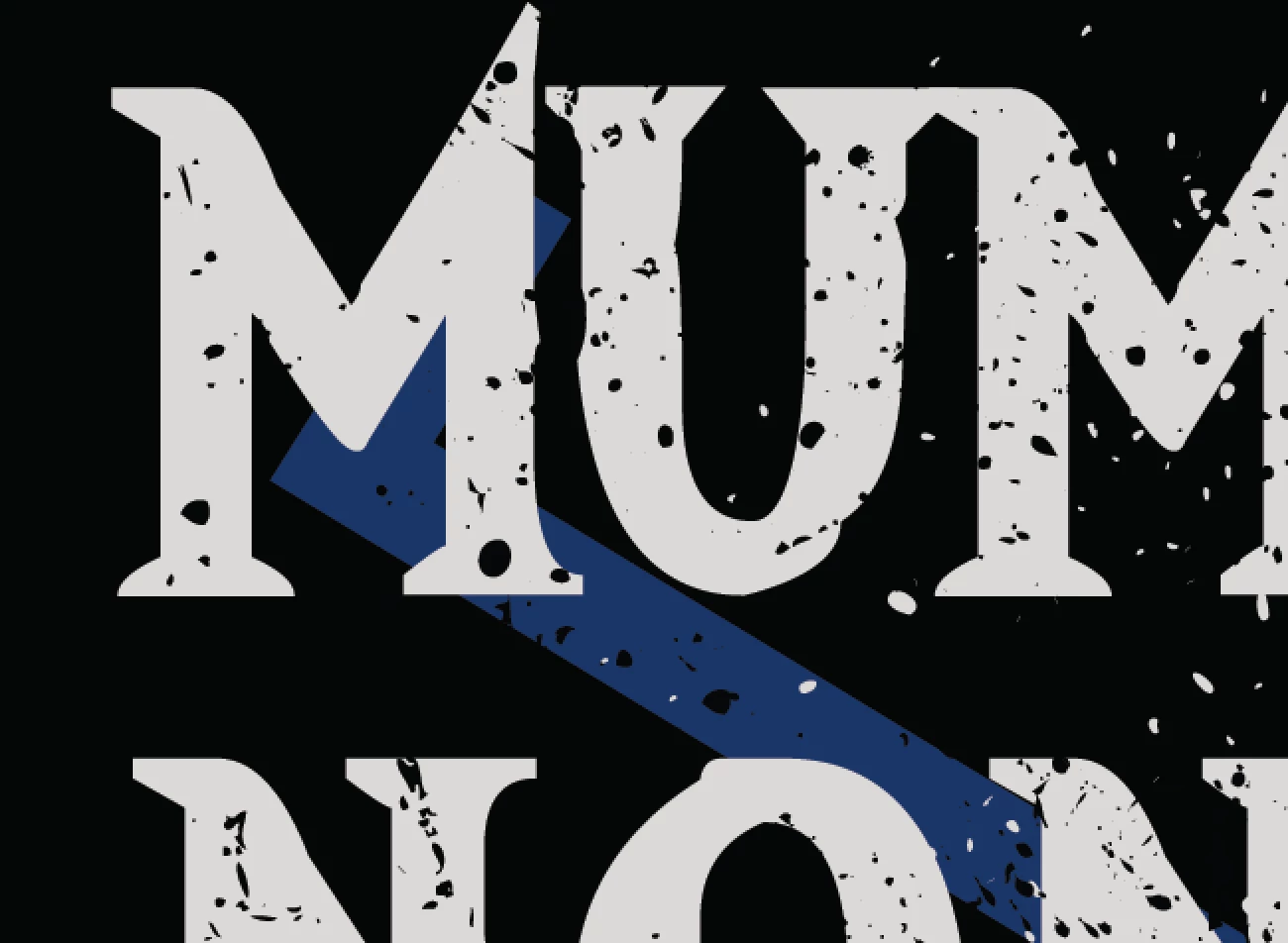
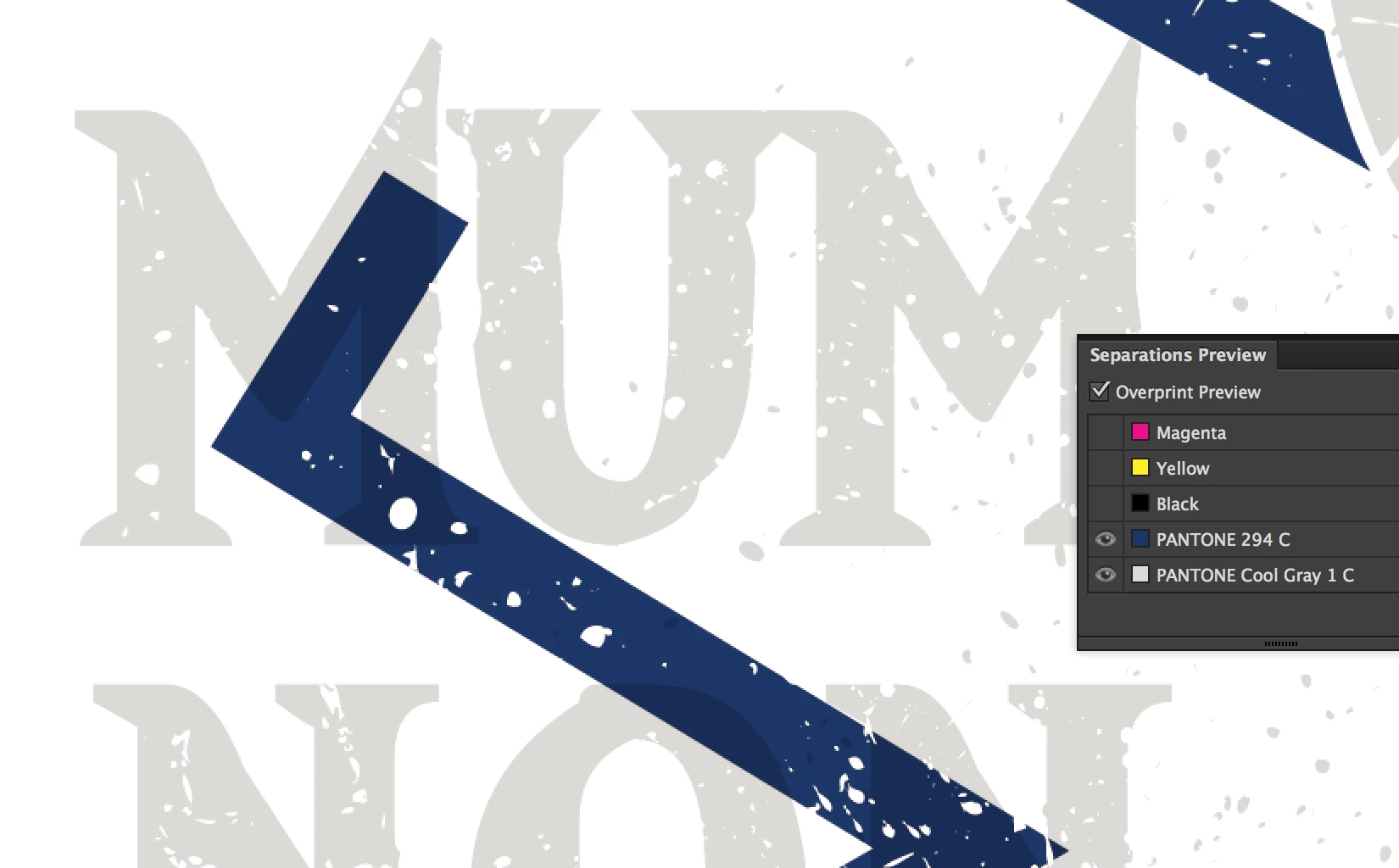
I have been preparing artwork and printing for screen printing for several years now. I completed a new design and have run into a major issue I've never seen before! I have parts of the spot color blue "hidden" behind text. When seen in the overprint preview, the parts behind the text should NOT print. However, everything that is behind the text is wanting to print. (Preview below). Here are some facts about my document:
* The document is set up for CMYK
* The spot colors are setup as color type: Spot Color and Color Mode: CMYK (Like I always have)
I have tried moving this design into a new document, changing the blue to process and back to a new spot color, completely redrawing the blue, changing to a new spot color, etc and ALL efforts have produced the same result. Furthermore, when I move the blue in front of the grey, the hidden parts of grey disappear as they should! Bizzare.
I'm LOSING MY MIND over this and have a VERY soon deadline. Any help is GREATLY appreciated!!
ARTWORK HOW IT SHOULD APPEAR
OVERPRINT PREVIEW
 AdChoices