
Answered
Crafting & Exporting Consistent & Appealing Button Theme!
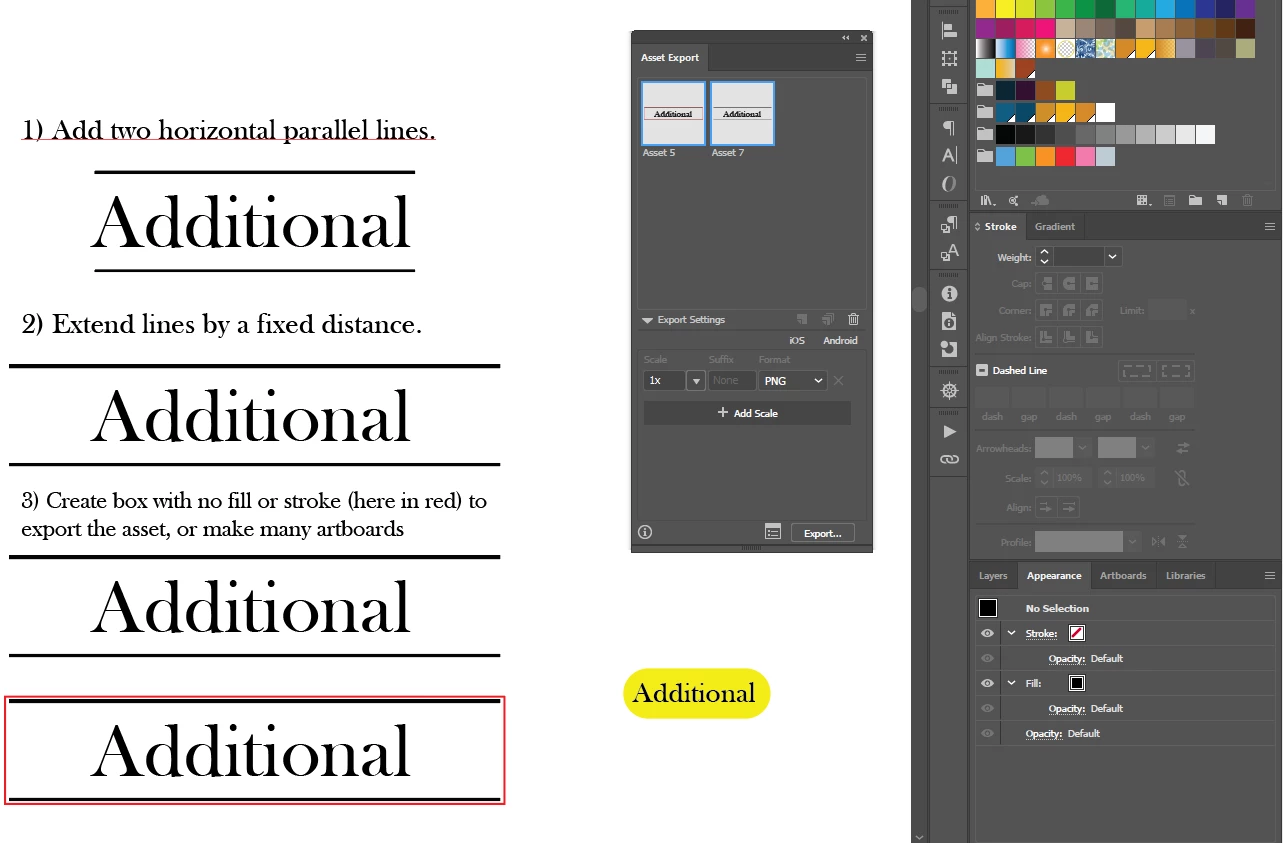
Is there a shortcut or way to do this rather than manually for each button? I am going to be creating many titles and buttons under this format. Thank you!
- 1) Would I space lines based off of x-height, ascenders or descenders? Is there a tool on Illustrator to help me this, or would I need to do it all or partially by eye. The idea is to keep this motif consistent for the brand identity.
- 2) I could then add a fixed amount to the width of the two joined lines, with the anchor set to the center of the object.
- 3) To export these for the web, would it be easier to put transparent boxes around each item or to make many artboards? My concern is that each button should be consistent and with different length of words, a constant method must be adhered to.
Thank you!
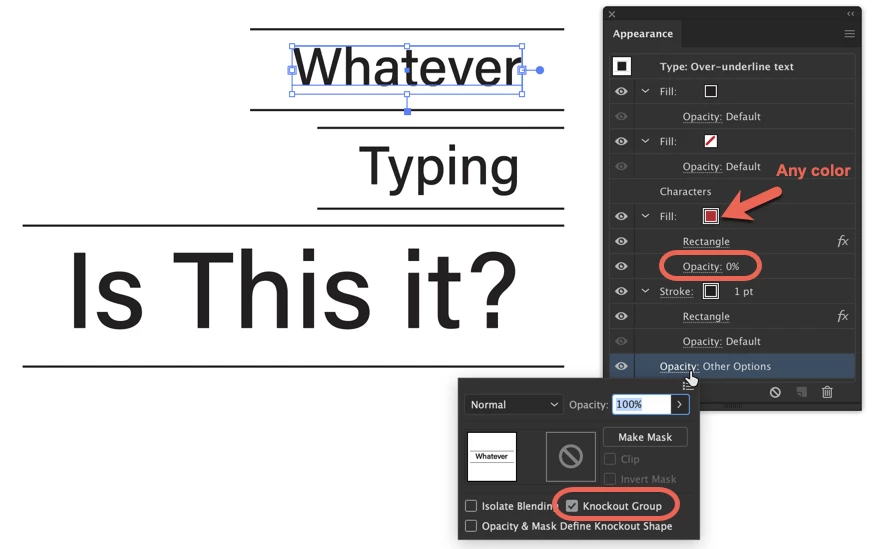
PS I made this yellow button which expands by adding 2 fills and converting the bottom to a rounded rectangle. Is there a way to then do this with a regular rectangle, and only keep the the top and bottom lines? If so, the button would stretch/format automatically!
 AdChoices