

Inspiring
April 22, 2025
Answered

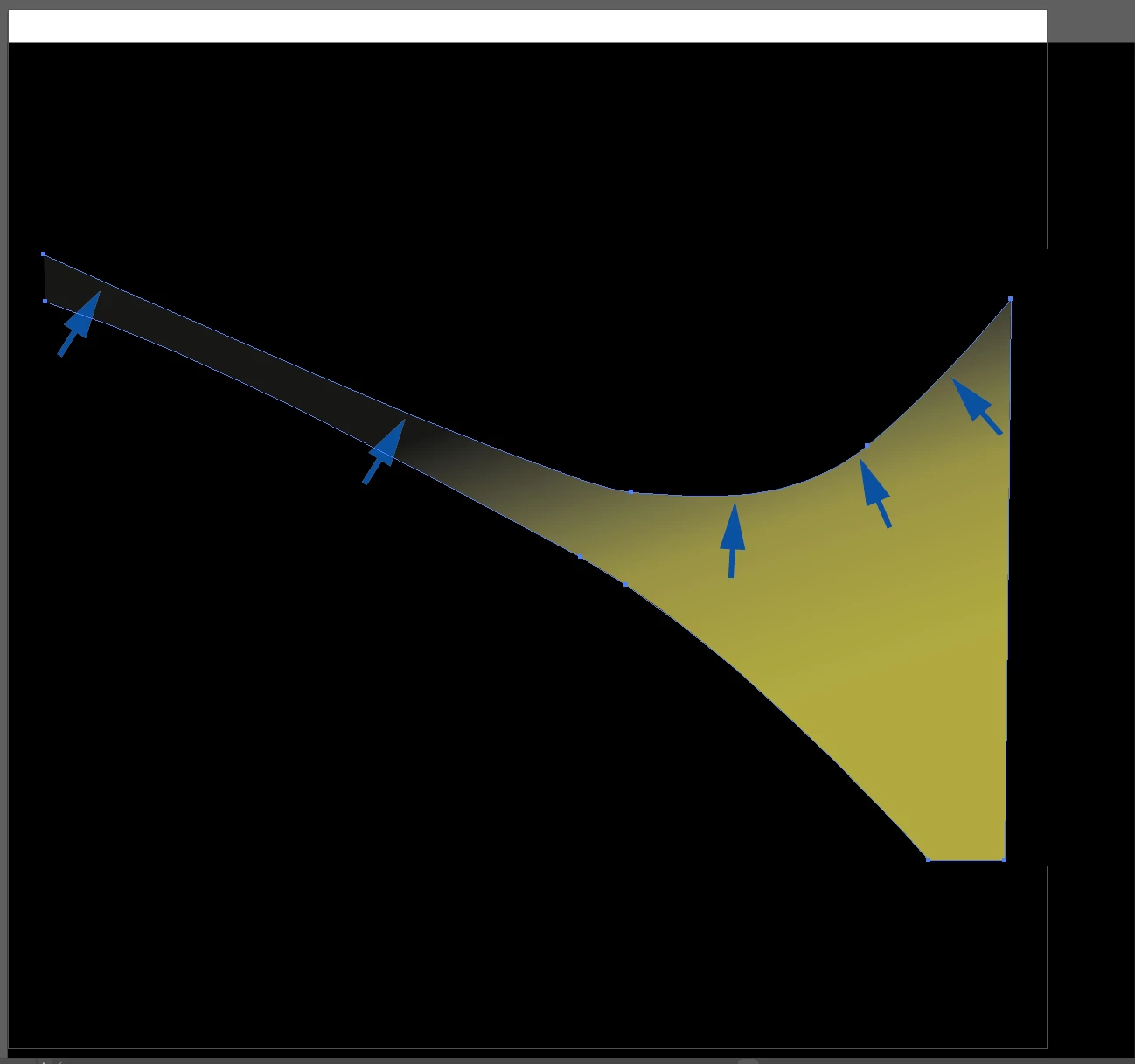
Create a Gradient that follows the curve on the art?

  • April 22, 2025
  • 3 replies
  • 1055 views

I have some artwork that i want to have the gradient follow the top part of the art.  The gradient should folllow the direction of the arrows ( i just put those in there for reference). 
Correct answer Ton Frederiks

You may try a FreeForm Gradient.

3 replies

cbishop01Author
Inspiring
April 24, 2025

Thank you both so much!! If i could give both of you the "Correct" checkbox i would. I didnt realize the "freeform" was different than the gradient this will save me so much extra work. You guy are the best!!

Ton Frederiks
Community Expert
Community Expert
April 24, 2025

Good to hear we could help.

I think you can mark more posts as correct.

barbara_a7746676
Community Expert
Community Expert
April 23, 2025

Another possibility wouild be to use a Blend.

cbishop01Author
Inspiring
April 23, 2025

When i tried to apply the blend to it (with the blend tool) it just created a separate shape. It didnt really do the feather that i'm wanting along the curve. I'm not super skilled in illustartor so its possible i'm jsut doing this wrong as well.

barbara_a7746676
Community Expert
Community Expert
April 23, 2025

It's possible to do a blend that would work, but I think that Ton's suggestion of using a custom gradient would give you more control.

Once to fill the shape with a custom gradient, you can add points, momve them around and assign a color to each point. This is the general idea:


Ton Frederiks
Community Expert
Ton FrederiksCommunity ExpertCorrect answer
Community Expert
April 22, 2025

You may try a FreeForm Gradient.

cbishop01Author
Inspiring
April 23, 2025

if this is the mesh tool, i've tried this but the gradients are harsh when i apply them. its more than likely becasue i dont know how to use them but it doesnt feather out like i'm needing.

Ton Frederiks
Community Expert
Community Expert
April 23, 2025

No, it is not the mesh. For Freeform Gradients see:

https://helpx.adobe.com/illustrator/using/gradients.html

