
sanderb97682113
Participant
August 24, 2018
Question

Create color gradient with overlap

  • August 24, 2018
  • 1 reply
  • 552 views

Hello,

I am trying to recreate an effect just like on this jersey example, but I can't figure out how to do it:
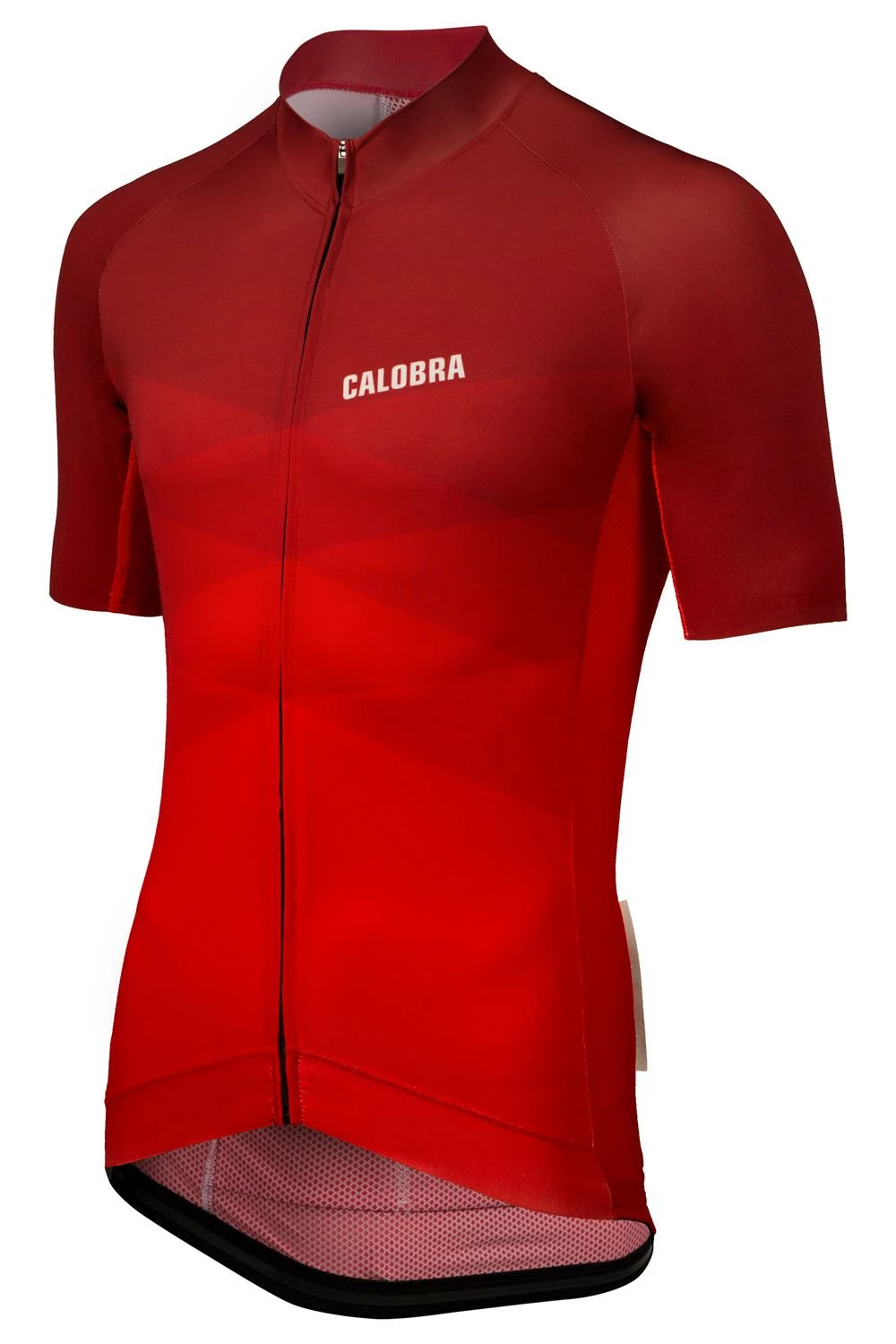
It should go from a light to a dark color with these overlapping colors. How do I do this in Illustrator?

Thanks!

This topic has been closed for replies.

1 reply

Ares Hovhannesyan
Community Expert
Community Expert
August 24, 2018

You can add shapes for each overlap and then from Transparency Panel use Blend Modes for that shapes

How to edit artwork using transparency and blending modes in Illustrator