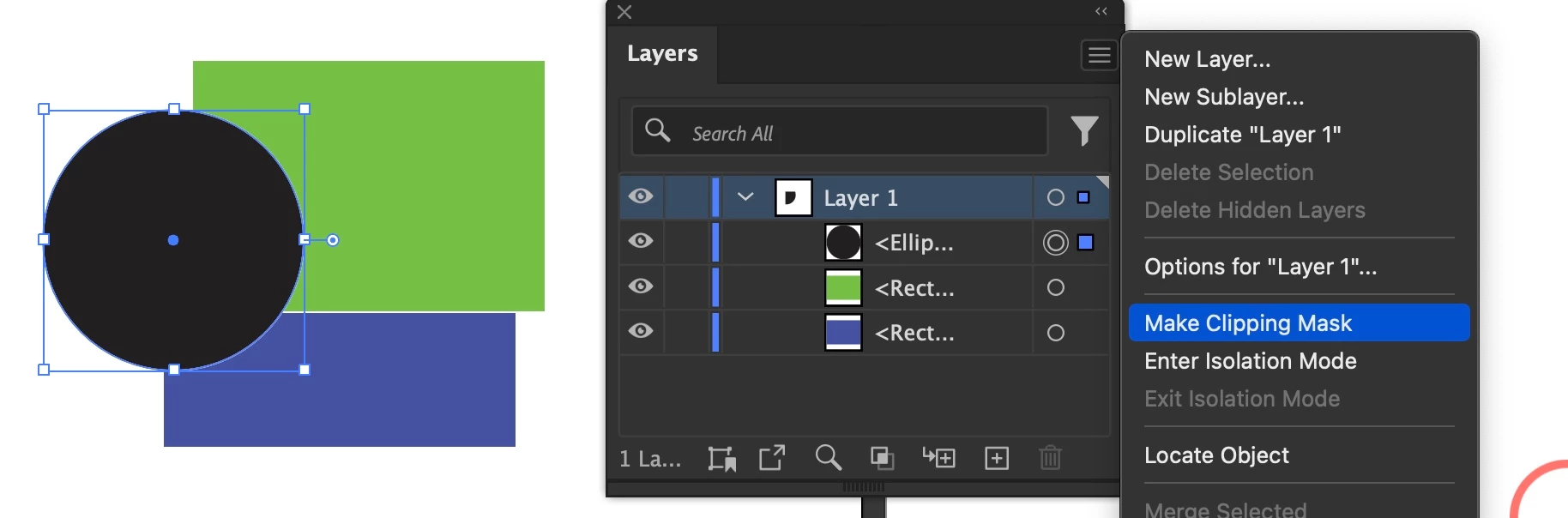
Inspiring
Jan 14, 2025 2:38 PM UTC
Answered

creating a clipping mask by pressing ALT on the top layer does not work

This is yet another "I saw someone do this but for some reason it does not work when i do it"


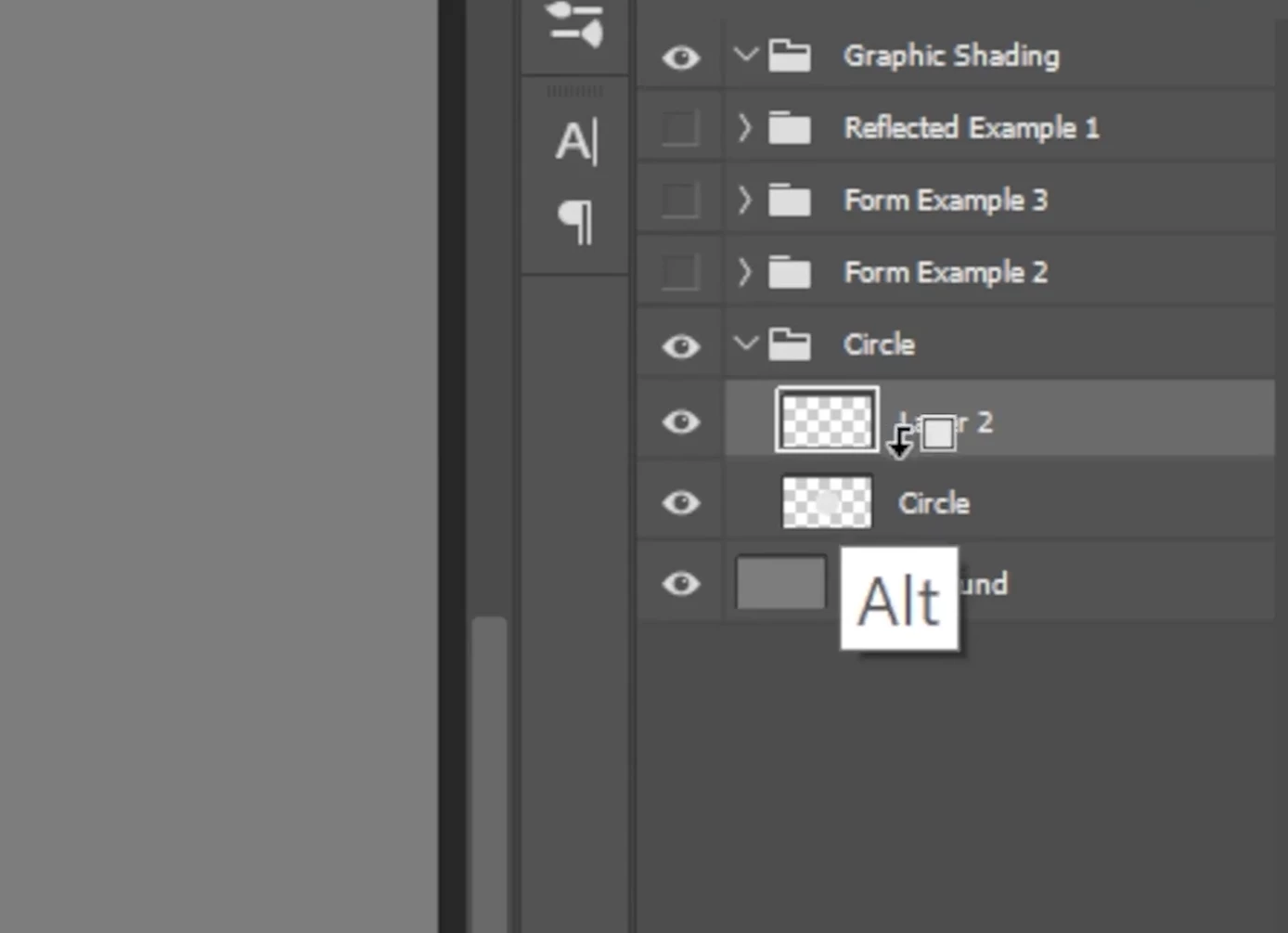
I'm trying to create a clipping mask. The guide says "create a clipping mask by holding alt/option, and wait for this little arrow to come down"

When i hold alt nothing happens, when I try to drag it towards the layer below, the cursor changes to a plus, and all it does is duplicate the layer.


This is what I'm trying to get: (cursor changes to arrow icon)
layers appear staggered and not directly on top of eachother or in the same layer:
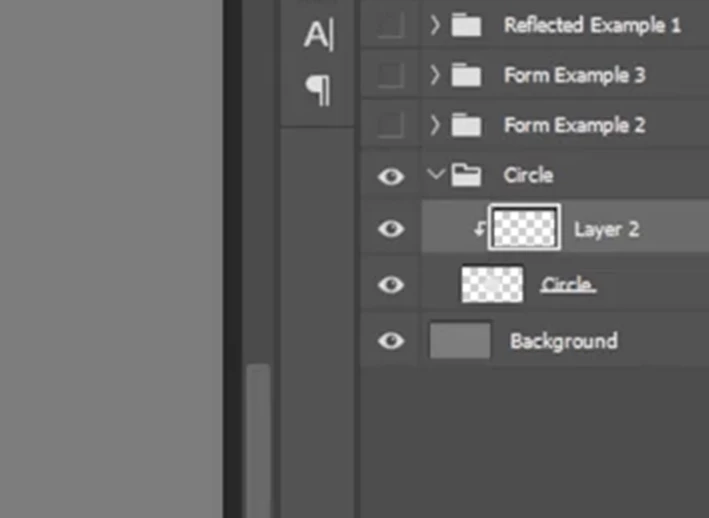
 

thank you in advance!

Mike_Gondek10189183
Mike_Gondek10189183Correct answer
Community Expert
Jan 14, 2025 4:53 PM UTC

That screenshot is from a Photoshop shortcut, so you can not do that in Illustrator.


You can though use the flyout menu option. It is often greyed out so I never use as it is very picky.

7 replies

Mike_Gondek10189183
Community Expert
Mike_Gondek10189183Community ExpertCorrect answer
Community Expert
Jan 14, 2025 4:53 PM UTC

That screenshot is from a Photoshop shortcut, so you can not do that in Illustrator.


You can though use the flyout menu option. It is often greyed out so I never use as it is very picky.

Translate
Monika Gause
Community Expert
Community Expert
Jan 14, 2025 6:10 PM UTC

It's not really picky. There needs to be a path or compound path at the top of the layer and then you need to highlight the layer and then it is active. Its a very powerful feature.

Translate
Monika Gause
Community Expert
Community Expert
Jan 14, 2025 2:59 PM UTC

That tutorial is about Photoshop

Translate
PonyxPonyAuthor
Inspiring
Jan 15, 2025 9:59 PM UTC

Thank you for your comment but no, tbis is a screenshot I took and cropped, it may look like its Photoshop but it is very much Illustrator.

Translate
PonyxPonyAuthor
Inspiring
Jan 14, 2025 2:59 PM UTC

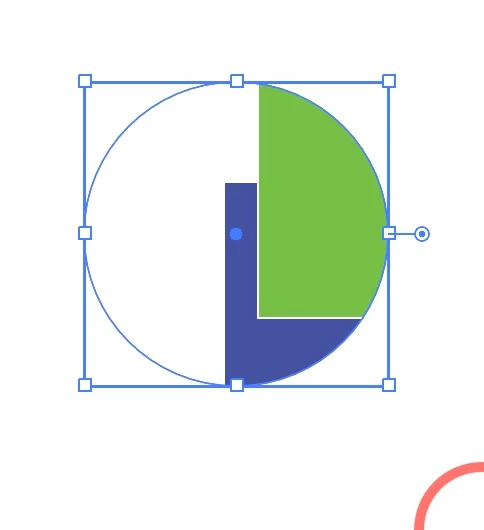
This is what I was able to do, in other methods.
Im wondering why are they looking different from the guide im following, they seem to be operating the same way.


Translate