Participant
July 13, 2018
Answered

Creating a custom shape gradient

  • July 13, 2018
  • 3 replies
  • 617 views

Hey. I'm trying to vectorize images of guitars for my own practice. I'm trying to find a way to create the gradient I want the guitar to be colored with to be in the shape of the guitar (see attached screenshot). but there are only linear and radial gradient. Can I do something like this? Or maybe there is a different way to do this? Thanks in advance.
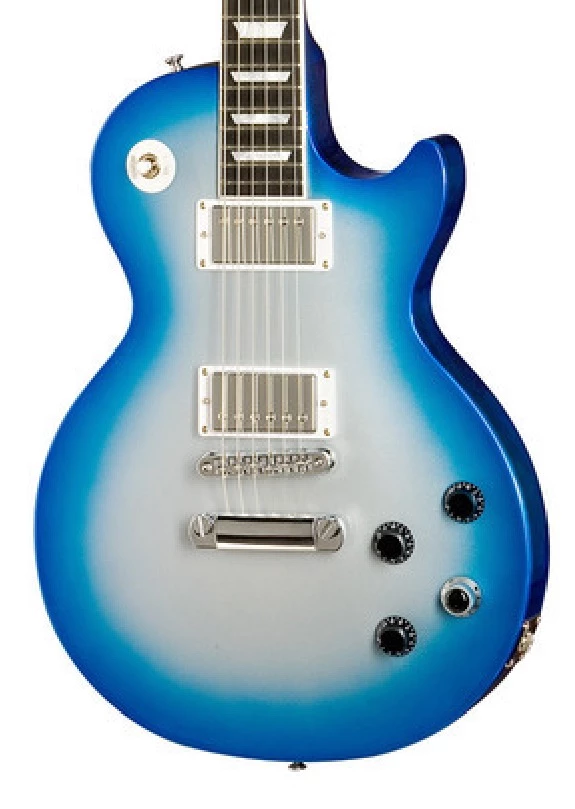
you can see here the guitar is painted in a gradient like color. how can i make my gradient fill the shape of the guitar like this?
    This topic has been closed for replies.
    Correct answer barbara_a7746676

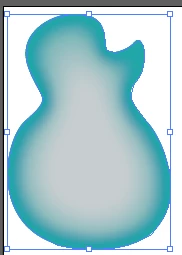
    Here's a simple alternative method.

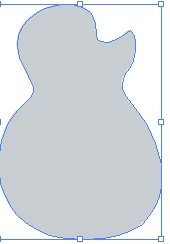
    The shape filled with the base color.

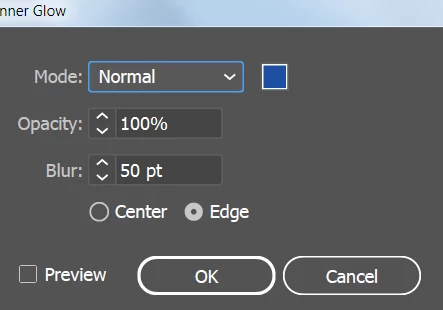
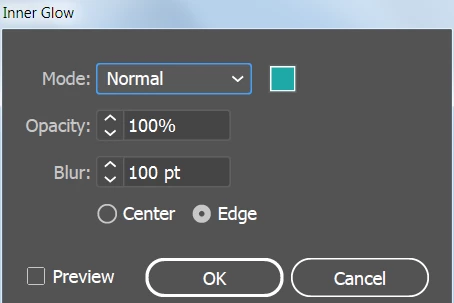
    Effect > Stylize > Inner Glow.

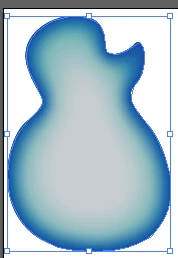
    Then add another Effect > Stylize > Inner Glow.

    The stacking order of the glows is important.

    3 replies

    barbara_a7746676
    Community Expert
    barbara_a7746676Community ExpertCorrect answer
    Community Expert
    July 13, 2018

    Here's a simple alternative method.

    The shape filled with the base color.

    Effect > Stylize > Inner Glow.

    Then add another Effect > Stylize > Inner Glow.

    The stacking order of the glows is important.

    Ton Frederiks
    Community Expert
    Community Expert
    July 13, 2018

    That looks good, but remember it is a raster effect.

    So you may increase the Document Raster Effects settings to avoid pixelation

    Monika Gause
    Community Expert
    Community Expert
    July 13, 2018

    ... or you could use blends.

    Ton Frederiks
    Community Expert
    Community Expert
    July 13, 2018

    You could use the Gradient Mesh tool