gloriad64706371
Known Participant
April 17, 2017
Answered

Creating a multi-page pdf with layers in each page

  • April 17, 2017
  • 2 replies
  • 5290 views

I have a 5-page pdf document.  4 pages will need layers that can be turned on or off in Reader.

Each page seems to be doing what I want, however, when I open the5-page document in Reader, only the last page works in layers.

I'm reading other discussions in the forum about this, but there doesn't seem to be a definitive answer, or it seems like it can't be done.

However these questions and answers were posted several years ago.

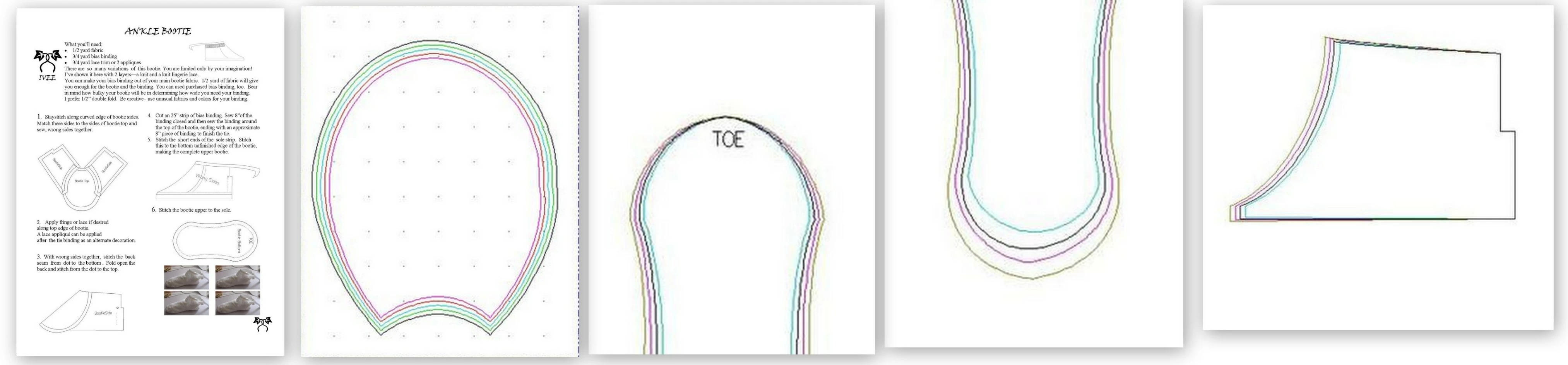
This is a very rough idea of what I'm trying to accomplish and not a finished product.  Ran these mock-ups quickly, simply to see what program will accomplish my desired end result.
    This topic has been closed for replies.
    Correct answer sharp_hands16B8

    I tested this this morning and I am not having any problems producing the desired result on my end.

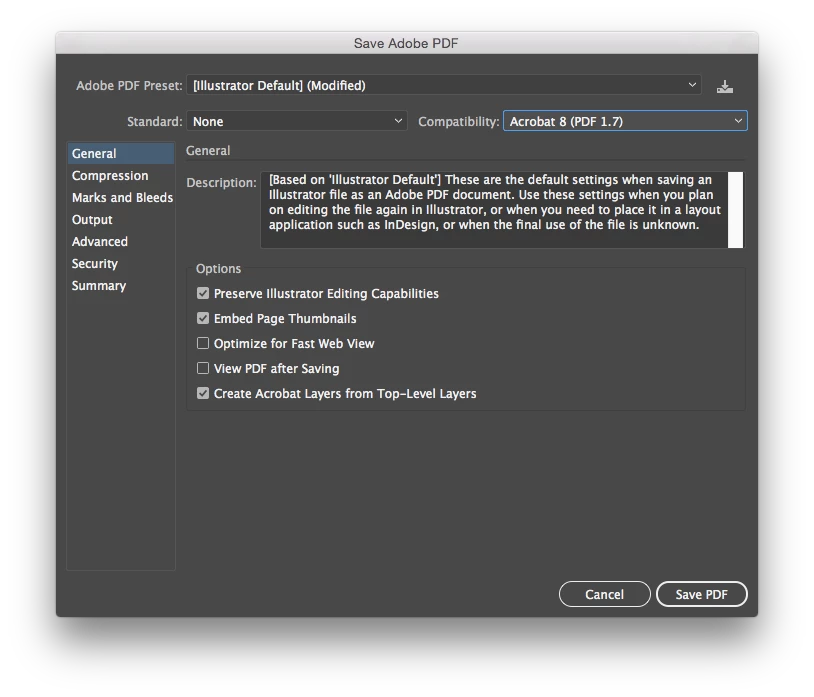
    I made an Illustrator file with 5 artboards. There are three layers to the file, and each artboard has objects on each of the layers spanning the 5 artboards. When I say it as a PDF, leaving the checkbox for generate acrobat layers ON, then all the layers and pages are accessible inside of acrobat. These were my settings.

    If you're still having problems, consider making each page it's own PDF when you save for output. Then, use Acrobat to import the remaining pages and see if that solves your problem.
    AI Test-layered.pdf - Google Drive

    If you want to check my PDF file, you can download it here<<<<<

    Hope that helps,

    Mark Heaps
    lifebypixels

    2 replies

    sharp_hands16B8
    Community Expert
    Community Expert
    April 18, 2017

    The layers panel is global, across all artboards. So Layer 1 or 2 on any artboard is irrelevant. There is only one Layer 1, or Layer 2, and so on. So when you bring your drawings in that you are tracing over you can either paste them in when copied from another program, or just use File > Place to choose the scans of your drawings on your machine. Then, using the Selection Tool (The black Arrow) you can move them onto the artboard of your choice. Once they are placed on that artboard, they are considered a part of that artboard. From there if you look at your Layers panel. (Window > Layers) you can see where they are in the stacking order. That way you can have all your drawings on a Layer 1 and then you can create a new layer, and trace them.

    Hope that helps.

    gloriad64706371
    Known Participant
    April 18, 2017

    Thank you Mark, I really appreciate your time and effort.  Your answer came after I figured it out, but you gave a very clear answer - what I look for in forums of this type.

    sharp_hands16B8
    Community Expert
    sharp_hands16B8Community ExpertCorrect answer
    Community Expert
    April 17, 2017

    I tested this this morning and I am not having any problems producing the desired result on my end.

    I made an Illustrator file with 5 artboards. There are three layers to the file, and each artboard has objects on each of the layers spanning the 5 artboards. When I say it as a PDF, leaving the checkbox for generate acrobat layers ON, then all the layers and pages are accessible inside of acrobat. These were my settings.

    If you're still having problems, consider making each page it's own PDF when you save for output. Then, use Acrobat to import the remaining pages and see if that solves your problem.
    AI Test-layered.pdf - Google Drive

    If you want to check my PDF file, you can download it here<<<<<

    Hope that helps,

    Mark Heaps
    lifebypixels

    gloriad64706371
    Known Participant
    April 17, 2017

    Thanks.

    Please bear in mind that I'm a beginner. 

    I can get 5 artboards.  I want to be able to bring my drawings that I am tracing over into each individual artboard, like the picture I have in my post.

    I can't seem to do that.

    If you look at my post and number the pages 1 thru 5, how do I get the line drawing show above (say page 2) on the 2nd artboard, and so on?

    Monika Gause
    Community Expert
    Community Expert
    April 17, 2017

    Just move them where you want to have them.

    You might want to read about how to create layers in the documentation.

    It also covers how to select artwork and move it.

    You might need to ungroup your stuff .

    If you need help you need to tell us what exactly you have there. The layers panel will tell you all that. But you need to learn at least some of the basics. Or you won't understand anything of what people tell you here.

    How to use Artboards in Illustrator | Adobe Illustrator CC tutorials

    How to use layers in Illustrator

    How to make selections in Illustrator

    How to move, align, and distribute objects in Illustrator