
Creating a rectangular grid that I can snap to
Hello,
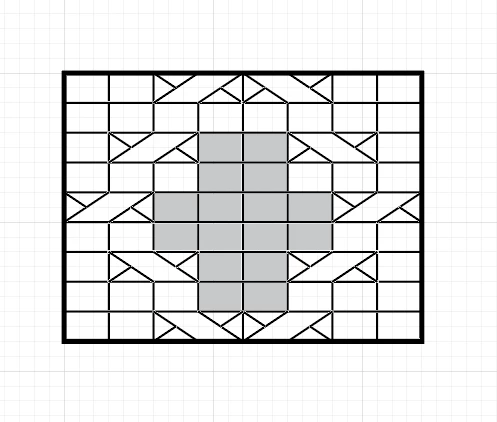
I work in Illustrator CC 2018 on a Mac. I'm creating knitting charts and I need to be able to create charts that have rectangular boxes rather than square ones. Is it possible to create a background grid with a specified proportion that I can snap to? Here's a screenshot of what I want the chart to look like; I need to add symbols and colored boxes to the grid as you see here, and they need to snap to the grid. At the moment, I'm just spacing the horizontal lines every 2 grid boxes and the veritcal lines every 3 grid boxes, which is doable, though not convenient. It works because I can snap the symbols to the gridlines, but it makes it cumbersome to move things around within the grid (up 2 or over 3 every time I want to move something without using the mouse). However, the proportion the client wants is 5 x 7, which will be even less convenient, and I've got 125 of these charts to create, in different heights and widths (though all with the same rectangle 5x7 proportion).
Is there any way to create a grid that is rectangular rather than square that I can snap to? It seems like a stupidly simple request, but I can't find any way to do it.
Thanks. Sue


 AdChoices