Participant
February 24, 2021
Question

Creating layering images in black and white

  • February 24, 2021
  • 2 replies
  • 475 views

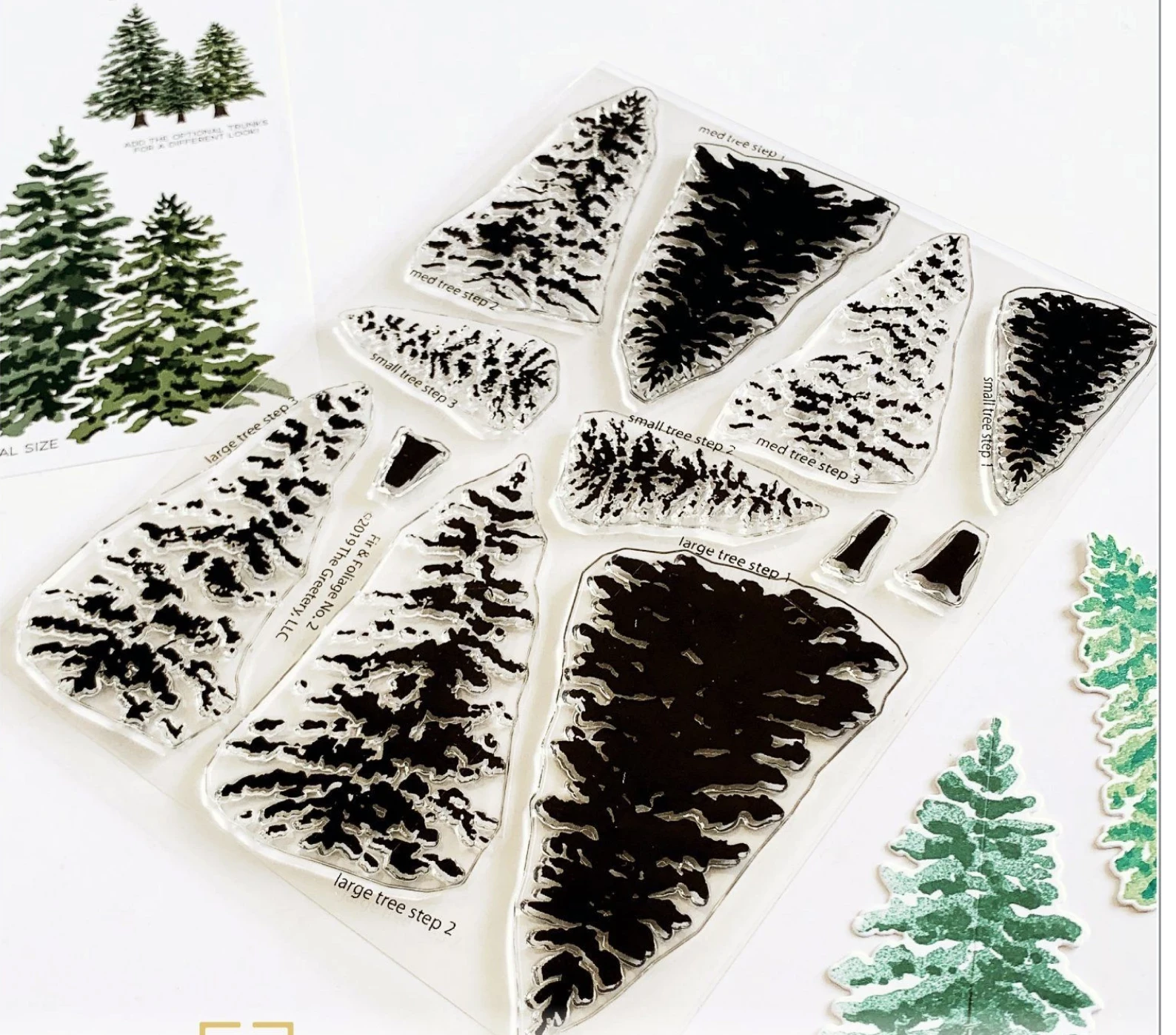
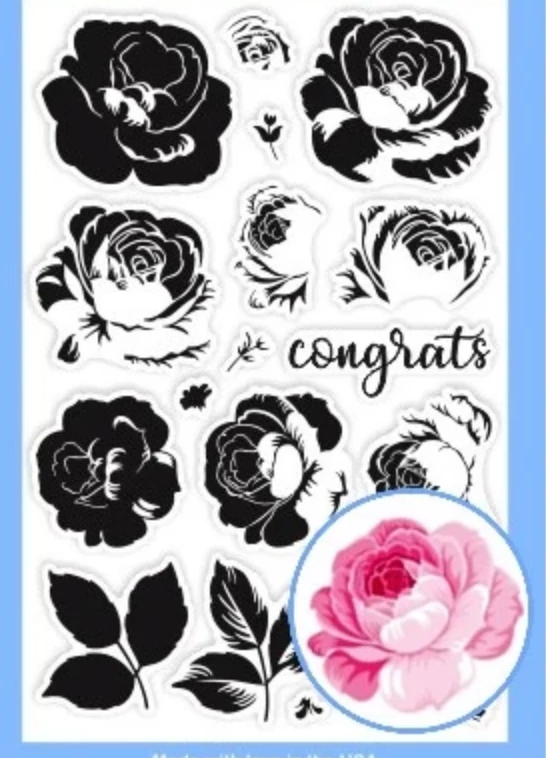
Hi there.  I design stamps using Illustrator and would like to know if anyone knows the process/method for creating something like this below?  I want to create layering images that when built up creating a 3D image.  I have no idea where to start!  

The images all need to be black but obviously when they're stamps you would use them to layer up colours to create shadows and highlights etc.  

Thank you x
 

This topic has been closed for replies.

2 replies

Ton Frederiks
Community Expert
Community Expert
February 24, 2021

I would start with the main shape and duplicate it on as many layers as you want stamps.

Give the shapes the color of the inks you want to use and set them to multiply in the Transparency panel to simulate how they will add when stamped on top of each other.

Then start taking away parts of the different stamp layers (lock/hide layers that you do not edit), by erasing or by drawing an opacity mask.

When done, select each layer and fill with black, use normal opacity mode and print them separately.

jane-e
Community Expert
Community Expert
February 24, 2021

Hi @caryn5FFB 


Notice that in your second image the stamps are labeled: Step 1, Step 2, Step 3. The "shadows and highlights" are done by using three different inks in different shades. Each stamp is put on a separate block, then the stamps are used in succession. Google "two-step stamping" for tutorials.


~ Jane

caryn5FFBAuthor
Participant
February 24, 2021

I'm sorry, perhaps I wasn't clear,  I am trying to actually design a stamp set in Illustrator which will layer up when used with different inks.  I am not sure how to go about it and wondered if there was a technique to it that I'm not aware of.