Participant
December 20, 2016
Question

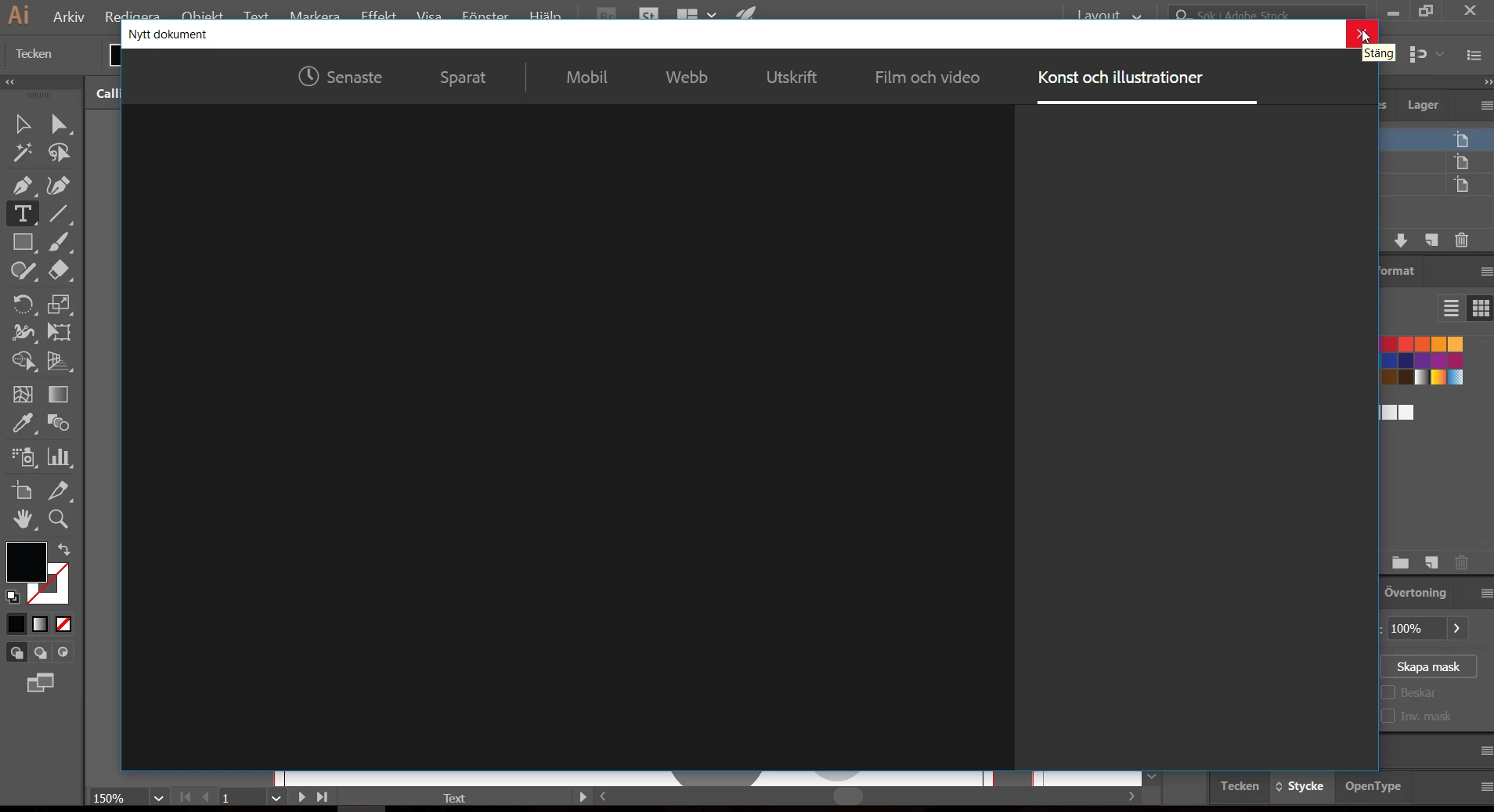
Creating new projects doesn't work...

  • December 20, 2016
  • 2 replies
  • 416 views

This is what comes up when I try to create a new project in Illustrator. Now I can only use templates or existing projects to work on, but I'd like to make some new ones. How can I get the menus to appear? Yes, I've tried to re-install. Thrice. I'm fairly new to this software, so maybe I just missed some simple setting somewhere?
This topic has been closed for replies.

2 replies

Mike_Gondek10189183
Community Expert
Community Expert
December 20, 2016

Uncheck this

NicandraAuthor
Participant
December 25, 2016

I think this will do the trick, thank you. Except Illustrator now has decided to crash the computer at every attempt to run it...

Mike_Gondek10189183
Community Expert
Community Expert
December 27, 2016

How far do you get before this crashes? Before making a new window try Command K to get to the prefs. Ctrl K if you are on windows. If you have an older computer try Command E to google the GPU preview off.

Om Nath Jha
Legend
December 20, 2016

Hi nicandra,

Is your computer connected to the internet?

Any antivirus or aggressive frewall running?

Try and disable the new dialog box in Preferences  > General. There is a setting to use the old (Legacy) dialog.

Regards,

Om

NicandraAuthor
Participant
December 25, 2016

Thanks. No aggressive protection, and definitely connected to the internet. Will try your solution as soon as Illustrator starts without crashing my computer, which keeps happening all the time atm.