


Roger Breton
Legend
Aug 19, 2024 6:42 PM UTC
Question

Creating New "Stroke"' Profiles with the Width tool

I use this (one of the Default)  Profile for my project:
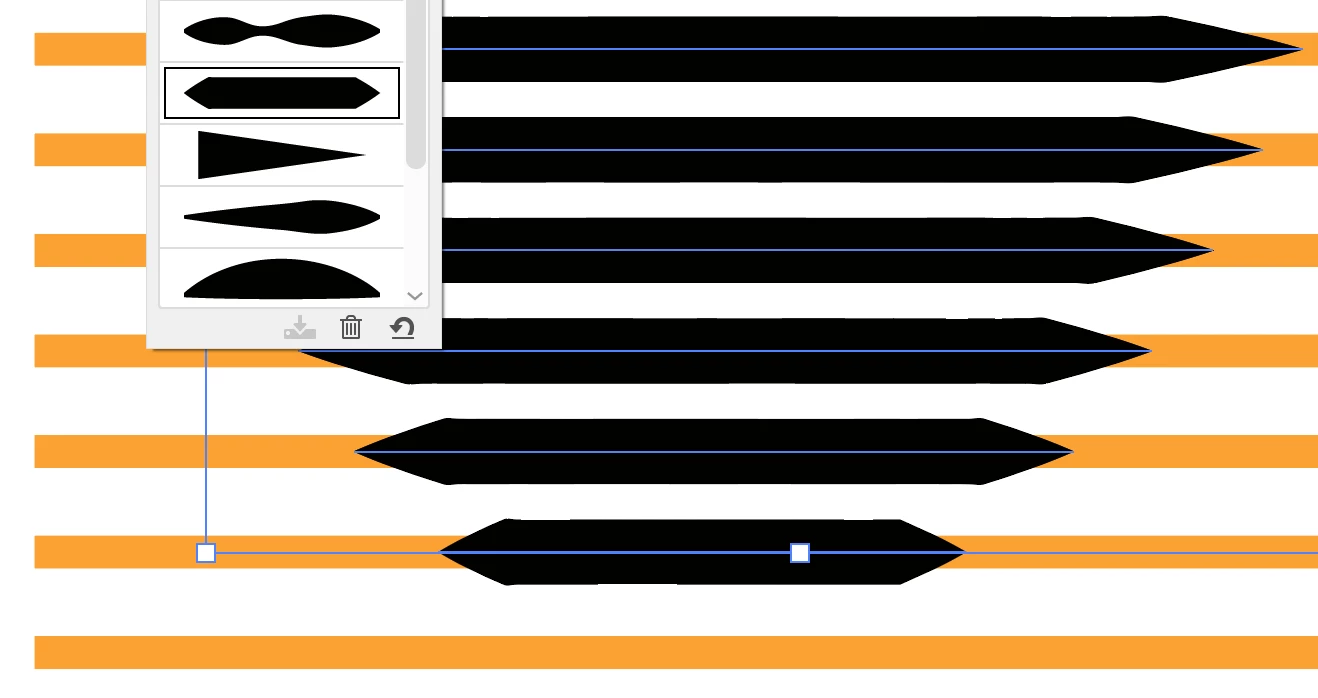
But I found the "tip" too pointed?
So I edited it with the Width tool but there are a number of "difficulties" I could work around?
This is where I got, so far:
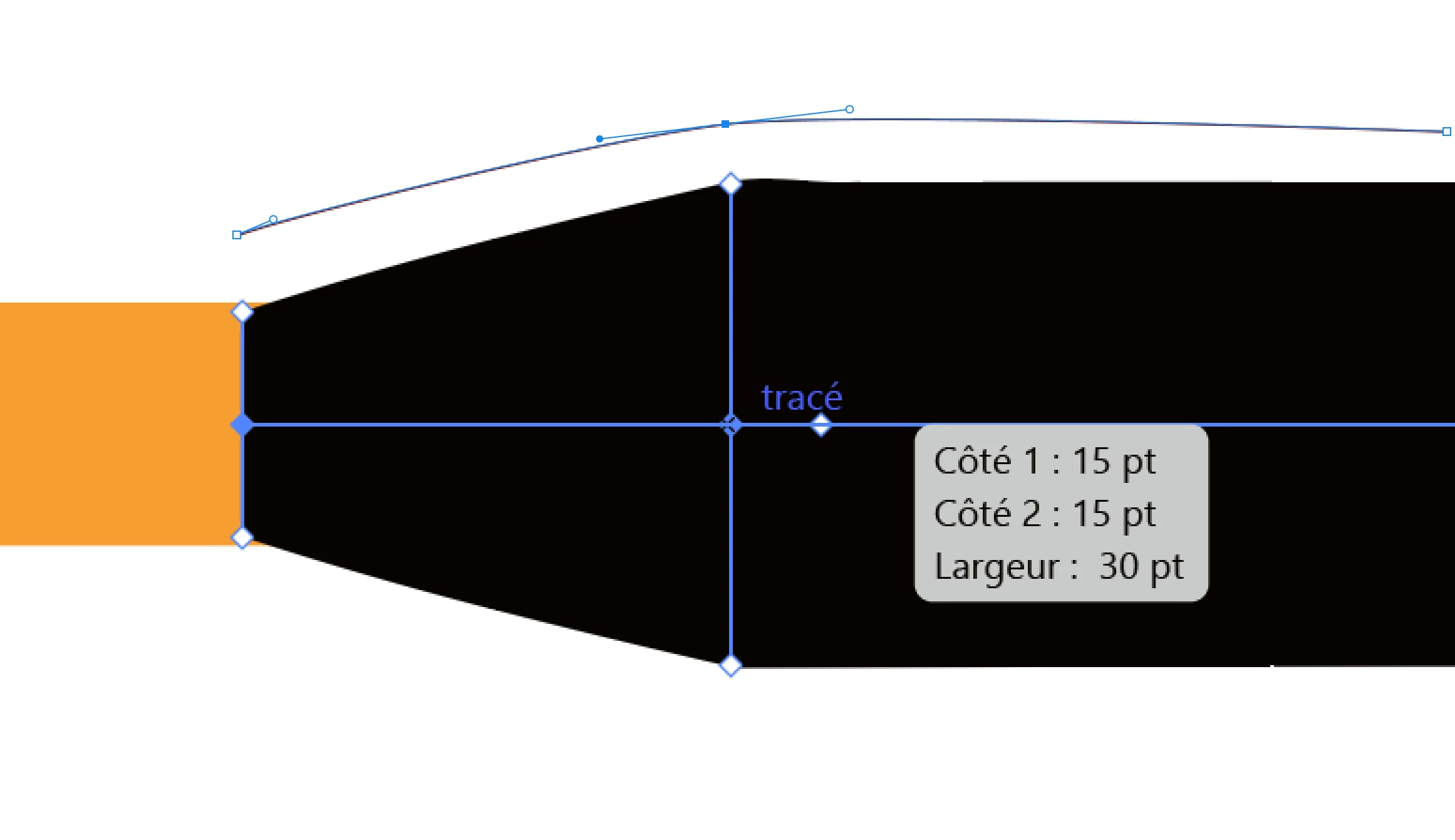
You see the "tip" of the Profile that I thickened but how would I "smooth" the two points where the thickness of the Profile becomes 30 pts, the thickness of the Stroke? That does not seem to be possible. 
I wish Adobe would make some kind of "Profile Editor"... 


This topic is closed to new replies. Start a new post to keep the conversation going.

2 replies

Kurt Gold
Community Expert
Community Expert
Aug 19, 2024 8:28 PM UTC

You can smooth out it by adding and modifying more width points. Depending on your demand it may require an unreasonable number of additional width points, though.


Therefore a question arises: Perhaps it's better to create and use appropriate brushes for your Coke bottle in that case?

Translate
Roger Breton
Legend
Aug 19, 2024 8:31 PM UTC

That is a good suggestion.
The (Stroke) Profiles feature is very underrated in Illustrator.
Adobe ought to invest a little programming in it, in my opinion... 

Translate