Inspiring
June 11, 2021
Answered

Creating 'opening page effect' from a 'report' style document

  • June 11, 2021
  • 2 replies
  • 417 views

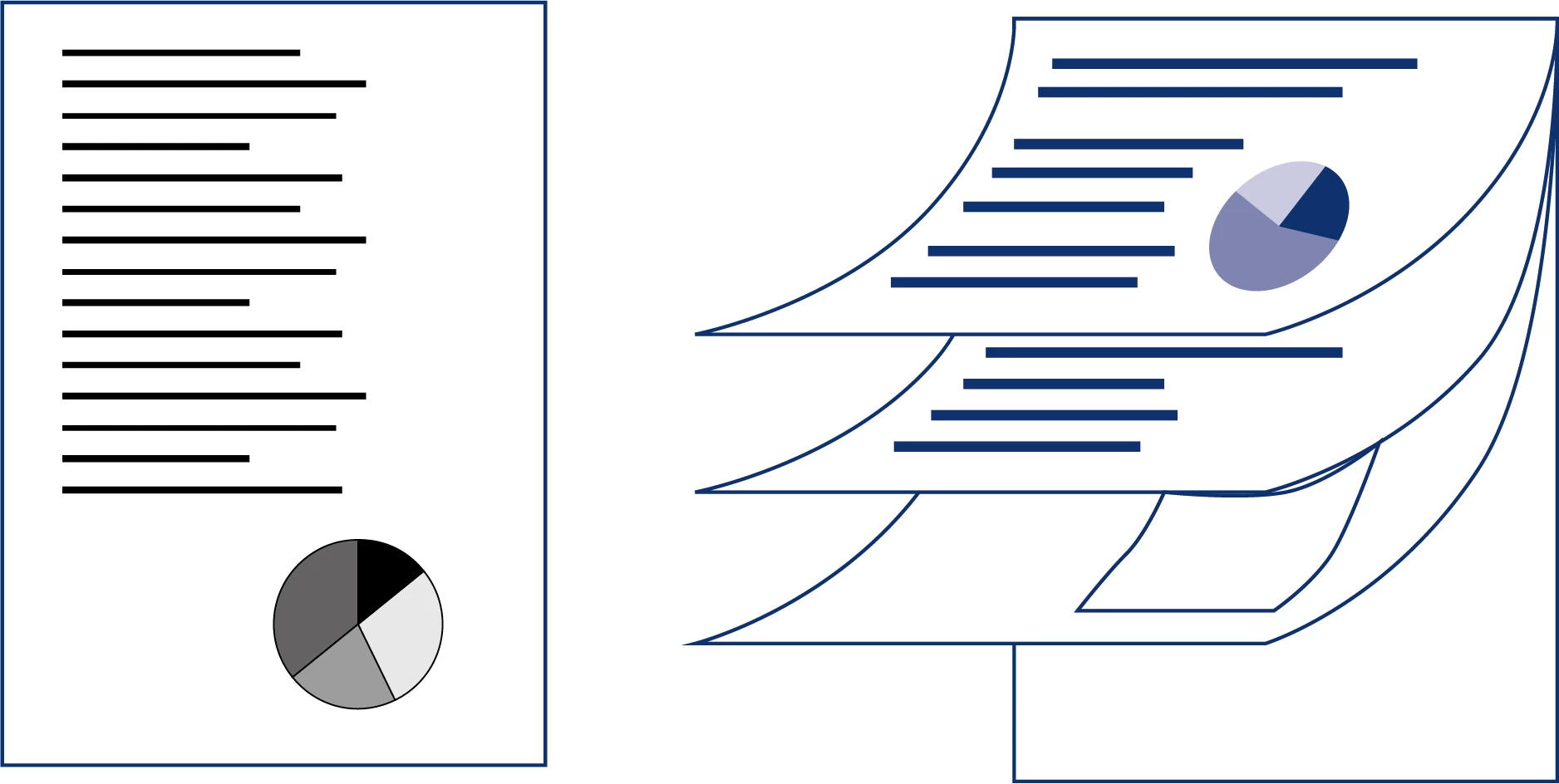
Not quite sure how to explain what's required, but essentially I want to achieve the effect of 'opening up' a multi-page 'report' style infographic with pi charts etc as in the left hand drawing. Would it be best to use something like the Mesh Tool (tried this but it didn't work too well) or simply creating it by hand using the pen tool etc?


All suggestions welcome.
 

This topic has been closed for replies.
Correct answer Mike_Gondek10189183

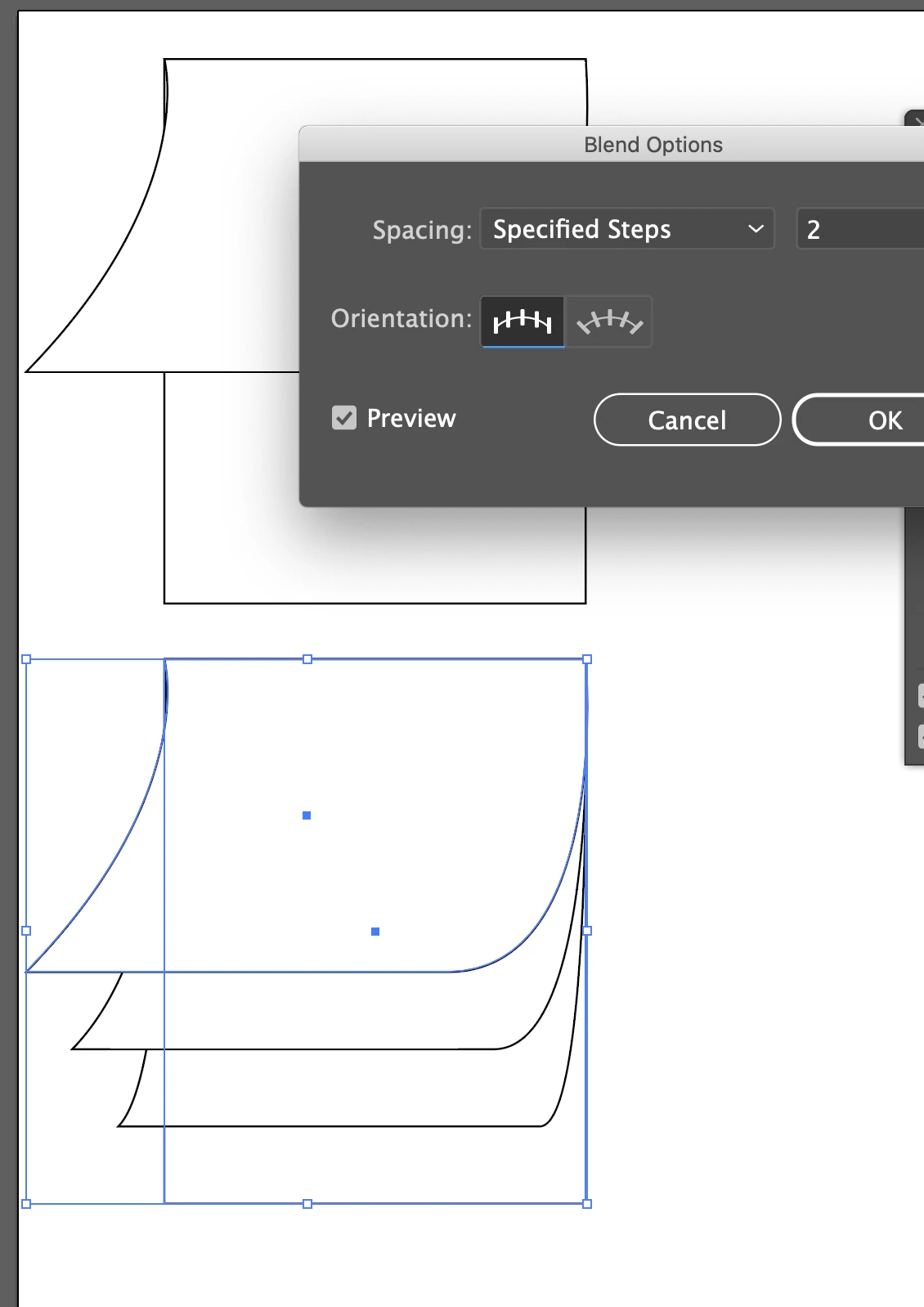
Draw the 2 objects (staring and ending)

Then object Blend Make.


Object Blend >> Options >> Specified Steps

2 replies

Mike_Gondek10189183
Community Expert
Mike_Gondek10189183Community ExpertCorrect answer
Community Expert
June 11, 2021

Draw the 2 objects (staring and ending)

Then object Blend Make.


Object Blend >> Options >> Specified Steps

Inspiring
June 14, 2021

Thanks Mike. Nice approach. I sall give it a go.

Doug A Roberts
Community Expert
Community Expert
June 11, 2021

What went wrong when you tried the mesh tool?

Inspiring
June 14, 2021

Hi Doug


I'm not that confident with it yet and couldn't achieve the desired effect. More practise would help but I thought maybe as I was missing an easier approach.


Thankjs for getting back.