Known Participant
December 5, 2020
Answered

Creating Pattern/ Pattern not connecting and overlapping

  • December 5, 2020
  • 1 reply
  • 1873 views

Hi there,


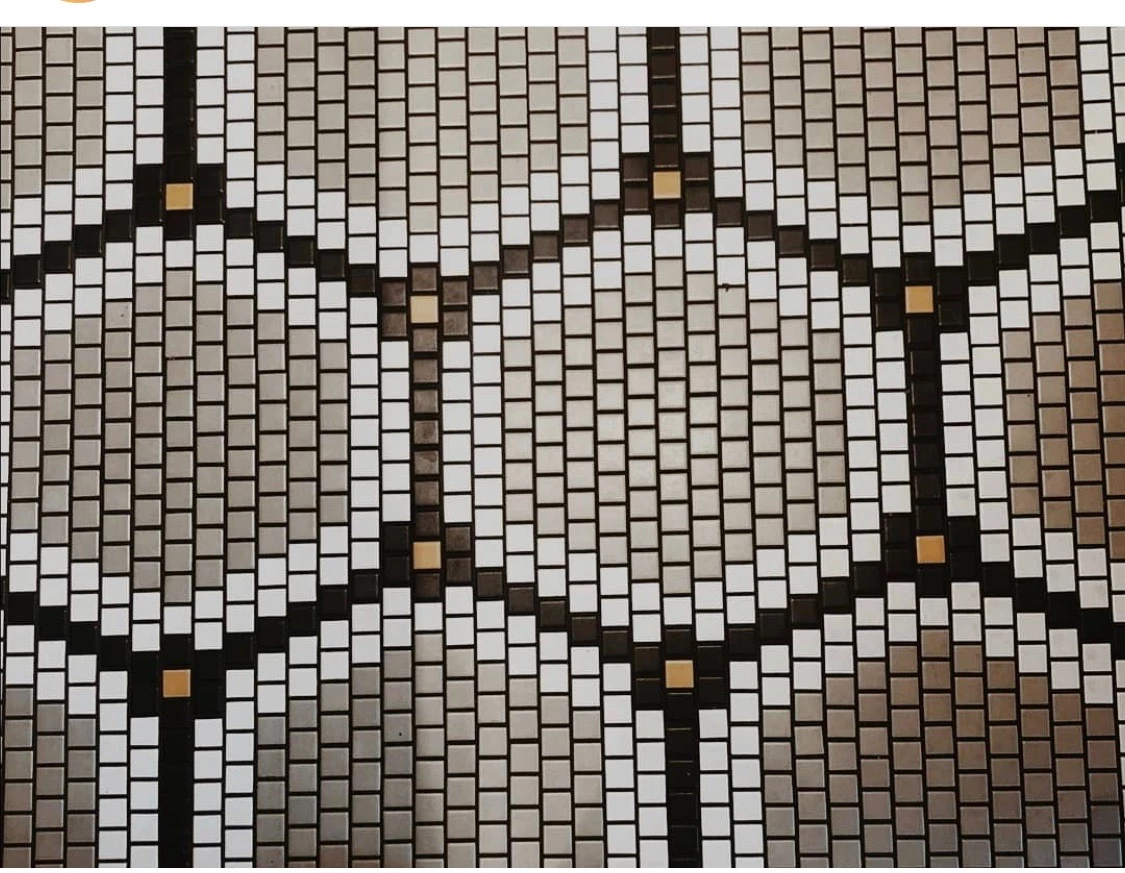
I was trying to create the photography of this floor tile as a tile pattern on illustrator.
 

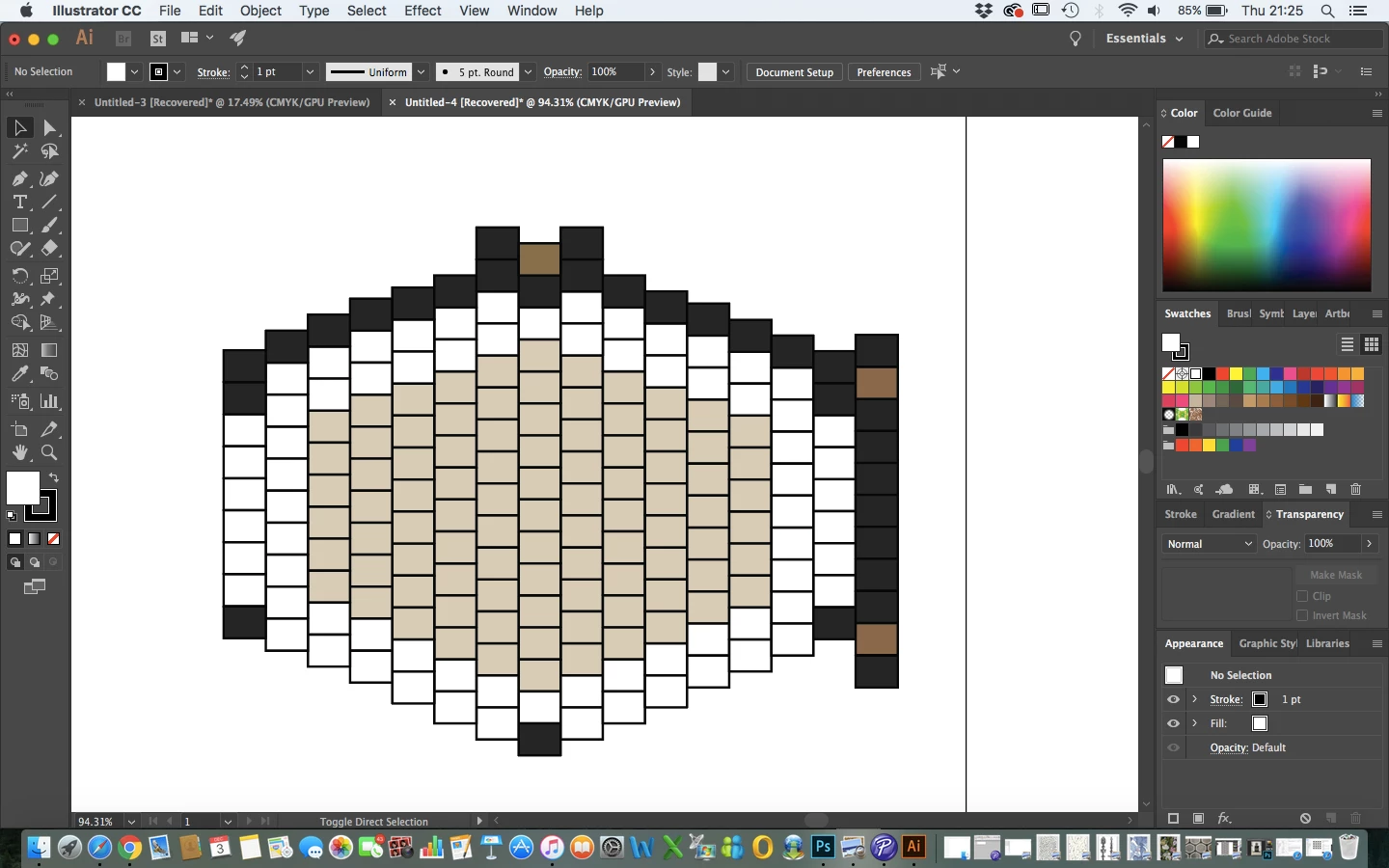
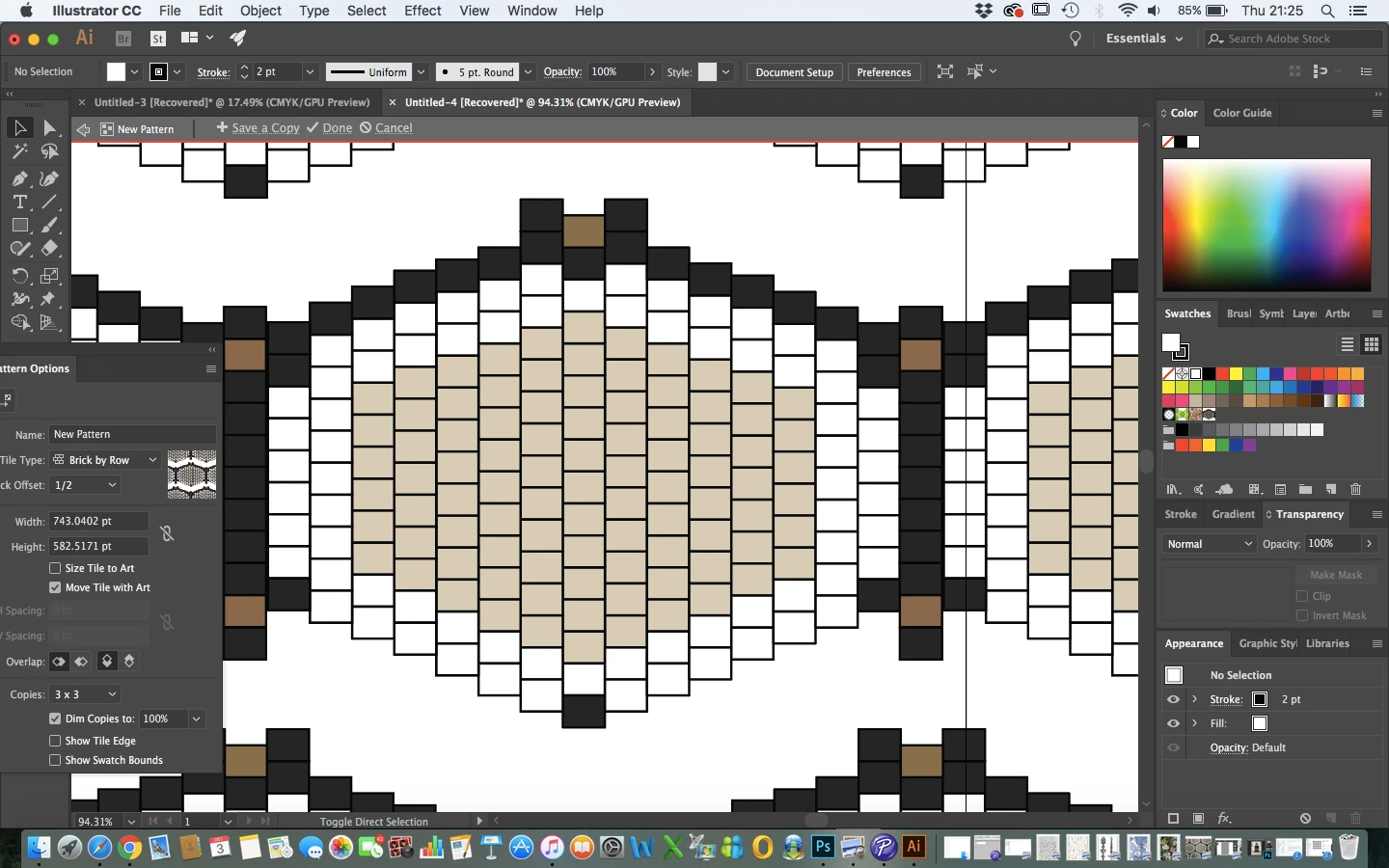
So I created a row squares then copy and pasted it either side of the first row of squares to created the the pattern, as you can see by the images attached when I tried to create the repeat pattern the squares seemed to overlap and didn't connect. Could someone please tell me where I am going wrong? Is it the squares are not all the same size? I don't see how that could happen as I copy and pasted them all but before I went into the pattern maker I minimised the whole shape so maybe that effected the shape of some of the squares? Is there a way I can adjust this pattern without creating it all again or am I missing something?


Thank you so much!


This topic has been closed for replies.
Correct answer Jeff Witchel, ACI

I can see to post a link which is view only from Dropbox...

rebeccal11099218 Tile Pattern


Your rectangles are not lining up perfectly going across the artboard. They're a little off. For this to work, the tops and bottoms of rectangles, need to line up with the centers of the rectanges in the column of rectangles to the left and right.

I suggest you set up some Ruler Guides to help you line up everything perfectly.

1 reply

Monika Gause
Community Expert
Community Expert
December 5, 2020

Can you please upload that Illustrator file toDropbox or the like?

I assume that some people would be willing to give it a try, but nobody will be willing to build it from scratch.

Known Participant
December 5, 2020

The illustrator file doesn't seem to load onto here?

Known Participant
December 5, 2020

I can see to post a link which is view only from Dropbox...

rebeccal11099218 Tile Pattern