


Participant
March 19, 2025
Question

Creating text on a curve

  • March 19, 2025
  • 2 replies
  • 351 views

Hello,

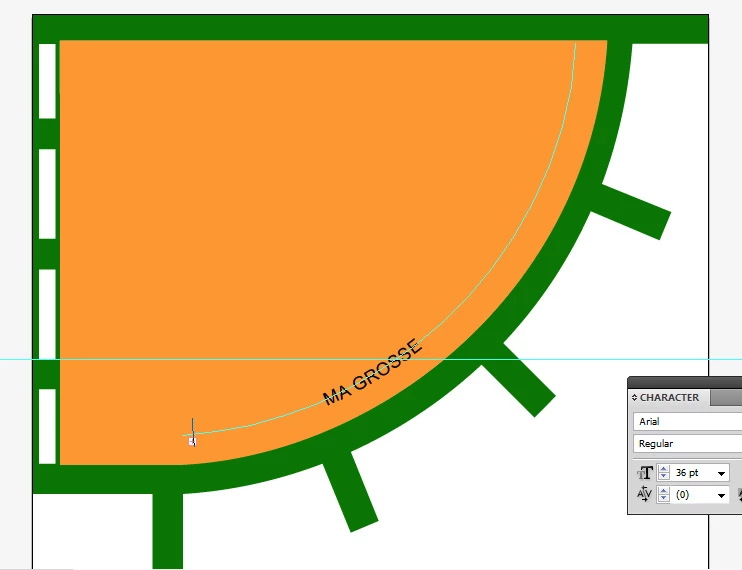
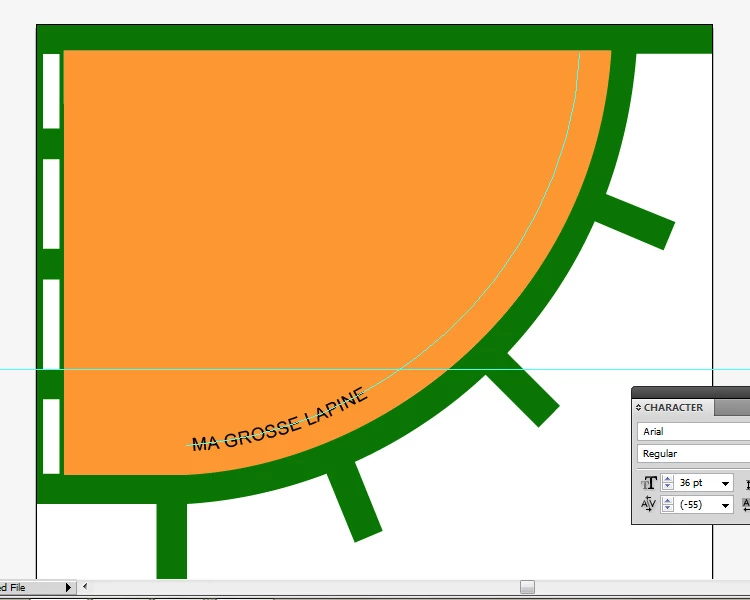
I'd like to use curvilinear text, so I'm placing text on a curve, but as I'd like the text to be higher on the curve, I'm adding spaces to make it move and rise. This is where my problem arises:

The text disappears as I move it forward, and the same happens when I increase the font size.

How can I correct this problem? Is there a function I can set?

Thank you very much for your help!
2 replies

barbara_a7746676
Community Expert
Community Expert
March 20, 2025

With the Direct Selection tool you should be able to move the little stick that appears.

You may need to move the beginning and ending little sticks to limit the area of the type.

NebelkindAuthor
Participant
March 27, 2025

Hi, thank you for help ! Yes, it indeed appears when i select this tool. I will take a look on my project this evening and keep you in the loop.

Kurt Gold
Community Expert
Community Expert
March 19, 2025

This shouldn't be an issue, though adding spaces is not an ideal idea.

Can you share a sample Illustrator file for inspection?

NebelkindAuthor
Participant
March 27, 2025

Hi, thank for your reply, and sorry for my late one. I've no idea why it causes a problem in my case. I guessed it works the same way than in Photoshop. Here's a sample file:


https://drive.google.com/file/d/1eWi1rDYHDq1hTQI2cc4iQAmyaH5oTLTq/view?usp=sharing