Participant
October 4, 2021
Answered

Creation of sub-layer blocked

  • October 4, 2021
  • 1 reply
  • 739 views

Hello,

Maybe someone will be able to answer me, I looked for a while for the why and how without succeeding in solving my problem:
I am a graphic designer, I am given files to modify and sometimes the creation of a sublayer is blocked.
That is to say that all my elements are on the same layer without sublayers, I can create layers manually by going to the menu of the layer panel but if I create, for example, a shape on my layer that does not trigger the creation of sublayers: /
The only solution I found is to copy all the elements of my existing document and paste them into a new one, I then recover the automatic creation of the sublayers.

Nevertheless I would like to understand where this problem comes from and especially how to solve it.

Thanks for your help, have a nice day!
This topic has been closed for replies.
Correct answer Doug A Roberts

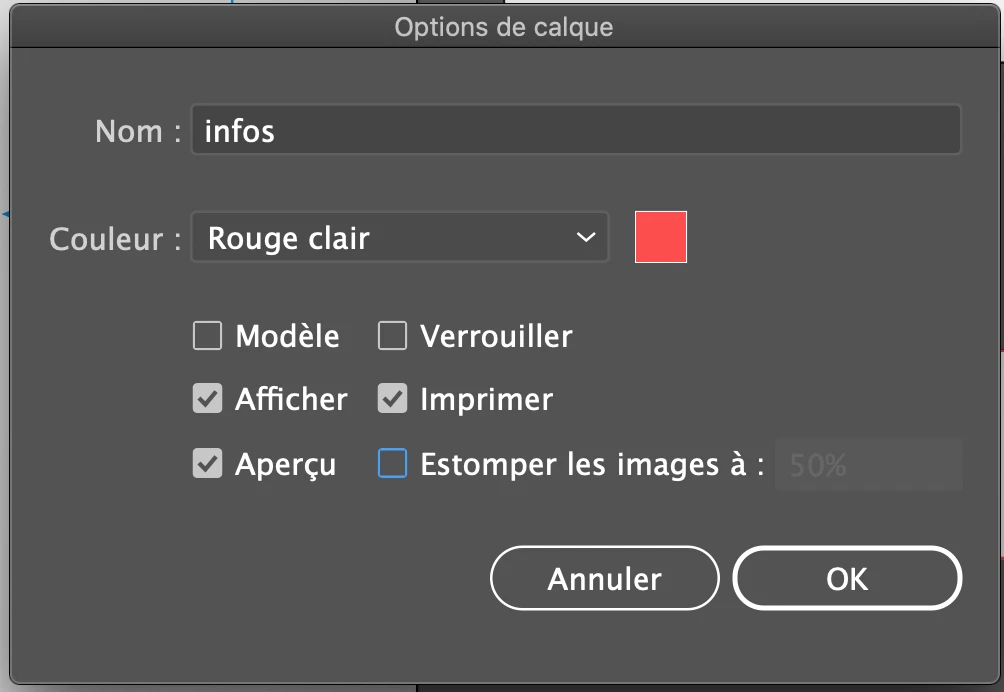
Thanks Monica, unfortunatelly there is not a lot of options only "model", "lock", "display", "print", "preview" and "blur images to"


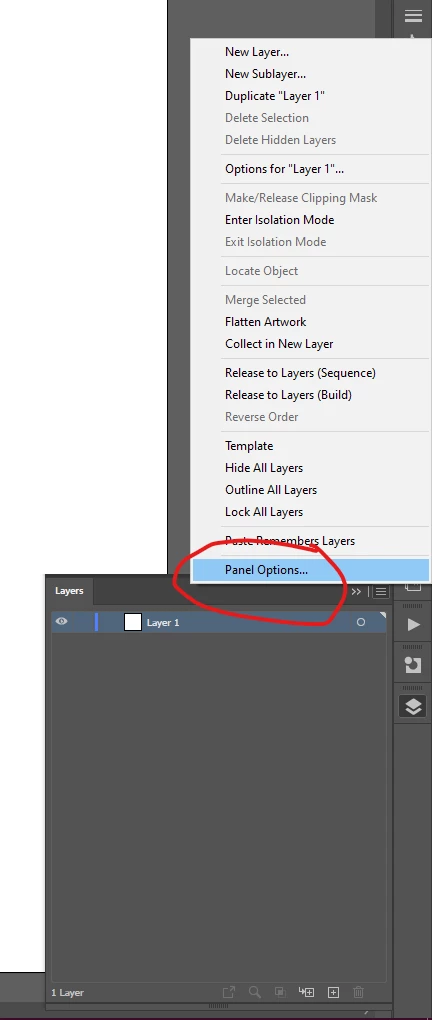
Look in the panel options, not Layer options:


In English, the relevant option is called 'Show Layers Only'.

1 reply

Doug A Roberts
Community Expert
Community Expert
October 4, 2021

I don't know of a situation in which a sublayer would be created automatically. Maybe you could show screenshots of the layers panel describing what you expect to happen and what actually happens?

Participant
October 4, 2021

Like you can see I just have layers but no sublayers 😞

Monika Gause
Community Expert
Community Expert
October 4, 2021

Looks like the configuration of the layers panel is set to not show the objects. Open the Layer panel options from the panel menu.