
Inspiring
June 15, 2019
Answered

Current Document Tabs Not showing at top of work area

  • June 15, 2019
  • 1 reply
  • 2462 views

Hi,

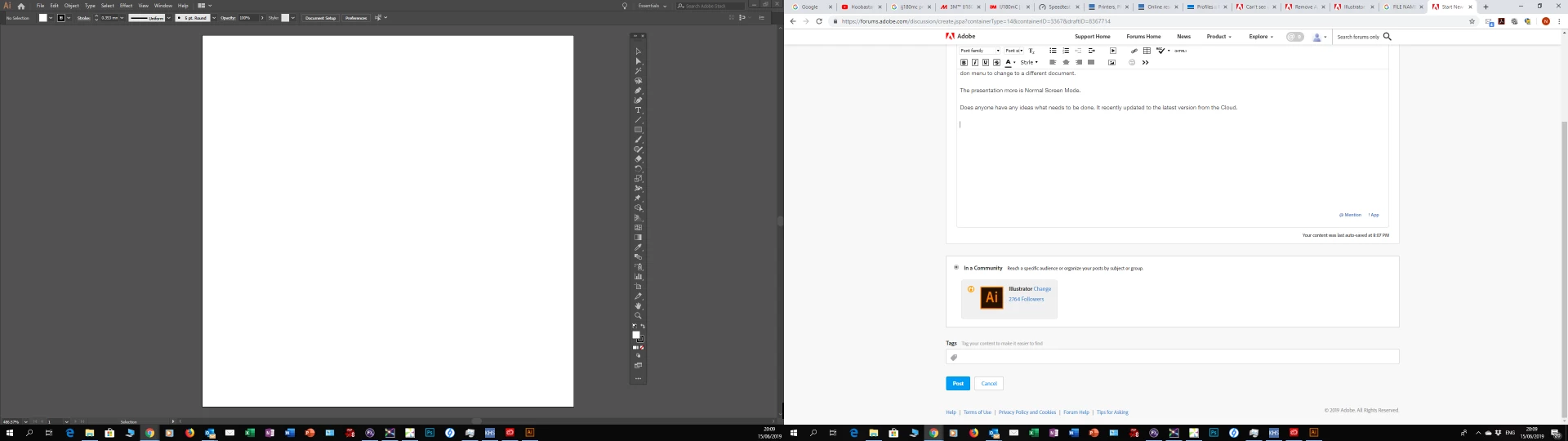
I have a problem in Illustrator 2019 where the document tabs are not showing between the work space and the drop down menus. I have to go into the window drop don menu to change to a different document.

The presentation more is Normal Screen Mode.

Does anyone have any ideas what needs to be done. It recently updated to the latest version from the Cloud.
Thanks for the help and advice.

Neil

    This topic has been closed for replies.
    Correct answer nkfox

    I have sorted it by resetting the work space.

    I don't understand why or how it happened in the first place. I will set up my layout again.

    Thanks for looking.

    Neil

    1 reply

    tromboniator
    Community Expert
    Community Expert
    June 15, 2019

    Go to Preferences > User Interface and activate Open Documents as Tabs.

    Peter

    nkfoxAuthor
    Inspiring
    June 15, 2019

    Peter,

    Thanks but that's not it unfortunately. I have 2 documents open and this is what the screen looks like.

    Whenever I open a document, briefly the tabs can be seen then they disappear.

    Thanks,

    Neil

    nkfoxAuthorCorrect answer
    Inspiring
    June 15, 2019

    I have sorted it by resetting the work space.

    I don't understand why or how it happened in the first place. I will set up my layout again.

    Thanks for looking.

    Neil