
Inspiring
November 24, 2022
Question

Currupted system fonts in illustrator

  • November 24, 2022
  • 2 replies
  • 531 views

I've been working on a file for a client who uses Times New Roman but somehow illustrator doesn't recognise the standard font. 
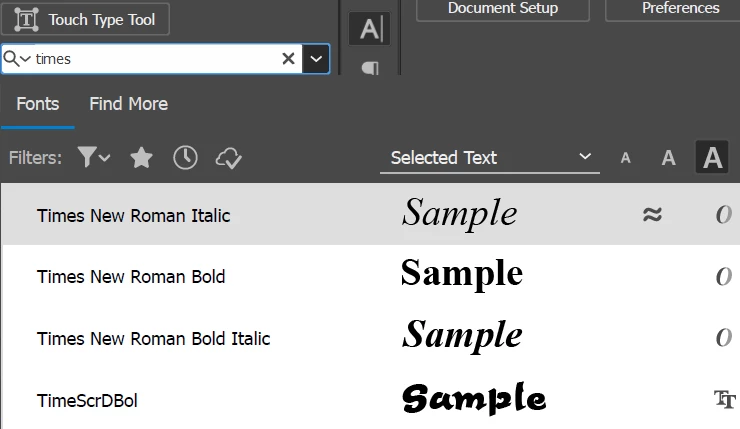


It's possible to use TNR bold, italic or bold italic but regular doesn't show up in the list. This seems to be an Illustrator only issue since all the other Adobe programs don't have any issues.

I then tried chosing TNR bold and manual setting it to regular, which does show up in the font style dropdown, but it replaces it with some weird font. 
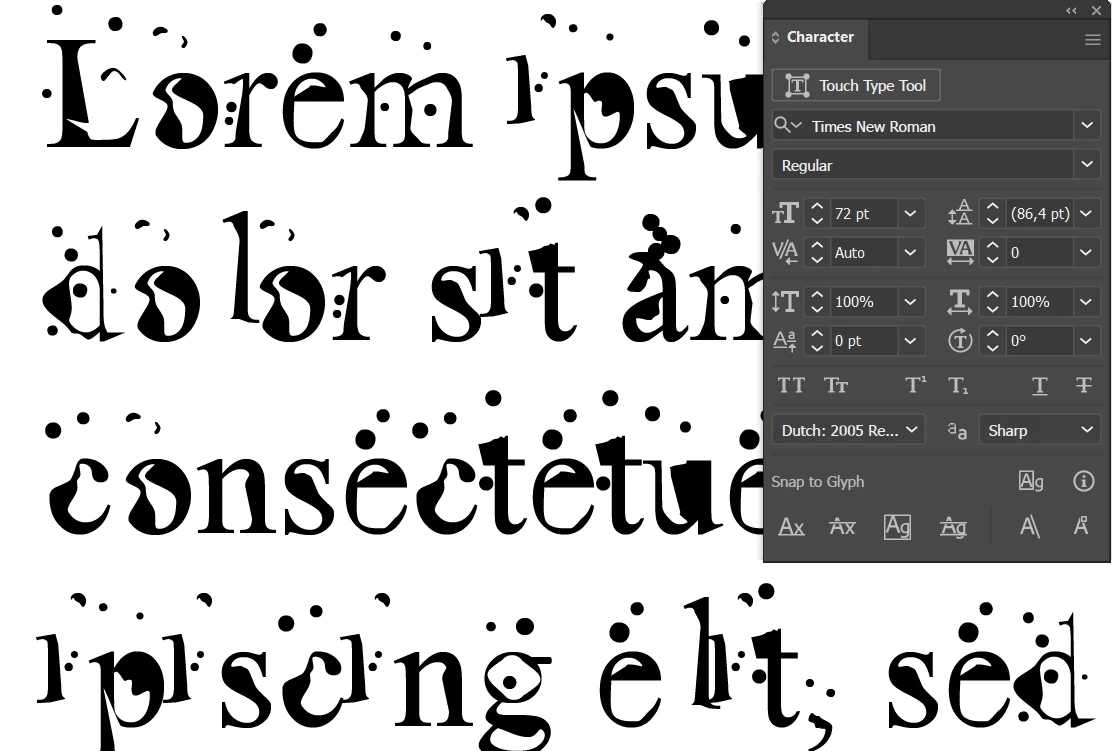


I've tried re-opening illustrator and even reinstalling it, but all it does is replacing TNR with another weird font. I've also reinstalled the TNR font, even downloaded a new version which also doesn't show up in Illustrator.

Is there some way to repair this or fix this within illustrator?


All apps are on the latest version on a windows 10 machine.

This topic has been closed for replies.

2 replies

Anubhav M
Community Manager
Community Manager
November 29, 2022

Hello @smeckdesigns,


Sorry to hear about this experience. Would you mind trying to log in to a different administrator account (https://support.microsoft.com/en-us/windows/create-a-local-user-or-administrator-account-in-windows-20de74e0-ac7f-3502-a866-32915af2a34d) and relaunching Illustrator to check if it helps?


Looking forward to your response.


Thanks,

Anubhav

Monika Gause
Community Expert
Community Expert
November 24, 2022

Are your fonts installed "For all users"?

Do you use any font management?


Are there perhaps duplicate fonts in your system?

Inspiring
November 28, 2022

TNR is a system font on Windows, so no rights nescessary and it also doesn't have any duplicates.

The only font management is the standard adobe one, no special ones installed.
As mentioned, this only happens in Illustrator for some reason.