


Question
Custom font - SVG glyph graphic glitch // Illustrator bug or font bug?
Hello! I'm no expert in font creation, but I work with 2 custom fonts designed to create special characters for printing.
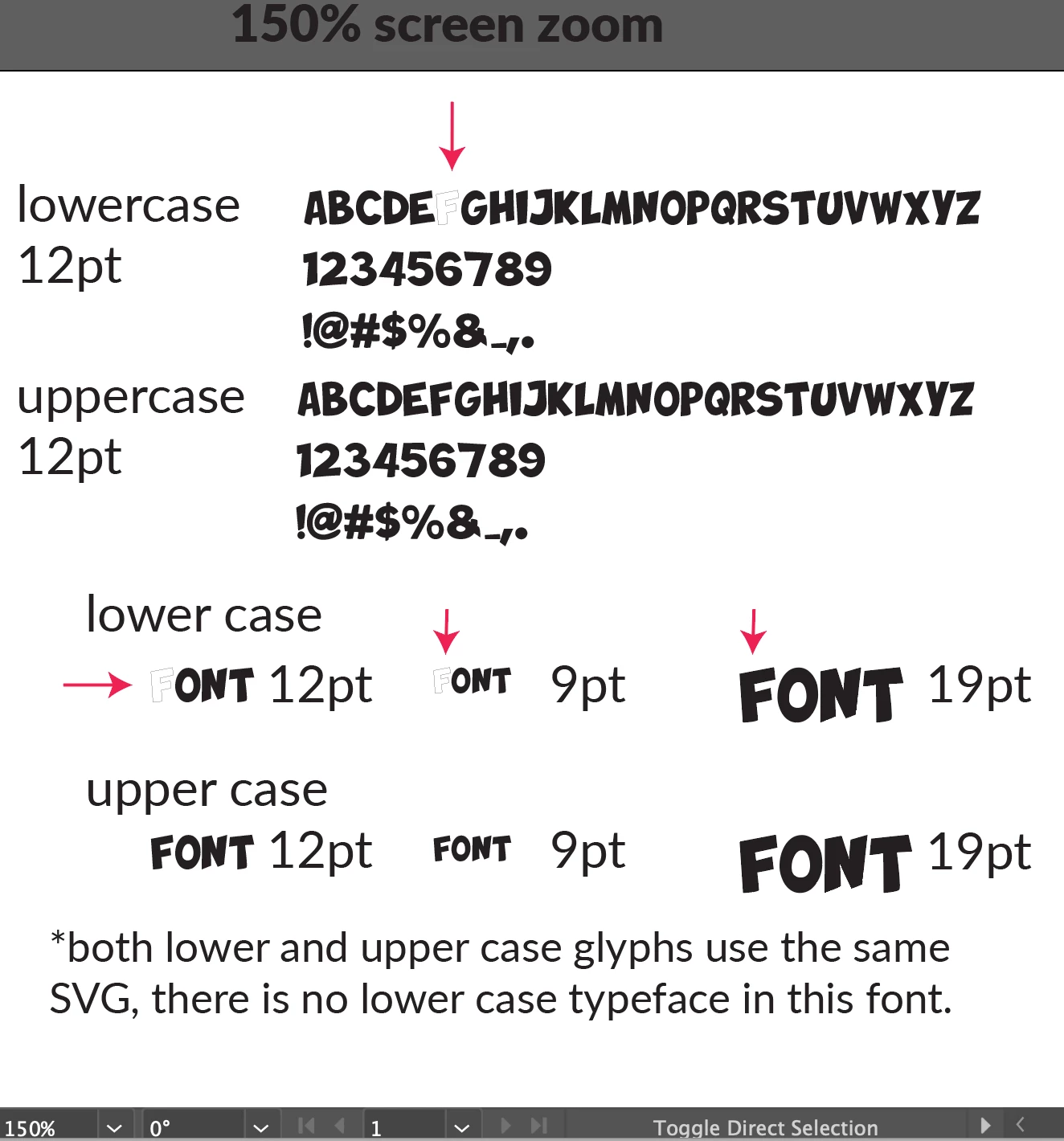
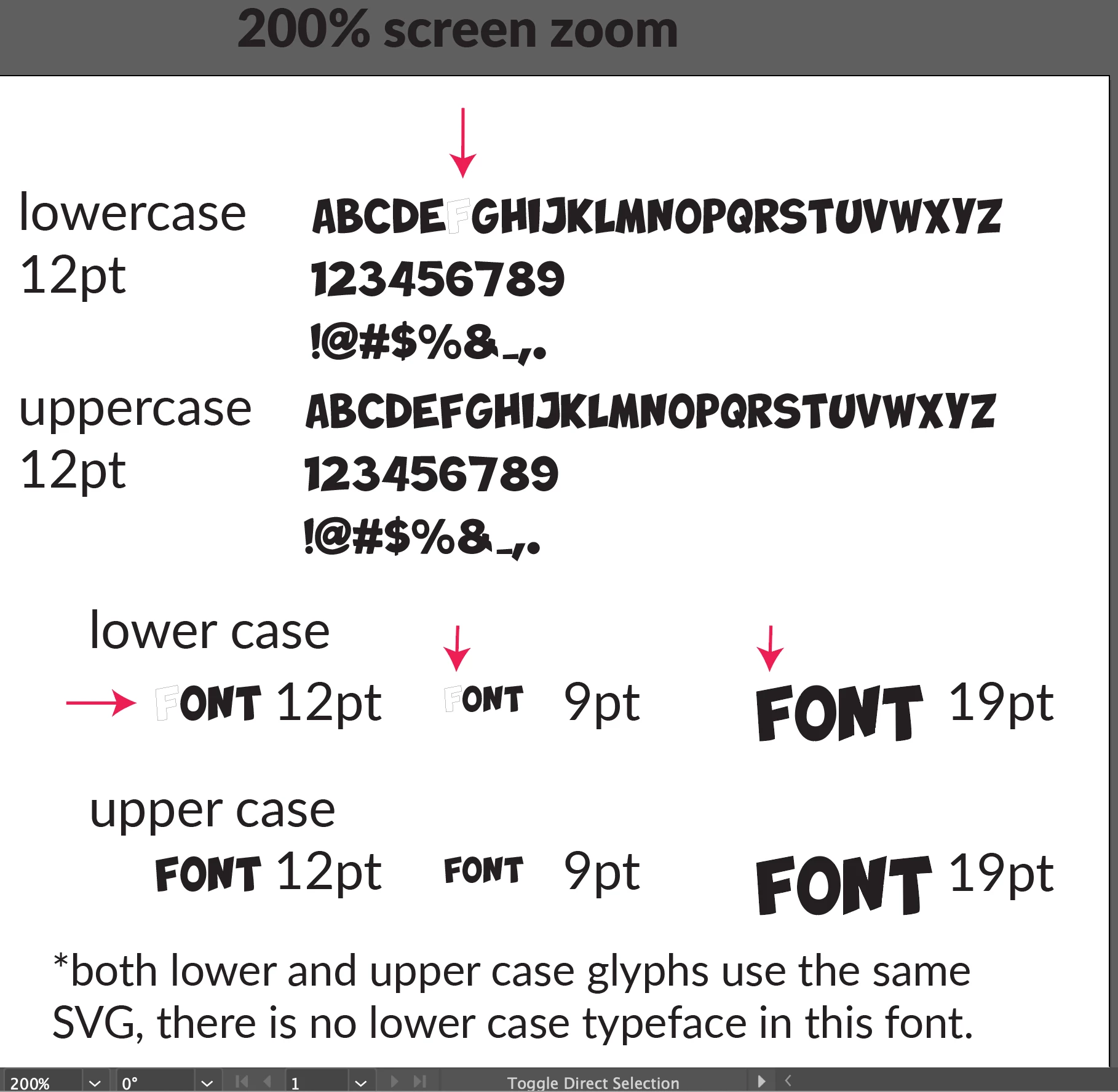
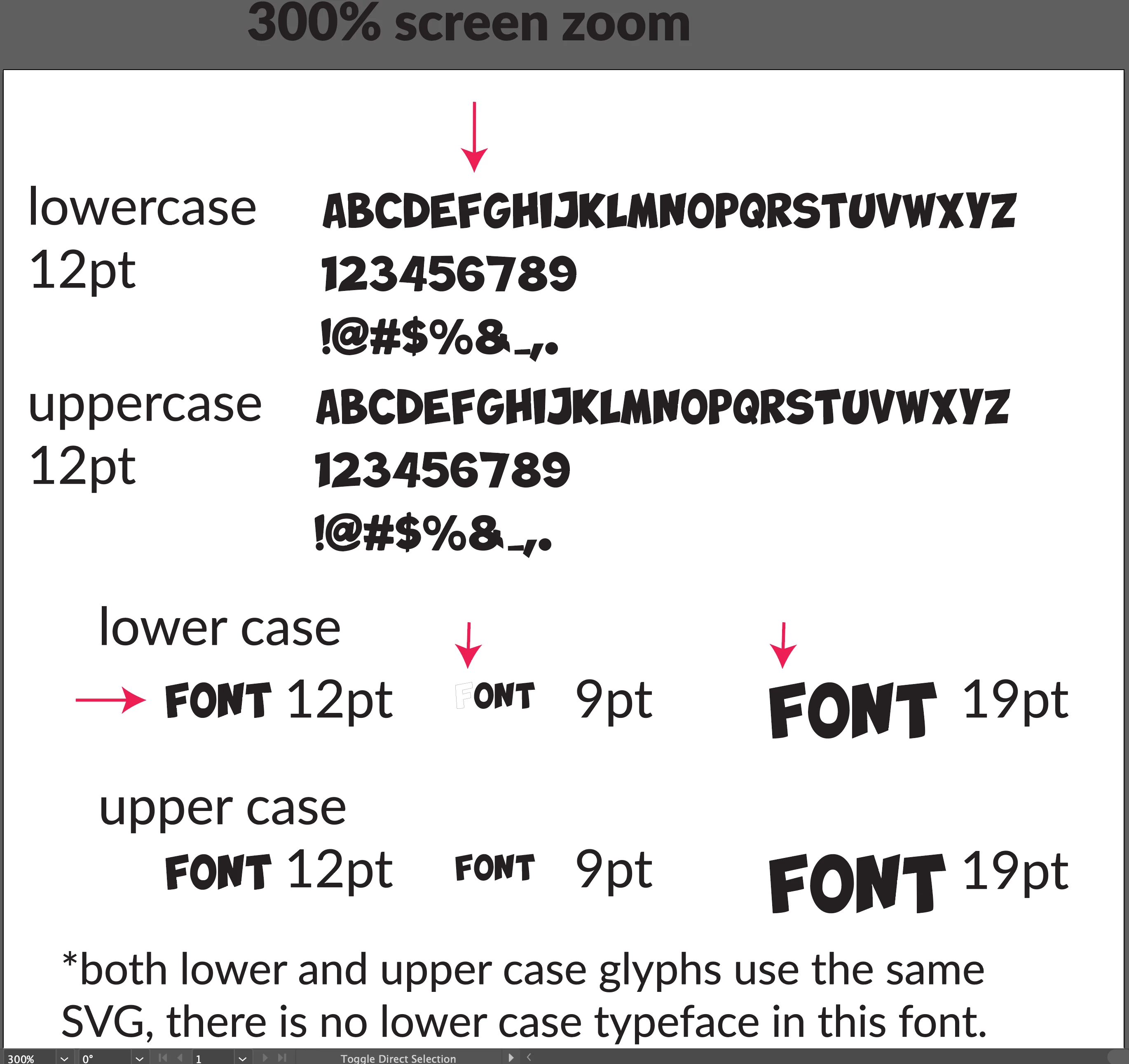
There is a single glyph in a custom font that appears white with a thin black stroke when viewing zoomed out, or when working with a larger font pt setting.
- Notes
- The typeface appears normal after converting to outline.
- The typeface appears normal when exporting to pngs or other formats.
- The typeface appears normal when zoomed in or using a larger font. (Bigger font requires less zoom to view properly.)
The glyph in question is the lowercase "F."
In this custom font, there are no lowercase typefaces. All lowercase glyphs use the exact same SVG source files as the uppercase glyphs.
See screenshots for details!
Thanks for any help, let me know if you've encountered something like this before
 AdChoices