
Participant
July 11, 2020
Beantwortet

Custom Pattern Brush Excessive Spacing

  • July 11, 2020
  • 1 Antwort
  • 753 Ansichten

I am having an issue where the brush is not respecting the clipping mask so there are giant spaces in my pattern brush.

If I flatten to PNG and create brush its seamless but obviously pixelated...


Pattern
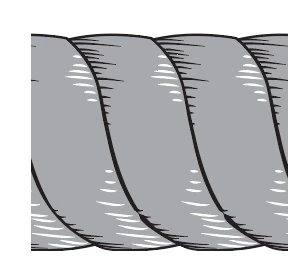
 Unclipped
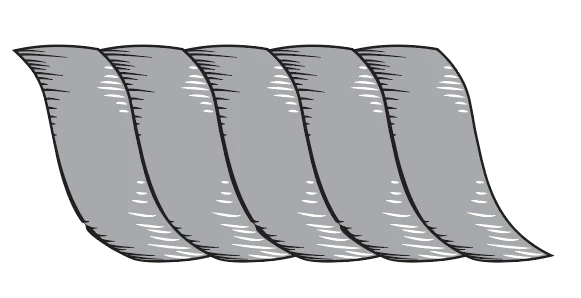
 

Pattern Brush 
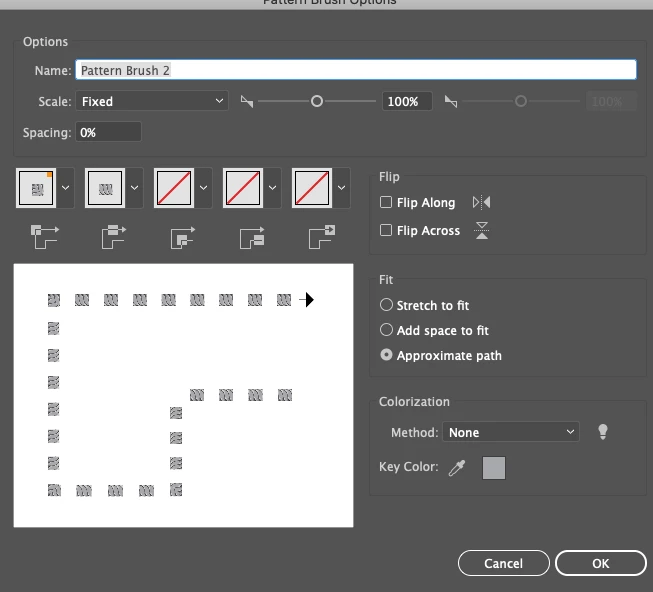
Dieses Thema wurde für Antworten geschlossen.
Beste Antwort von Monika Gause

Don't use a clipping mask, but instead put a rectanlge the size of the clipping mask behind all other brush objects and fill and stroke it woth none. Then create the brush.

1 Antwort

Monika Gause
Community Expert
Community Expert
July 11, 2020

Don't use a clipping mask, but instead put a rectanlge the size of the clipping mask behind all other brush objects and fill and stroke it woth none. Then create the brush.

Participant
July 11, 2020

Thank you! I never realized that in all of the other times people have answered this question that it didn't matter that the design extended outside of the invisible rectangle.


Thank you!