MahaB82A
June 22, 2025
Answered

Custom Swatches

  • June 22, 2025
  • 1 reply
  • 822 views

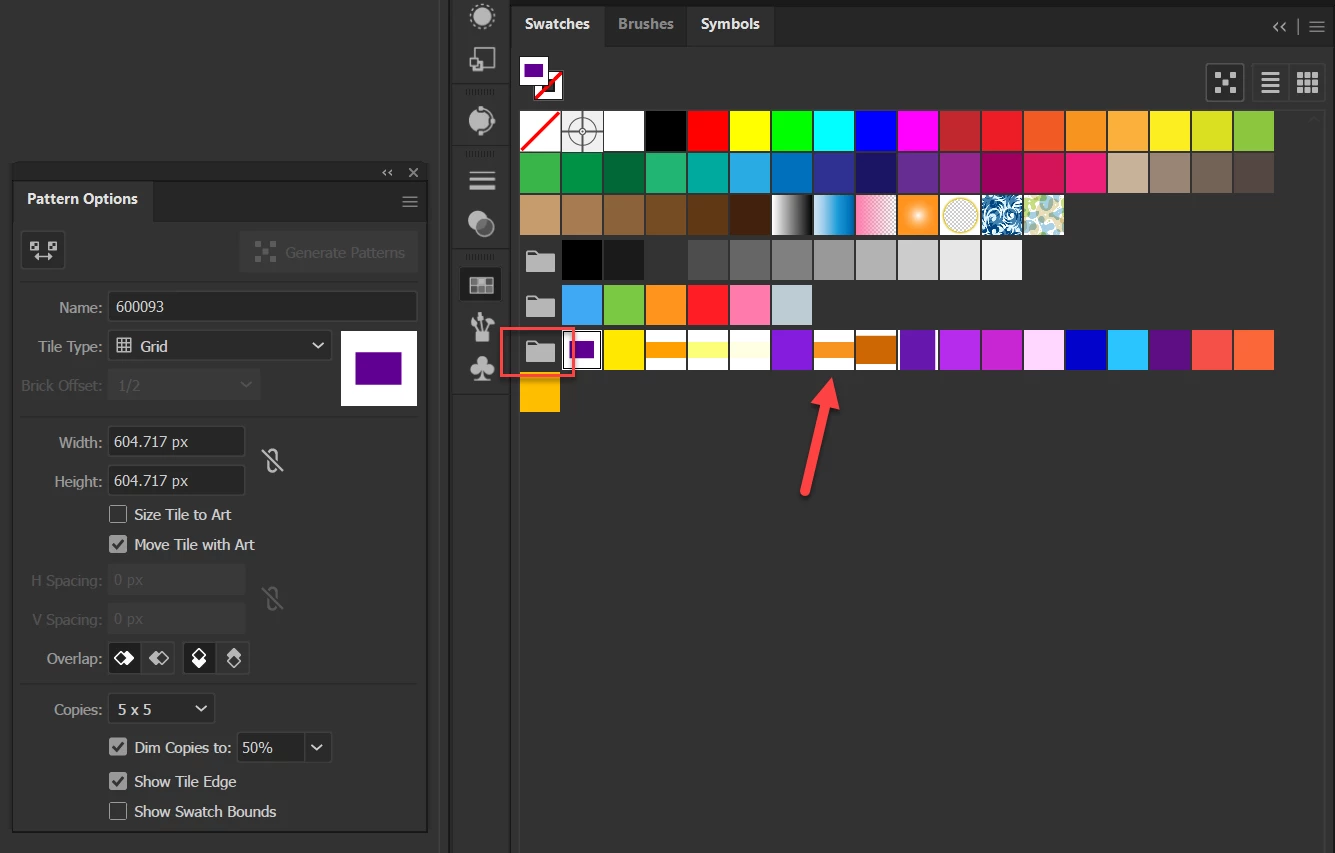
This folder contain custom colors. You can see some swatches are with white boder.  How to have all without white boder? and how to retrive it, in case of it is lost. 


Correct answer Doug A Roberts

Thanks for the help.

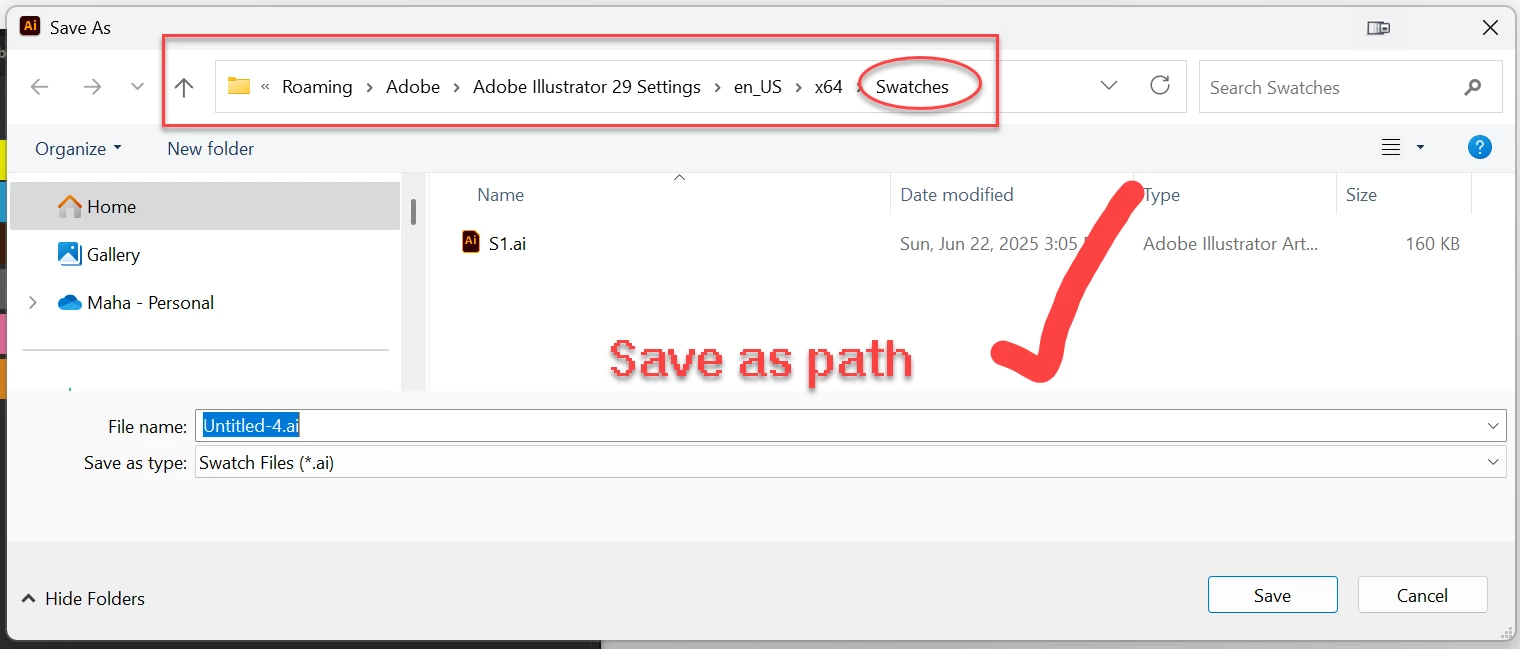
Save as swatches worked. If I search path through This PC swatches folder is different. What is reason for difference?


The Program files folder puts swatch libraries under Window > Swatch Libraries.

The Settings folder puts swatch libraries in User Defined.


Swatch libraries in Program files will be overwritten when you update Illustrator between major versions. Swatch libraries in the settings folder will be migrated if you have 'Import Previous Settings' on when you update in the CC app.

1 reply

Ton Frederiks
Community Expert
Community Expert
June 22, 2025

That one with the white border is a Pattern Swatch, probably added by dragging an object filled with a color.

You can select to show Pattern Swatches from the option at the bottom of the swatches panel. 

MahaB82A
MahaB82AAuthor
June 22, 2025

There are some swatches without white boder. I had different size of shapes to create these swatches. Is it possible to remove this white boder from exisiting swatches?

Ton Frederiks
Community Expert
Community Expert
June 22, 2025

Swatches witout a border are Color Swatches. The swatch you showed is a pattern.