
Inspiring
May 18, 2024
Answered

Cut a shape based on artboards

  • May 18, 2024
  • 1 reply
  • 286 views

I have a shape spanning across 2 artboards
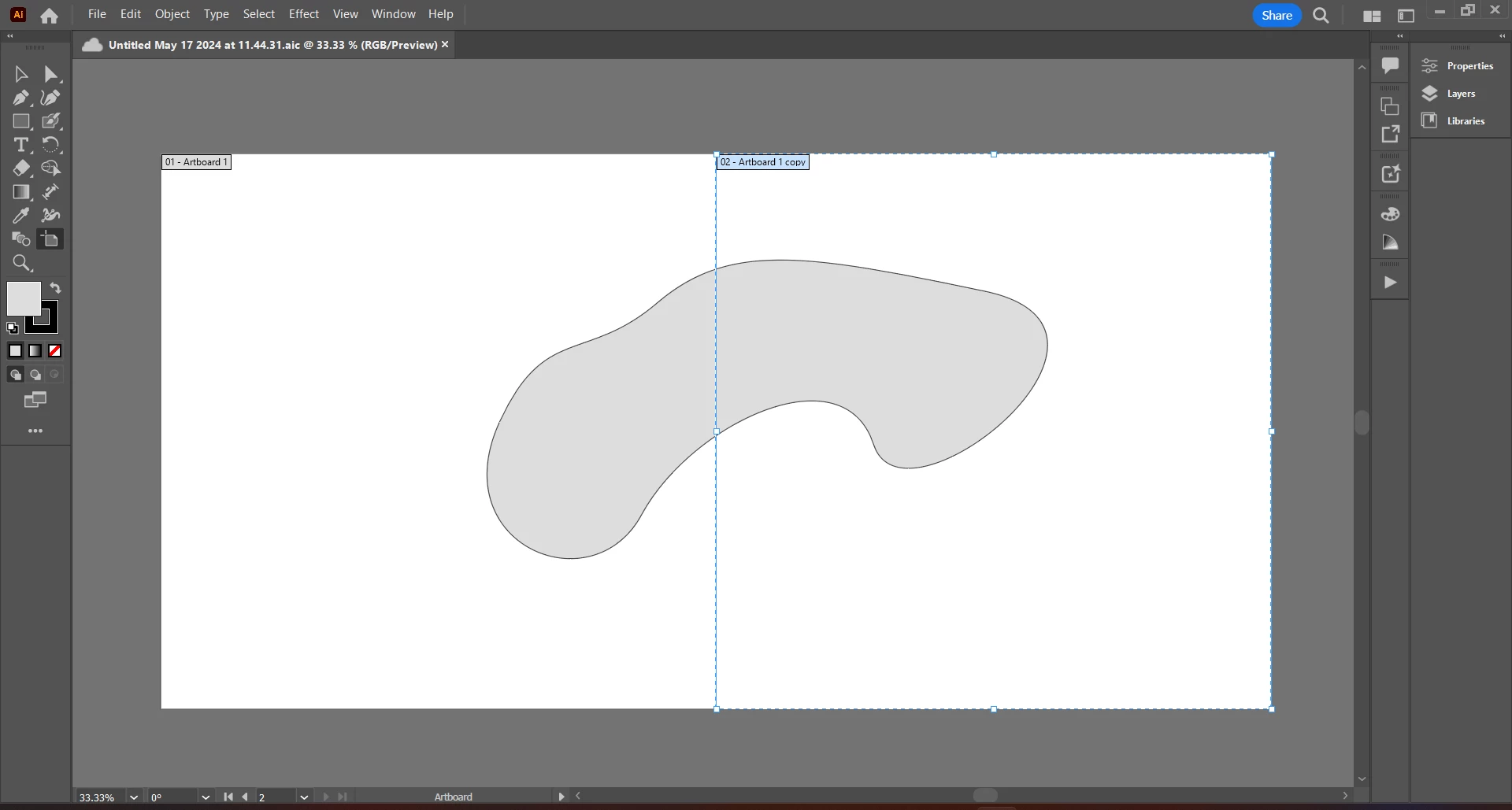
How can the shape be cut based on each artboard so that the portions of the shape remain in each of the artboards indiviually? Idk if illustrator has such feature. If not, kindly suggest any simple workaround.

Thanks.

This topic has been closed for replies.
Correct answer Ton Frederiks

If it is a simple shape like shown, you can create a rectangle with the same size as the artboard and, when selected, choose Object > Path > Divide Objects Below. The 2 new objects will be stroked where divided, so you may want to delete those parts of the paths.

For more complex files, you can drag a rectanglewith the same size as the artboard on top, select all, Copy and Object > Clipping Path > Make

Lock the result, Paste, move the rectangle to the other artboard, select all and Object > Clipping Path > Make. 

Unlock the contents of the other artboard.

1 reply

Ton Frederiks
Community Expert
Ton FrederiksCommunity ExpertCorrect answer
Community Expert
May 18, 2024

If it is a simple shape like shown, you can create a rectangle with the same size as the artboard and, when selected, choose Object > Path > Divide Objects Below. The 2 new objects will be stroked where divided, so you may want to delete those parts of the paths.

For more complex files, you can drag a rectanglewith the same size as the artboard on top, select all, Copy and Object > Clipping Path > Make

Lock the result, Paste, move the rectangle to the other artboard, select all and Object > Clipping Path > Make. 

Unlock the contents of the other artboard.