
Participant
August 28, 2023
Answered

Cut out shapes so logo is transparent

  • August 28, 2023
  • 2 replies
  • 243 views

Hello!

I am designing a logo for the YMCA that I work at and I am having some trouble getting parts of the image to be transparent. I want all of the black trees, sun outline, and Y logo to be transparent and show through the the green background. I have tried Minus Front in Pathfinder, but it just removes the white behind the image and leaves the black. Please help!
This topic has been closed for replies.
Correct answer Mike_Gondek10189183

select all the black items

cut to clipboard

select all group

paste in front 

group

slect all

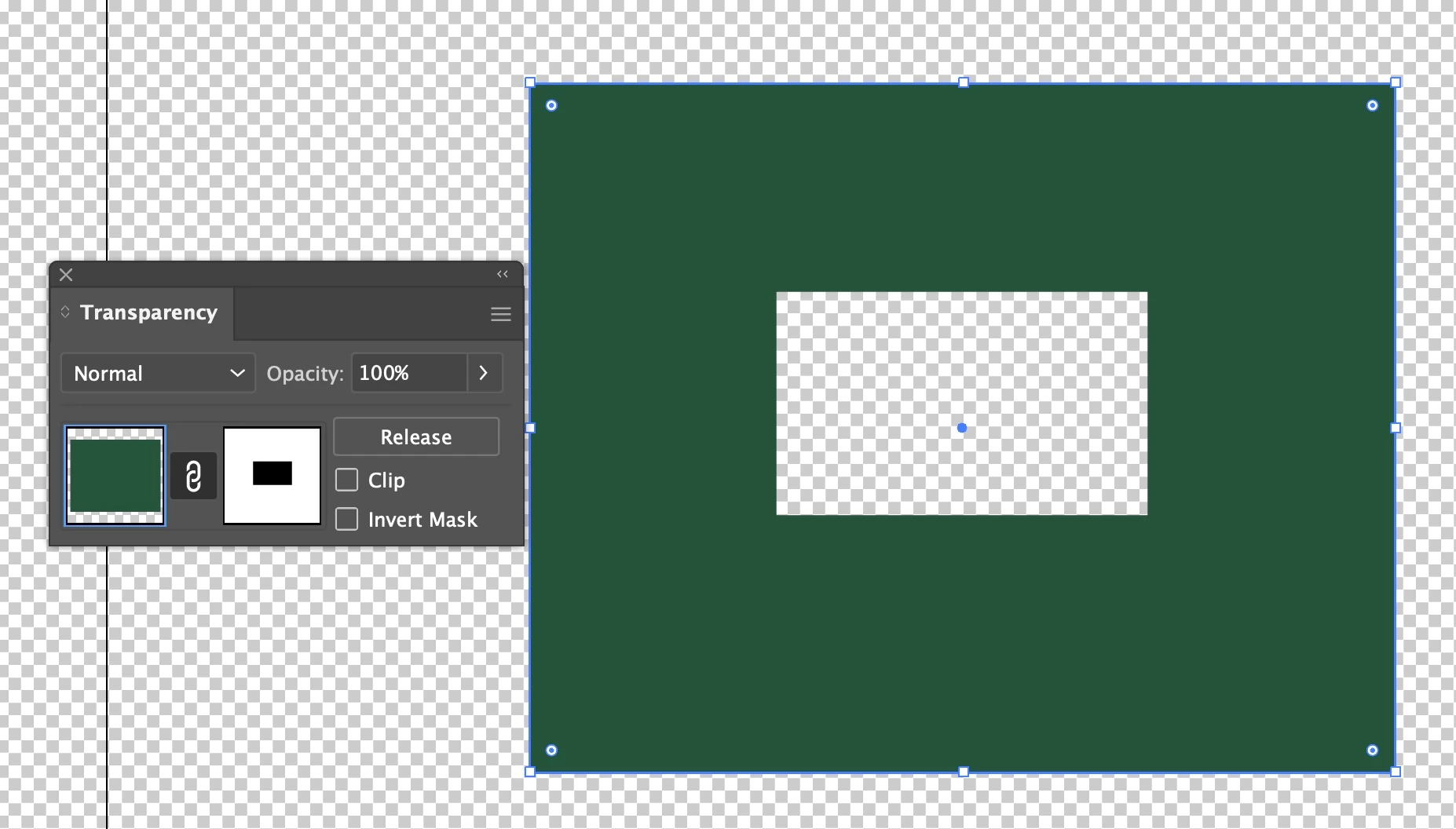
in transparency click make mask

change clip to uncheked as shown


2 replies

Participant
August 28, 2023

thank you soooo much!

Mike_Gondek10189183
Community Expert
Mike_Gondek10189183Community ExpertCorrect answer
Community Expert
August 28, 2023

select all the black items

cut to clipboard

select all group

paste in front 

group

slect all

in transparency click make mask

change clip to uncheked as shown