Participant
February 26, 2024
Question

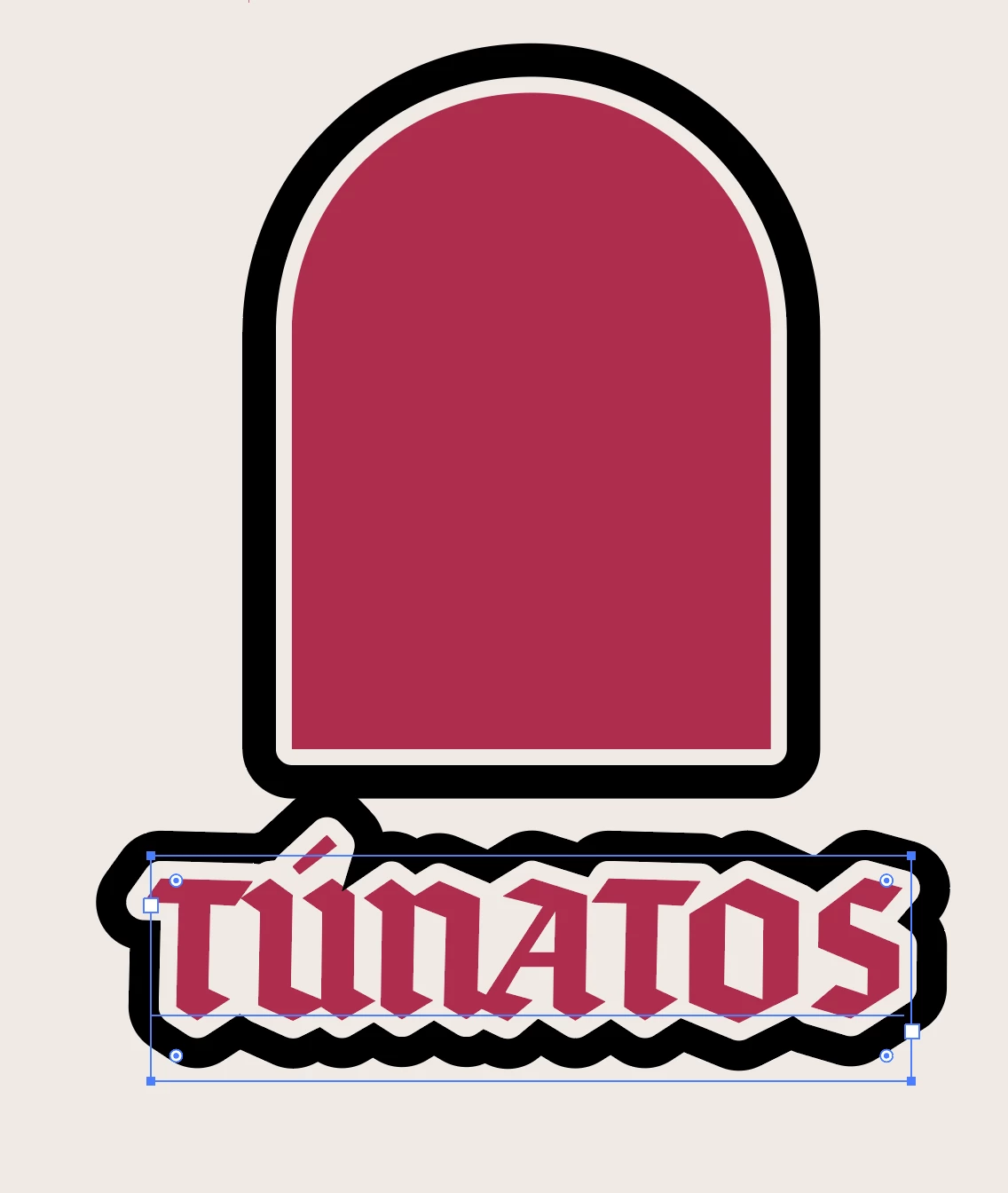
Cutting text from objecct with outline

  • February 26, 2024
  • 3 replies
  • 172 views

Hi i am trying to Add these two together, by making the Text cut into the shape and make their outlines join. how can i do this 

 

This topic has been closed for replies.

3 replies

Jacob Bugge
Community Expert
Community Expert
February 26, 2024

Josiah,


Seeing the quite different interpretation by Hans-Jürgen, which may well be closer than my initial one, I believe some clarification may be called for.


It can be rather simple, such as a few arrows pointing into your first image with a description of which you wish to get rid of, and also comments on the current suggestions/replies as they appear.


Here is yet another interpretation, made a bit like the first as a crude sample,


Click to get closer, Click again to get closer still

pixxxelschubser
Community Expert
Community Expert
February 26, 2024

I'm also not quite sure what the end result should look like.

Maybe like this?


first effect on the group 

second effect on the layer

result


---------------------------------------------------------------------------------

completely editable and with live text

Jacob Bugge
Community Expert
Community Expert
February 26, 2024

Josiah,


As I (mis)understand it, how about the good old Knockout group?


0) Give the black outline round the letters a white fill,

1) In the Appearance palette click the white Fill to select (only that), then in the Transparency palette set the Opacity to 0,
2) Select everything and Ctrl/Cmd+G to Group everything,
3) In the Transparency palette tick Knockout Group.


More or less as in here:
https://community.adobe.com/t5/illustrator/need-help-with-turning-a-logo-into-a-single-transparent-object/td-p/11641471?page=1